Unused Kubernetes PVC clean-up: the new 1.37 Unused condition
Find every unused Kubernetes PVC with the 1.37 Unused condition, then clean up orphaned storage safely: snapshot first, Retain policy, age threshold.
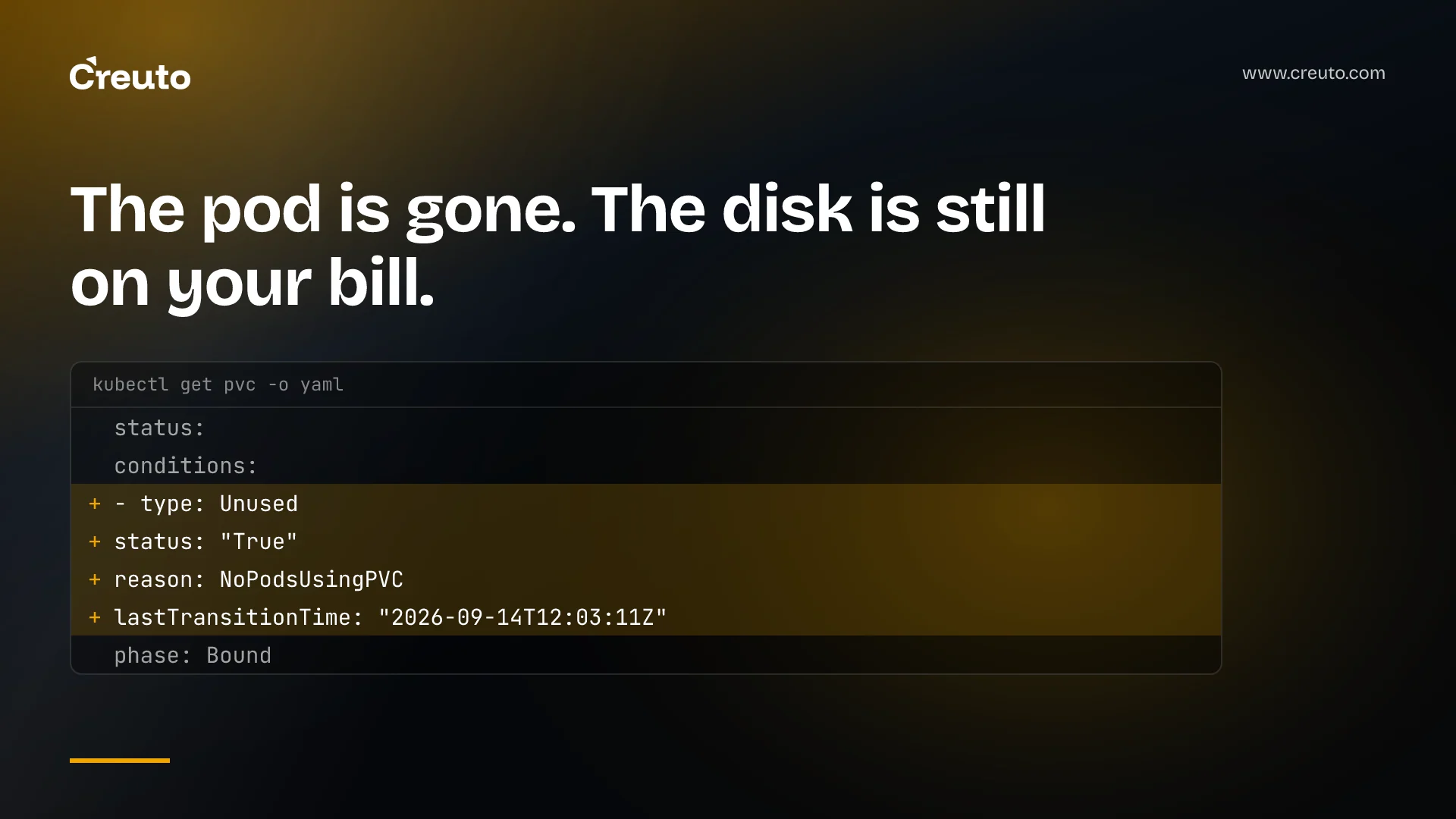
An unused kubernetes pvc no longer needs a script to find. In Kubernetes 1.37 the PVC protection controller writes an Unused condition onto every PersistentVolumeClaim, and its lastTransitionTime tells you when the claim went idle. The feature is beta and enabled by default in v1.37. Below: how to query it, where it misleads, and the clean-up order we use so reclaiming storage never costs you data.
- Feature gate:
PersistentVolumeClaimUnusedSinceTime, alpha in v1.36, beta and on by default in v1.37, tracked as KEP-5541. - What it adds: a condition of type
Unusedinstatus.conditions, with reasonNoPodsUsingPVCorPodUsingPVC. - What it does not do: delete anything. Automatic deletion of unused PVCs is an explicit non-goal, left to cluster administrators.
- Who should care: anyone paying for storage in clusters where teams create claims and move on.
Why orphaned PVCs pile up in the first place
Kubernetes does not delete a PVC when the pods using it are removed. The Kubernetes blog is plain about why: that behaviour protects against accidental data loss, and the side effect is orphaned claims that quietly hold capacity and add to the cloud bill.
Before 1.37, an unused PersistentVolume was easy to spot, but an unused claim was not. You had to cross-reference pods, PersistentVolumes and PVCs over time, which is why most teams ended up with custom monitoring pipelines or scripts. In the clusters we run for clients, that script is usually the first thing to rot.
What the Unused condition on a PersistentVolumeClaim records
The Unused condition reports whether any non-terminal pod references the claim. The Persistent Volumes documentation defines non-terminal as any phase other than Succeeded or Failed.
| Situation | Condition | Reason |
|---|---|---|
| No non-terminal pod references the claim | Unused=True | NoPodsUsingPVC |
| At least one running or pending pod references it | Unused=False | PodUsingPVC |
Three details from the announcement matter for clean-up. Completed pods don't count, so a batch job with restartPolicy: Never leaves its claim at Unused=True once it finishes. Pending pods do count, even ones that can never be scheduled. And when several pods share a claim, it flips to True only after the last one goes.
How do I find unused PVCs in a 1.37 cluster?
To find unused persistent volume claims, read the condition directly. For a single claim:
kubectl get pvc my-data -o jsonpath='{.status.conditions[?(@.type=="Unused")]}'Across the cluster, the blog gives a jq query that lists every claim unused for more than 30 days, with its namespace and the timestamp it went idle:
kubectl get pvc -A -o json | jq -r '
  .items[]
  | select(.status.conditions[]? | select(.type=="Unused" and .status=="True"))
  | select(
      (.status.conditions[] | select(.type=="Unused") | .lastTransitionTime) as $t
      | (now - ($t | fromdateiso8601)) > (30 * 86400)
    )
  | "\(.metadata.namespace)/\(.metadata.name) unused since \(.status.conditions[] | select(.type=="Unused") | .lastTransitionTime)"
'
We add .status.capacity.storage to that output line before sharing it with anyone. A list of names starts a debate; a list of names with sizes starts a clean-up.
Where the unused kubernetes pvc signal misleads
The condition is accurate about what it measures. The trouble is that "no pod right now" is not the same as "nobody needs this".
- Scheduled work looks idle between runs. Because finished pods don't count, a claim used by a monthly job reads
Unused=Truefor most of the month. Your age threshold has to be longer than the longest schedule in the cluster. - Scaled-down workloads look abandoned. A StatefulSet scaled to zero has no pods, so its claims read as unused too. That is our reading of the rule, not a special case the docs call out, and it is exactly the data you least want to lose.
- The clock can start late. The docs warn the unused duration may be shorter than reality, through controller delays or because the feature was switched on after the claim was already idle. The KEP adds that it should never be longer, which errs on the safe side.
- The condition can be missing or frozen. Per KEP-5541, no condition means no usage transition has been observed yet, and disabling the gate leaves old values in place, no longer updated. The same KEP notes that clusters with many PVCs may see delays after the controller manager restarts and reprocesses every claim.
Is it safe to delete an unused PVC? Check the reclaim policy first
Whether deleting a claim destroys data depends on the reclaim policy of the PersistentVolume behind it. Under Delete, removing the claim removes the PV and the storage asset in your cloud. Dynamically provisioned volumes inherit the policy from their StorageClass, and that defaults to Delete.
Under Retain, deleting the claim leaves the PV in a Released state with the data intact. Here is the catch for anyone chasing savings: the docs note the external storage asset still exists even after you delete the PV, and has to be deleted by hand. Retain makes clean-up safe, but it saves nothing until someone finishes the job.
The clean-up order we use to delete orphaned PVCs safely
This is the procedure we follow on the clusters we manage. It trades speed for reversibility at every step:
- Confirm the signal exists. Check the cluster is on 1.37 (or 1.36 with the gate enabled) and that claims actually carry an
Unusedcondition. - Pick an age threshold longer than your slowest schedule. The blog's example uses 30 days; we treat that as a floor, not a default.
- Find an owner for each claim. Check namespace, labels and whether a StatefulSet template created it. No owner means a notice period, not a deletion.
- Take a copy. Use a VolumeSnapshot where your CSI driver supports it (snapshots are CSI-only), or your normal backup tool.
- Switch the bound PV to Retain. The documented command is
kubectl patch pv <pv-name> -p '{"spec":{"persistentVolumeReclaimPolicy":"Retain"}}'. - Delete the claim. The PV moves to Released and the data stays put.
- After a quarantine window, delete the PV and the backing disk. This is the step that actually reduces storage spend.
A snapshot you have never restored is a hope, not a backup. We covered that in backup restore testing, and it applies here before step six.
How much do orphaned volumes cost?
Neither the Kubernetes blog nor the KEP puts a figure on it, and we won't invent one. The cost is whatever your storage provider charges for the capacity each volume holds, and it keeps running until the backing asset is deleted, not the claim. Summing status.capacity.storage across the query results, then multiplying by your own storage rate, gives you a number your finance team can check.
This is the wrong tool if your storage is billed as a flat pool you pay for regardless of use: deleting claims frees capacity, not money. It pays off where volumes are billed one by one.
What to decide this sprint
Run the query in read-only mode and publish the report before deleting anything. Then settle three things: the age threshold, which StorageClasses should default to Retain, and who signs off on step seven. Keep the report a report: the KEP left deletion to humans on purpose, and we'd wire an automated job only for development namespaces, the case the blog's own user stories describe.
If you want help putting this into a cluster's routine, it sits inside our Kubernetes implementation work, and the reporting side belongs with infrastructure management and monitoring. For the other 1.37 change we've written about, see Kubernetes native histograms.
Frequently asked questions
In Kubernetes 1.37 you find unused PVCs by reading the Unused condition in each claim's status. Claims with Unused set to True and reason NoPodsUsingPVC have no running or pending pod, and the condition's lastTransitionTime shows when they became idle, so a kubectl and jq query can filter by age.
Deleting an unused PVC is only safe once you know its reclaim policy. Under the default Delete policy for dynamically provisioned volumes, the claim, the PersistentVolume and the cloud disk all go. Switching the PV to Retain and taking a snapshot first keeps the data recoverable while you confirm nobody needs it.
The PersistentVolumeClaimUnusedSinceTime feature gate lets the PVC protection controller add an Unused condition to every PersistentVolumeClaim. It was alpha in Kubernetes 1.36, where you had to enable it yourself, and is beta and enabled by default in Kubernetes 1.37, so the condition appears without configuration.
A finished Kubernetes Job does not keep its PVC marked as in use. Pods in the Succeeded or Failed phase are terminal and do not count, so the claim flips to Unused=True once the job's pods complete. That is why your age threshold must be longer than your slowest scheduled job.
Kubernetes 1.37 does not delete unused PVCs automatically. KEP-5541 lists automatic deletion as a non-goal and leaves that decision to cluster administrators. The feature only records whether a claim is in use and since when, which you then feed into your own review or clean-up process.
