AI spend monitoring: catch model overuse before the bill
AI spend monitoring runs a day behind on every provider cost API. What OpenAI, Anthropic, Google and gateways can really alert on, and what to do instead.
Most AI spend monitoring answers the right question a day late. OpenAI's costs endpoint supports only daily buckets. Anthropic's cost report supports only daily buckets. A Google Cloud budget alert can take several hours to arrive at all. If a retry loop starts at 02:00, none of them will tell you before breakfast.
The fix is not a better dashboard. It is a different signal — token counts per request, attributed to a feature, with a hard cap sitting in front of the model. Below is what each provider's cost surface can genuinely alert on, how far behind it runs, and the three controls we now put in every system we ship that calls a paid model.
Every cost API you can bill against is daily
Provider APIs split into two families, and the split matters more than any dashboard feature. Usage endpoints count tokens and go down to the minute. Cost endpoints count dollars and do not.
OpenAI's usage endpoint at /v1/organization/usage/completions accepts a bucket_width of 1m, 1h or 1d. Its costs endpoint at /v1/organization/costs supports only 1d. Anthropic has the same shape: the Messages usage report accepts 1d, 1h or 1m, while the cost report accepts 1d and nothing else.
That asymmetry is the whole problem. Dollars are reconciled, and reconciliation is slow. Tokens are counted at the edge of the request, and counting is fast.
| Surface | Finest granularity | Can it stop spend? |
|---|---|---|
| OpenAI usage report | 1-minute buckets | No |
| OpenAI costs report | 1-day buckets | No |
| OpenAI spend limits | Monthly, org or project | Yes — returns 429 |
| Anthropic Messages usage report | 1-minute buckets | No |
| Anthropic cost report | 1-day buckets | No |
| Anthropic workspace spend limit | Monthly, per workspace | Yes |
| Google Cloud budget alert | Threshold email or Pub/Sub | No |
| Cloudflare AI Gateway analytics | Minute dimension in GraphQL | No |
| Cloudflare AI Gateway rate limiting | Requests per window | Yes — by request count |
| Cloudflare User Insights | Roughly a day behind | No |
What AI spend monitoring can actually stop
Only three of those surfaces refuse a request. Knowing which is the difference between a control and a report.
OpenAI spend limits exist at organisation and project level, as a soft alert that notifies while traffic continues, or as a hard limit where affected requests return a 429 with organization_spend_limit_exceeded or project_spend_limit_exceeded. The documentation is honest about the edge: "Enforcement is not instantaneous, so recorded spend can slightly exceed the configured amount." Worth remembering that a 429 from a spend limit is not the 429 error your retry logic was written for — retrying it just burns your remaining budget faster.
Anthropic puts the equivalent control on the workspace. Console workspace spend limits are monthly, must be lower than the organisation's limit, and default to the organisation's limit when unset — so a workspace you never configured has no ceiling of its own.
Google Cloud budgets are the trap. The documentation says it plainly: "Setting an alerts-only budget doesn't automatically cap Google Cloud or Google Maps Platform usage or spending." It also warns that after you create a budget it may take several hours before receiving the first email or Pub/Sub notification, and that there is a delay between using a resource and the cost reporting to Cloud Billing at all.
Cloudflare AI Gateway will refuse requests, but on a dimension that has nothing to do with money. Its rate limiting is defined as a number of requests in a time frame, fixed or sliding window, answering 429 Too Many Requests — and the docs note the behaviour "will be uniformly applied to all requests for that gateway". No dollar cap, no per-user dimension. It is a blunt instrument, and blunt is exactly what you want at 02:00.
Why we alert on tokens per request, not on spend
A runaway agent loop rarely changes your cost per request. It changes how many requests arrive and how much context each one carries. Those are both token metrics, both available at minute granularity, and both visible before a single dollar is reconciled.
So the two alerts we ship are boring ones: p99 input tokens per request, per feature, and requests per session. A loop trips the second within minutes. A prompt that has quietly grown a history array trips the first within an hour. A monthly spend cap trips neither until the month is already spent.
How to detect a runaway agent loop from a poller
If you build this yourself against the provider APIs rather than a gateway, read the pagination limits before you pick a schedule. Anthropic's usage report defaults to 60 minutes and caps at 1,440 minutes when bucket_width is 1m, at 168 hours when it is 1h, and at 31 days when it is 1d. In practice that means minute-resolution history only reaches back one day, so a poller that runs hourly and stores its own series is not optional — the provider will not answer the question a week later.
The alert itself is three comparisons, not a model: requests per session above a ceiling you chose deliberately, input tokens per request above the p99 you measured last month, and output tokens per request pinned near your max_tokens, which usually means something is generating until it is cut off. Any one of them firing is worth a look. Two together is a loop.
Where inference runs on your own hardware the question changes shape entirely — there is no invoice to race, and the waste shows up as idle accelerators instead, which is the GPU utilization problem rather than a spend one. The controls below apply to metered APIs.
Cloudflare's User Insights is a good illustration of the ceiling on this kind of analysis. It classifies traffic by task, model, conversation turns and user, and flags models that look "more capable than a task requires" — genuinely useful for the quarterly question of whether you are paying frontier prices for classification work, which is the same argument as LLM cost optimization across model tiers. But Cloudflare states that the analysis "may trail incoming traffic by approximately one day" and that it "is not a real-time view". It is a review tool, not a circuit breaker. Do not wire a pager to it.
Per-feature attribution is a header, not a dashboard
Attribution is the one thing you cannot add retrospectively. If the invoice surprises you and every call went through one API key, the answer to "which feature did this" is gone — the provider never had the data.
Every surface gives you the same handful of dimensions, and they are all things you have to set at call time:
- Anthropic's usage report groups by
account_id,api_key_id,workspace_id,model,service_tierandcontext_window(either0-200kor200k-1M). - OpenAI's usage endpoint groups by model, project, user and API key.
- Cloudflare AI Gateway reads a
cf-aig-metadataheader, and its User Insights analysis needs both a stableuser_idand asession_idin it, alongsideapplicationandidp_group.
In the systems we build, the rule is one project or workspace per feature rather than per environment. Environments you can already tell apart from your own logs; features you cannot, and features are what product owners cut. The metadata header goes in the same client wrapper as the retry policy, so nobody has to remember it, and it belongs with the rest of your infrastructure monitoring rather than in a finance review.
The controls most teams do not have
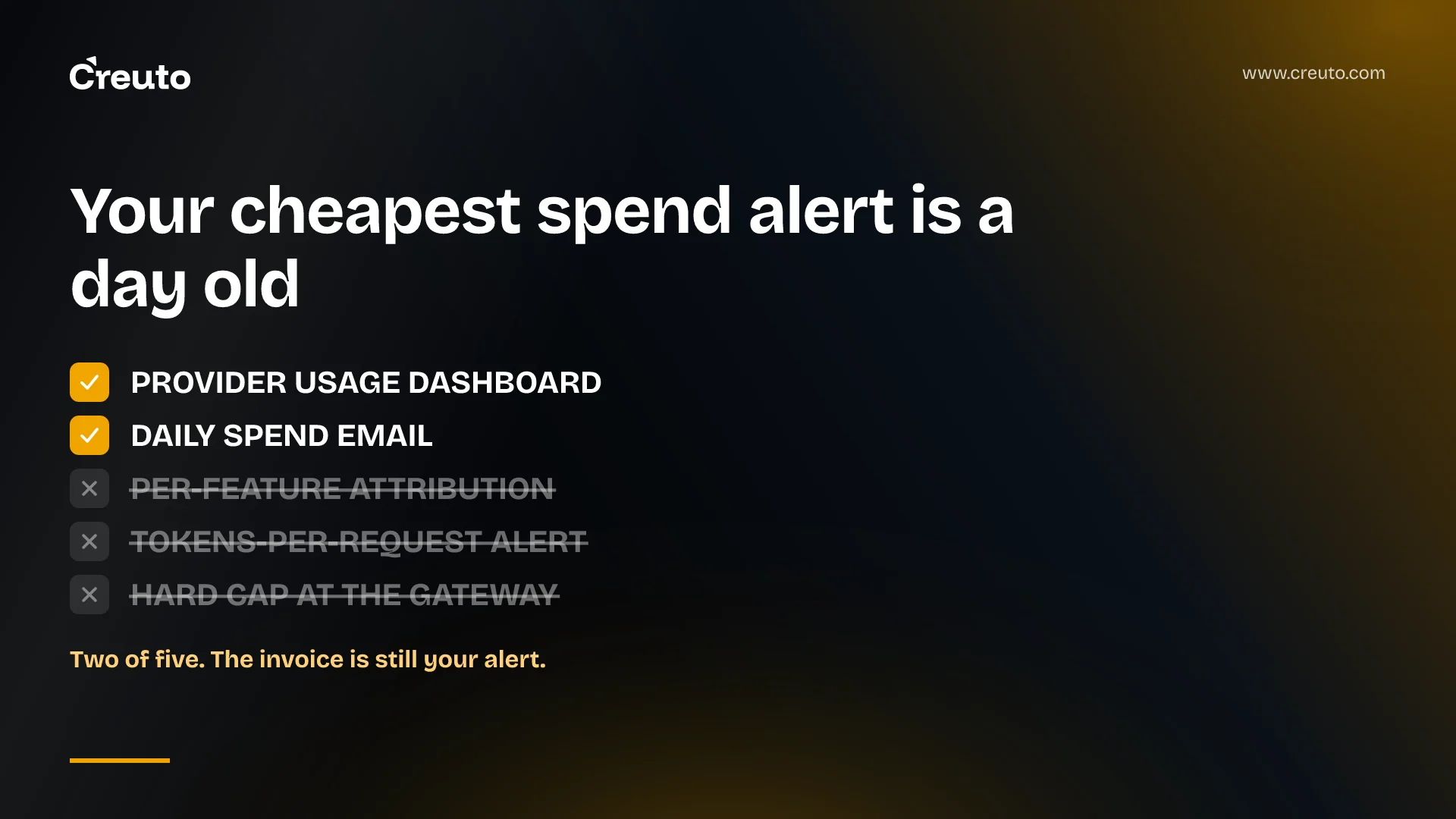
Across the teams we work with, the pattern is consistent. Two of these five are usually present; the other three are what the invoice was doing the job of:
- Provider usage dashboard — almost always present, almost never watched.
- Daily spend email — usually present, and a day behind by construction.
- Per-feature attribution — rarely present, and impossible to backfill.
- Tokens-per-request alert — rarely present, and the only one that fires in minutes.
- Hard cap at the gateway — rarely present, because someone reasonably worries it will cause an outage.
Two of five. The invoice is still your alert.
Where this gives false comfort
Gateway cost numbers are estimates and say so. Cloudflare describes its cost metric as "an estimation based on the number of tokens sent and received in requests", available only for endpoints where the models return token data and the model name, and tells you to refer to your provider's dashboard for the most accurate cost details. Treat a gateway figure as a trend line and the provider's cost report as the number you reconcile against.
Token counts also mislead once caching is in play, because cached input is not priced like fresh input — Anthropic's own usage report reports cache_read_input_tokens and cache creation tokens as separate fields for exactly that reason. A feature that looks expensive on raw token volume may be cheap, and a feature that looks cheap may be paying to rewrite its cache every call. Prompt caching changes the arithmetic enough that a tokens-only alert needs a cache-hit rate next to it.
The strongest objection to hard caps is the honest one: a hard cap is a self-inflicted outage. Most teams, asked directly, would rather overspend for a night than serve errors to customers, and they are not wrong about which one gets them fired. Our answer is not to argue with that — it is to cap asymmetrically. Batch jobs, agent loops and background enrichment get a hard limit, because nobody is watching them and they are where the runaway happens. User-facing paths get a soft alert and a per-session request ceiling, which degrades one abusive session instead of the product.
The next decision is narrower than a monitoring project. Pick one feature that calls a model, give it its own project or workspace key this week, and put a tokens-per-request alert on it. If the number that comes back is not the number you expected, you have found your overuse before the invoice did.
Frequently asked questions
AI API cost control needs three separate things: a hard cap that refuses requests, attribution that names the feature spending the money, and an alert on token counts rather than dollars. Provider spend limits supply the cap; metadata headers or per-feature API keys supply the attribution.
Runaway AI spend usually comes from a retry or agent loop that repeats a request, or a prompt that silently accumulates conversation history until every call carries a large context. Neither changes the cost per request, so only request counts and token counts reveal them early.
Attribute token cost by giving each feature its own project, workspace or API key, because provider usage reports group by those identifiers. Cloudflare AI Gateway also reads a cf-aig-metadata header carrying user_id, session_id, application and idp_group. Attribution cannot be added retrospectively.
Slower than you expect. OpenAI and Anthropic cost reports bucket only by day, and Google warns that a new budget may take several hours before the first email or Pub/Sub notification arrives. Token usage reports, by contrast, offer one-minute buckets.
Yes. An OpenAI hard spend limit makes affected requests fail with a 429 error until the limit is raised or resets, so it is an outage by design. We apply hard caps to batch jobs and agent loops, and soft alerts with per-session ceilings to user-facing paths.
