WebMCP: let browser agents call your web app instead of clicking it
WebMCP lets websites expose typed tools to in-browser AI agents. What the Chrome origin trial offers, how it differs from MCP, and how to pilot it safely.
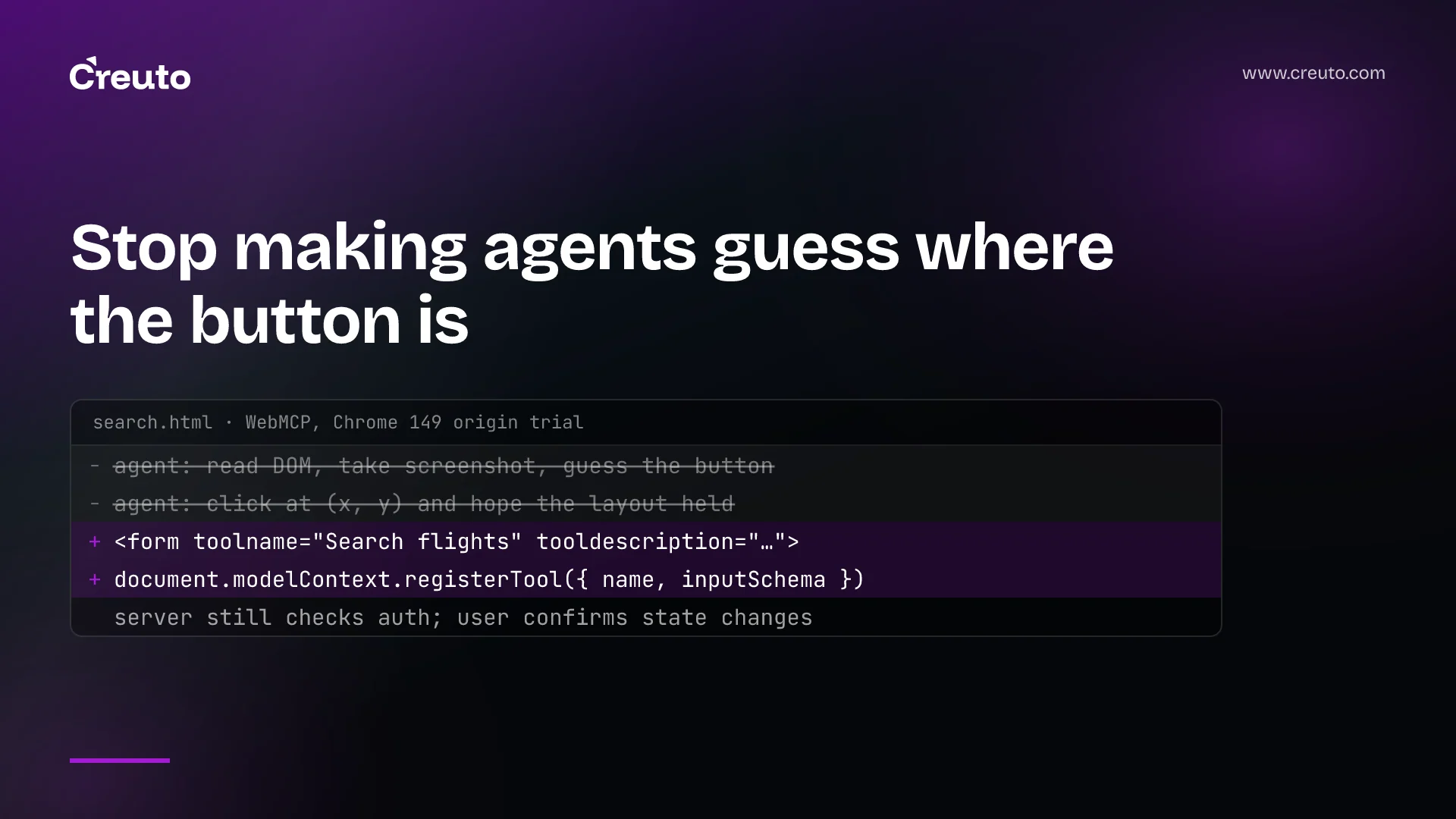
Browser agents today use websites the way a stranger uses a foreign keyboard: they read the page, guess which button does what, and click. WebMCP, a proposed web standard now in a Chrome origin trial, lets a site hand those agents a list of typed tools instead — "search flights", "add to basket", "book a slot" — so the agent calls the function rather than guessing at the interface. This week Vercel added experimental WebMCP support to its MCP tooling, which makes it the right moment for web teams to decide whether and how to adopt it.
What is WebMCP?
WebMCP is modelled on the Model Context Protocol, but runs entirely in the browser. According to InfoQ's report on the Chrome origin trial, Google announced that WebMCP entered origin trials in Chrome 149. It lets sites expose JavaScript functions and HTML forms as tools that in-browser AI agents can call directly, instead of reading the DOM, analysing screenshots and simulating clicks — an approach InfoQ describes as often unreliable and token-expensive, since a layout shift or a delayed element can break it.
The proposal has two surfaces:
- Declarative API. Existing HTML forms are annotated with attributes such as
toolnameandtooldescription, so an agent can discover and submit them as tools. - Imperative API. Scripts register tools with
document.modelContext.registerTool(), giving each a name, a description, a JSON Schema for its inputs and anexecutefunction.
The spec is still moving. The API has already shifted from navigator to document to reflect that tools belong to a page — a clear signal that anything built now should be treated as experimental.
How is WebMCP different from MCP?
A standard MCP server runs on your backend and is called by agents from anywhere. WebMCP tools live in the page the user already has open, and are called by an agent working in that browser, in that session. InfoQ notes that WebMCP omits server-side MCP concepts such as resources. The important consequence is identity: the agent acts as the signed-in user, within the page's existing session, rather than with a separate credential.
That is exactly what Vercel's mcp-handler update exploits. With version 2.2.0, a team can opt existing MCP tools into WebMCP and load a script from its MCP endpoint; the script registers those tools with the page and proxies each call back to the MCP server as the signed-in user, "so authenticated tools work without a browser-side OAuth flow". One tool definition then serves both remote agents and in-browser ones.
Should my web app support WebMCP?
For most products, it is worth an experiment now and a decision later. The case for starting:
- Reliability. An agent calling
search_orderswith a typed input is far more dependable than one clicking through a filter panel. - Cost. InfoQ quotes one early implementer reporting up to a 90% reduction in LLM token usage from calling WebMCP tools rather than driving the page.
- Control. You choose which actions agents can take, with what inputs, instead of agents reverse-engineering your interface.
The case for caution: it is an origin trial in one browser, the API surface has already changed, and InfoQ also records the early-adopter observation that a better interface does not fix missing knowledge — agents still need accurate information about policies, eligibility and exceptions.
How to implement WebMCP on a website
- Start with read-only tools. Search, look-up and status checks carry little risk and show immediately whether agents use them well.
- Reuse what you have. If you already run an MCP server, expose the same tools through WebMCP rather than writing a second set. If you do not, annotate your most important forms with the declarative API.
- Keep confirmation human for state changes. Purchases, bookings, cancellations and messages should require the user to confirm in your own interface, whatever the agent asked for.
- Validate on the server. A WebMCP call is still a request from a browser. Apply the same authorisation, validation, rate limits and CSRF protections as any other action.
- Put it behind a feature flag. The spec is changing; make it easy to update or switch off without a release.
- Log agent calls separately. You will want to know which tools agents use, how often they fail and what they cost you.
Where WebMCP fits
WebMCP is one of several ways sites are being reshaped for agents. Commerce has its own protocols, which we compared in Agentic Commerce Protocol versus UCP. Server-side MCP itself has just gone through breaking changes to become stateless. And whether agents can reach your content at all is governed by crawler controls, as we covered for GPTBot and OAI-SearchBot. A sensible architecture treats all of these as thin adapters over one set of well-defined business operations.
If you want to try WebMCP on a real product without committing to a moving spec, our web app development team can build a small, flagged pilot around your most-used read-only actions and measure whether agents use it.
Frequently asked questions
WebMCP is a proposed web standard, modelled on the Model Context Protocol, that lets websites expose JavaScript functions and HTML forms as typed tools for AI agents running in the browser. It entered a Chrome origin trial in Chrome 149.
MCP servers run on a backend and are called by remote agents. WebMCP tools are registered by a web page and called by an agent in the user's browser, acting within the signed-in user's session. WebMCP omits server-side MCP concepts such as resources.
WebMCP is available through an origin trial in Chrome starting with Chrome 149. It is a proposed standard and its API has already changed, moving from navigator to document, so implementations should be treated as experimental.
WebMCP can be used for authenticated actions if servers apply normal authorisation, validation and rate limits to every call, and state-changing actions such as purchases require user confirmation in the site's own interface. Start with read-only tools.
