Tally to ERP migration: what moves, what stays in Tally
A Tally to ERP migration rarely means dropping Tally. Move operations to an ERP, keep the books for your CA, sync over XML and cut over on 1 April.
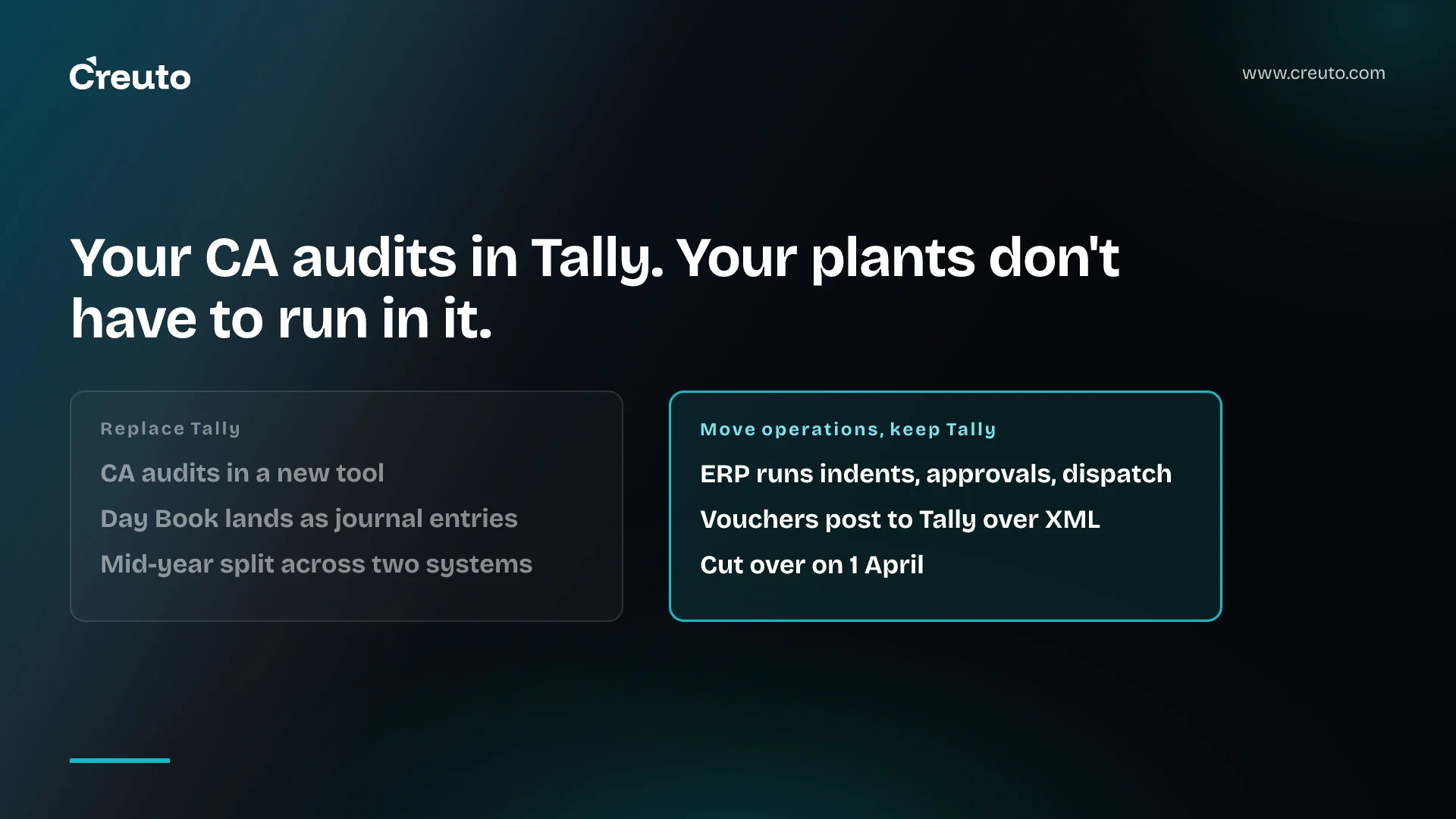
Tally is not standing still. TallyPrime 7.2 shipped on 12 October 2026 with 30-day e-invoice and e-way bill login sessions, up from six hours. So a Tally to ERP migration should rarely mean ripping Tally out. For a mid-sized Indian manufacturer, the better plan moves operations into an ERP, keeps the books in Tally for your CA, and cuts over on 1 April. By the end you will know what moves, what stays, how the two stay in sync, and what actually sets the timeline.
We are writing for the COO or finance head at a company of roughly 100-200 people, running TallyPrime across two plants and rebuilding stock positions in spreadsheets every month-end. The choice in front of you is usually three-way: add TallyPrime Gold and a few add-ons, replace Tally with an off-the-shelf ERP, or build an ERP that runs operations and feeds Tally.
Tally is still shipping, so "Tally is dead" is the wrong reason to move
The strongest case for staying is that Tally keeps closing the gaps people cite as reasons to leave. The 7.2 release notes add export of the Annual Computation report to the GSTR-9 file, so you can reconcile your books against the auto-populated GST portal data, and they extend invoice print templates to purchase orders.
Multi-registration businesses got their fix earlier. TallyPrime 3.0, released on 12 June 2023, introduced "a single Company data with multiple GST registrations", which the notes say "saves you from the trouble of maintaining different Company data for different GST registrations."
Multi-location stock is covered too. Godowns in TallyPrime let you organise stock by location, record transfers between godowns with Stock Journals, and compare stock across two or more godowns in the Godown Summary. If your problem is "we cannot see stock per plant in Tally", check your configuration before you sign anything.
This is where some migration guides misread the product. Fuzen's May 2026 guide, from a custom-ERP vendor, says that with "multi-location warehouses or multiple GSTINs", Tally "often requires you to maintain separate company files". That may describe older Tally installs. For multiple GSTINs, it does not describe TallyPrime 3.0 and later.
Is Tally an ERP? Where outgrowing Tally actually shows up
Tally records transactions very well. The question for a two-plant business is where the work happens before the voucher exists. Who raised the indent, who approved the purchase, which batch went to which line, which dispatch is waiting on a QC sign-off: those are workflow questions. If the answers live in messaging groups and spreadsheets, Tally only ever sees the result.
That is what "outgrowing Tally" usually means. The month-end spreadsheet reconciliation is a symptom of operational data living outside any system, not of Tally getting a number wrong. Fuzen's guide puts it in similar terms: Tally "is excellent for ledgers but weak for operational workflows." That is a vendor with a build to sell, but it names the right boundary.
So the honest answer to "is Tally an ERP?" is that it covers accounting, GST compliance and inventory records, and leaves the operational workflow around them to you. Whether that matters depends on how much of your business is workflow.
Tally vs ERP: the three options, side by side
As of 2 November 2026, Tally's own price page describes Silver as "suitable for businesses that need TallyPrime on a single PC" and Gold as for "multi-user access on multiple PCs". Gold lists at ₹27,000 for 12 months (shown at ₹24,300 after a 10% discount) or ₹67,500 lifetime, both plus 18% GST. Cloud Access is sold separately, for example ₹1,800 for three months on Silver.
| Option | What it fixes | What it leaves |
|---|---|---|
| TallyPrime Gold plus add-ons | Concurrent users across plants; your CA's workflow is untouched | Approvals, production and plant workflows still live outside the system |
| Off-the-shelf ERP (ERPNext, Odoo) replacing Tally | One system for operations and accounts | Your CA has to audit in a new tool; you adapt processes to the product |
| Custom ERP that feeds Tally | Operations modelled on how your plants actually run | An integration to build and maintain; a build budget up front |
Gold is the cheapest line here by a distance, and for some firms it is the right answer. If you are weighing the packaged route, our breakdown of what Odoo really costs in India covers the licence and partner maths.
Tally to ERP migration: what moves and what stays in Tally
The cleanest split is to move operational masters and open positions into the ERP, and to leave accounting history in Tally where your auditor already reads it. The table shows how we would divide it for a manufacturer or distributor.
| Data | Moves to the ERP | Stays in Tally |
|---|---|---|
| Ledger masters for customers and suppliers, with GST details | Yes, cleaned and de-duplicated | Yes, kept in step by the sync |
| Stock items, units, godowns, batches, BOMs | Yes, as the operational source | As summarised by vouchers posted from the ERP |
| Opening balances: stock, receivables, payables | Yes, as at the cutover date | Yes, the books continue |
| Open purchase and sales orders | Yes | No |
| Prior-year vouchers and day book | No, or read-only reference | Yes, for audit and returns |
| Chart of accounts | Mapped, not rebuilt | Yes, owned by finance |
Even a purpose-built migrator shows why history is a poor candidate to move. The GreyCube Tally Migration app for ERPNext imports Day Book accounting vouchers "as submitted Journal Entries" and skips inventory vouchers, listing them in a log. That is a reasonable design for a tally to ERPNext migration, but it means years of stock movement do not arrive as stock movement. Leaving that history in Tally loses nothing your auditor needs.
Masters are where we expect the effort to go. Duplicate party ledgers, stock items named three ways, and godowns that no longer exist all get copied faithfully unless someone cleans them first. We wrote up why ERP go-lives fail on data rather than software; the same applies here.
Can an ERP work alongside Tally? Yes, through its XML interface
TallyPrime exposes its data over HTTP. Tally's XML integration documentation says it "delivers web service-like functionality by exposing its internal data and operations via XML over HTTP", with a default port of 9000 and request types of Import, Export and Execute. An ODBC server can be enabled as well, which Tally's integration overview positions for reporting from Excel or Power BI.
That gives a custom ERP with Tally integration a clear shape. The ERP owns indents, approvals, production and dispatch; when a transaction is final, it posts the matching voucher into Tally over XML. Your CA keeps auditing in Tally, and the GST returns still come out of the books they always came from.
Three constraints from Tally's documentation shape the design:
- At least one company must be loaded in Tally for requests to work, so the sync needs a Tally instance that stays running, and a queue for when it is not.
- Excel import arrived in Release 4.0, but TallyPrime does not support importing bank transactions via the Import Data from Excel feature. Bank entries need the XML route or stay manual.
- The same FAQ notes that "during the import process, there is no way to abandon it" and recommends a backup first. Bulk loads at cutover should run against a backup, not live books.
How long does Tally to ERP migration take? Four things set the timeline
Fuzen's guide says "a typical migration for an SMB with 50 to 100 employees takes 4 to 8 weeks" and recommends running both systems in parallel for at least one month. The page gives no source or data for the four-to-eight-week figure, so treat it as a vendor's estimate rather than a benchmark.
The figure also bundles two different jobs. Moving data out of Tally is the smaller one. Building or configuring the operational ERP is the larger one, and it scales with how many workflows you are modelling. For our own work, larger enterprise platforms typically take 3-6 months depending on complexity, integrations and scope.
Within the migration itself, four things move the date:
- Masters cleanup. The number of duplicate ledgers and inconsistent stock items you carry decides how long reconciliation takes, not the export.
- Opening balances. Stock by godown and batch, and bill-by-bill receivables and payables, have to tie to Tally's figures on the cutover date before anything else can be trusted.
- Cutover date. A mid-year cutover forces you to split a financial year across two systems. A 1 April cutover does not.
- Parallel run. A month of running both systems is a month of double entry for your team. Plan the staffing for it.
Cut over on 1 April, and settle e-invoicing before you do
A financial year cutover is the cheapest way to make an ERP migration in India auditable. Opening balances are struck once, at the year boundary, and the GSTR-9 annual return reconciles against one set of books for the whole year. TallyPrime 7.2's new GSTR-9 export makes that reconciliation easier to do from Tally, which is one more reason to keep the books there.
Decide before cutover where invoices get raised. If the ERP raises sales invoices, it carries the e-invoice obligation. Tally's summary of Notification No. 10/2023–Central Tax sets the threshold at aggregate turnover above ₹5 crore from 1 August 2023, with each e-invoice carrying an IRN and QR code from the Invoice Registration Portal. If your turnover is above that line, the ERP has to generate IRNs itself or hand invoices to something that does. Our note on GST e-invoicing and what the ERP must do covers the integration side.
When TallyPrime Gold is enough, and when to build around Tally
Gold is the right call if your pain is concurrent access, your plants run similar processes, and the month-end spreadsheet is small. Paying ₹27,000 a year plus GST at list price to remove a single-PC bottleneck is hard to beat. A custom build is the wrong choice if you cannot name the workflows it would model.
A packaged ERP replacing Tally fits when your processes are close to the product's defaults and your CA is willing to audit in it. A custom ERP that feeds Tally fits when the plants run differently, approvals matter, and the accounting team wants to stay where it is.
We have built the operations side of this before: a custom ERP for a large-scale industrial client that unified HR, CRM, inventory and finance across four departments in one browser-based platform, migrated from legacy spreadsheets. If you are deciding whether to build an operations ERP that posts into TallyPrime rather than replace it, our custom ERP development team can map which of your workflows belong in the ERP and how the Tally sync should work, before you commit to a build.
Frequently asked questions
A company should move from Tally to an ERP when its operational work, such as indents, approvals, production and dispatch, lives in spreadsheets and messaging groups outside any system. If the only problem is several people needing access at once, TallyPrime Gold, which Tally sells for multi-user access on multiple PCs, may be enough.
An ERP can work alongside Tally because TallyPrime exposes its data as XML over HTTP, on port 9000 by default, and accepts import, export and execute requests. The ERP runs operations and posts finished vouchers into Tally, so the accountant keeps auditing and filing returns from the same books as before.
A Tally to ERP migration takes as long as masters cleanup, opening-balance reconciliation, the cutover date and the parallel run allow. One vendor quotes four to eight weeks for a 50-100 person business without citing data. Building the operational ERP itself is the larger job, and larger enterprise platforms typically take three to six months.
Tally data that can be migrated includes ledger masters, stock items, units, godowns, batches, opening balances and open orders, exported as XML. Prior-year vouchers are better left in Tally: one ERPNext migration app imports Day Book accounting vouchers as journal entries and skips inventory vouchers, so stock history does not arrive intact.
Tally is accounting and inventory software rather than a full ERP. TallyPrime covers ledgers, GST compliance, multiple GST registrations in one company and stock across godowns, but it leaves operational workflows such as purchase approvals, production planning and plant-level dispatch to the business, which is the gap an operational ERP is built to fill.