Siri AI App Intents: what to expose first, what to hold
Siri AI App Intents is in the iOS 27.3 beta, limited to developer builds. Which app actions to expose before the spring App Store window, and which to hold.
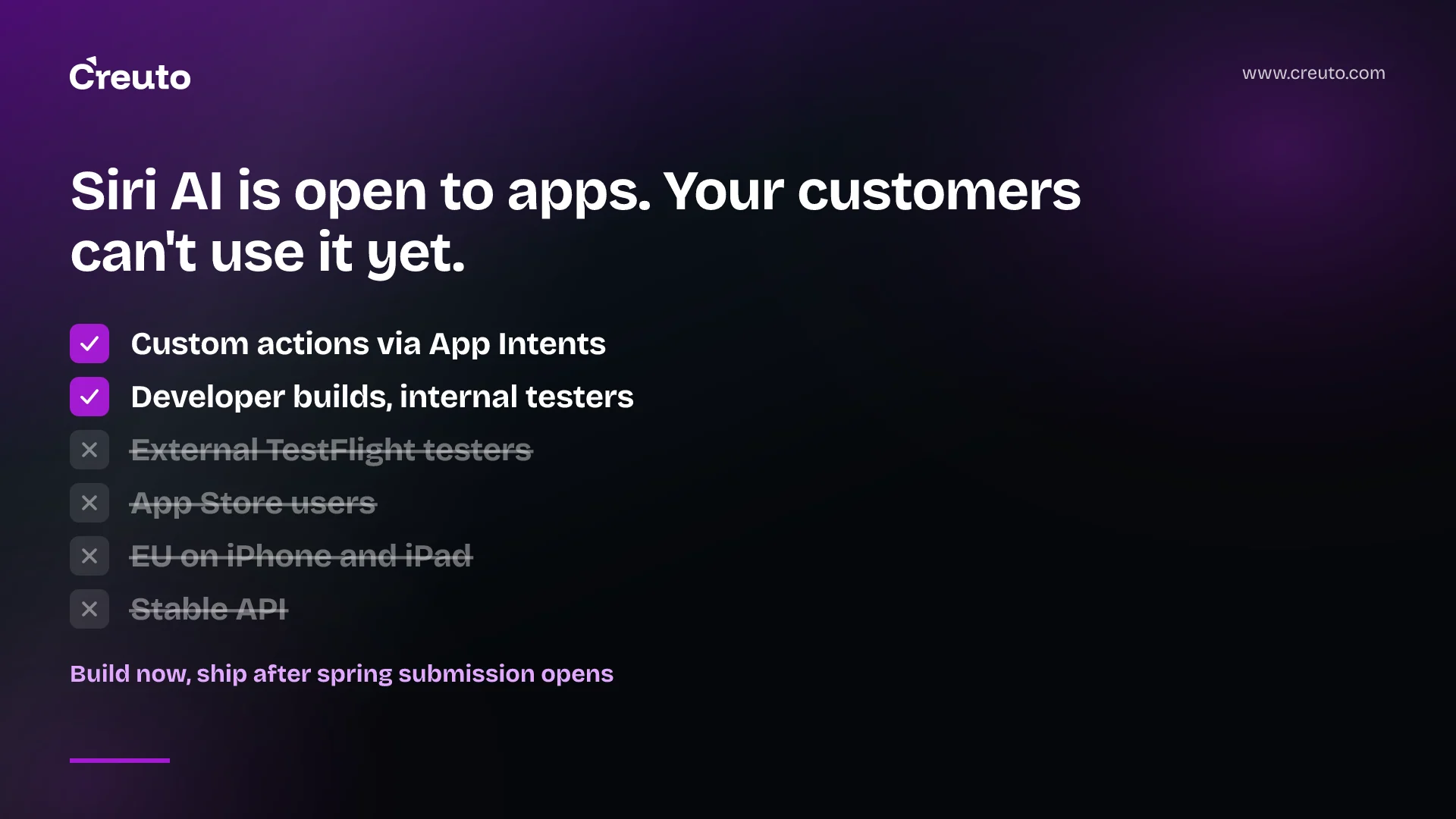
Siri AI App Intents is now how an iOS app hands Siri its custom actions and content, but only developer builds and internal TestFlight testers can use it today. Apple says the API may change, Siri AI has daily limits, and terms are still to come. Build a narrow set of lookups and reversible actions now; hold purchases back.
As of 15 November 2026, this is what Apple has actually said, taken from its developer news post of 3 November and the Siri AI Developer Preview documentation:
| Question | What Apple says |
|---|---|
| What is it? | Any app can bring its content and actions into Siri AI through App Intents, in the iOS, iPadOS, macOS and visionOS 27.3 betas. |
| Who can use it? | Developer builds on Apple Intelligence devices, and internal TestFlight testers. |
| Who cannot? | External TestFlight testers and anyone who installs your app from the App Store. |
| When can you ship? | App Store submission opens "in the spring". |
| How stable is it? | "The App Intents API and Siri functionality may change." |
| Any limits? | Daily usage limits on server-side features including Siri AI, with expanded access "for a fee in the future". |
Siri AI App Intents only reaches developer builds and internal testers
Apple's documentation says the preview isn't available to external testers in TestFlight or to versions of your app published on the App Store. You test by building in Xcode, signing with a development profile and running on a supported device, or by giving internal testers a TestFlight build. No customer sees any of this until submission opens in the spring, so the work you do now buys readiness, not usage.
Apple's guidance starts from your existing App Intents code, so a team that already ships intents extends them and a team that doesn't starts from scratch. The same spring window is when the iOS 27 submission requirements and our App Store submission checklist apply, so plan both together. If you are also deciding how your own app uses models, our Foundation Models framework guide covers that separate question.
Expose lookups and reversible actions first; hold purchases until Apple's terms land
Apple's own examples are ordinary app verbs: checking a delivery, booking a reservation, placing an order. Its documentation adds "change my ride pickup" and "are the sneakers I liked on sale". The ranking below is our judgement, not an Apple rule, and it follows one principle: the cost of Siri picking the wrong intent should be small.
| Tier | Example actions | Why this order |
|---|---|---|
| 1. Lookups of the user's own data | Order or delivery status, saved items, an upcoming booking | A wrong match changes nothing |
| 2. Reversible edits | Change a pickup address, reschedule a booking | A wrong match is cheap to undo |
| 3. Money-moving actions | Confirm a purchase, take a payment | Apple said it would publish terms and usage policies for Siri AI experiences later |
Apple's verbs map onto products we have built, such as the dining super app (ordering and reservations) and FlashNow (hyperlocal delivery). We haven't built a Siri integration, so read this as a mapping of action types, not as experience with the preview. Our iOS team would start from the status and booking flows in any such app.
Apple's guide to custom actions and content sets the rules that decide how much Siri can do with your intents:
- Siri can only find custom content and perform custom actions that you make available explicitly with App Intents.
- Give every intent and every parameter a title and description, because Siri uses them to tell intents apart.
- Don't add the tool annotation to an intent that already conforms to a system schema domain, such as messaging.
- Protect sensitive entity properties with an authentication policy, and set a property's visibility to internal to hide it from Siri entirely.
- Make entities available to Spotlight so Siri can find them, and donate intents when people perform actions in the app.
Apple's example of an exposed action is short:
@AppIntent(.tool)
struct AddToCart: AppIntent {
    static let title: LocalizedStringResource = "Add to Cart"
    static let description = IntentDescription(
        LocalizedStringResource("Adds a product to the shopping cart.")
    )
}
App skills guide Siri; they do not script it
For requests that need several intents, Apple offers app skills: Markdown files named SKILL.md inside one Skills.skillsbundle per app target. Each skill has a name and a single-line description of at most 1,024 characters that Siri reads to decide whether the skill applies. The body, read only after a match, is capped at 10,000 characters.
Apple's page is direct about the limit: skills can't enforce deterministic behaviour, and Siri doesn't sequentially perform the intents a skill lists. Its example skill is a shopping flow that ends in confirming a purchase. We would treat that as a reason to test, not to trust. Keep any confirmation or payment check in your own intent code, where it runs the same way every time.
Daily limits, six languages and the EU gap decide who benefits
Apple's news post lists English, French, Japanese, Korean, Portuguese and Spanish as supported, with Traditional Chinese, Norwegian, Turkish and Vietnamese coming. Arabic and Hindi appear on neither list, which matters if your users are in the UAE or India. Siri AI also requires an Apple Intelligence device and isn't available to users under 13.
The post says Siri AI is currently unavailable in the EU on iOS, iPadOS and watchOS, and that Apple is working with the EU on a path forward. It doesn't mention macOS or visionOS. Daily limits "may vary by feature, request complexity, system demand, system policies", so a user can run out of Siri AI requests in a day, and your integration should not be the only way to do a task.
One routing rule changes how you think about your app's name. Requests that leave out your app reach it only while it is in the foreground, while a Live Activity is active, or when the conversation already mentions it. From the background, the request must name your app. A brand name that is hard to say aloud is now an interface problem.
Test Siri AI App Intents on a device, not in the Simulator
- Build in Xcode, sign with a development profile and run on a device that supports the preview. For skills, Apple says to use a device, not the Simulator.
- Run Xcode's Siri Integration Advisor, which suggests improvements to your intents and entities.
- Script requests with the Siri Evaluations framework (beta) to measure how Siri handles them and to catch changes as your intents evolve.
- Hand internal testers a TestFlight build. External testers can't use the preview.
Because Apple warns the API may change, keep intents thin and put business logic in code you already test. Then a change in the preview costs you a signature, not a rewrite.
Scope your Siri AI App Intents work before the spring window
If you are deciding which actions in your iOS app to expose, our iOS app development team can sort your action list into the three tiers above and check each intent against Apple's current documentation. Start with order, booking and status flows, and keep payment out of Siri until Apple publishes its terms.
Frequently asked questions
No. Apple's documentation says the Siri AI Developer Preview isn't available to external TestFlight testers or to people who download your app from the App Store. Only developer builds on supported devices and internal TestFlight testers can use it, and Apple says App Store submission opens in the spring.
Yes, for custom actions and content. Apple says Siri can only find custom content and perform custom actions that an app makes available explicitly through App Intents, so you add or update intents and entities. Intents that already conform to a system schema domain, such as messaging, shouldn't get the tool annotation.
Siri AI app skills are Markdown files, named SKILL.md, inside one Skills.skillsbundle per app target. They guide Siri through requests that need several intents, but Apple says Siri doesn't sequentially perform the intents a skill lists. A skill description is capped at 1,024 characters and its body at 10,000.
Not on iPhone or iPad yet. Apple's developer news post of 3 November 2026 says Siri AI is currently unavailable in the EU on iOS, iPadOS and watchOS, and that Apple is working with the EU to find a path forward. The post doesn't mention macOS or visionOS.
Apple lists English, French, Japanese, Korean, Portuguese and Spanish, with Traditional Chinese, Norwegian, Turkish and Vietnamese coming soon. Arabic and Hindi appear on neither list as of 15 November 2026. Siri AI also needs an Apple Intelligence device and isn't available to users under 13.