Shopify Canvas: the six limits Shopify names at launch
Shopify Canvas builds a custom storefront by chat, but Shopify's own docs name six launch limits - and document no way back to the theme editor.
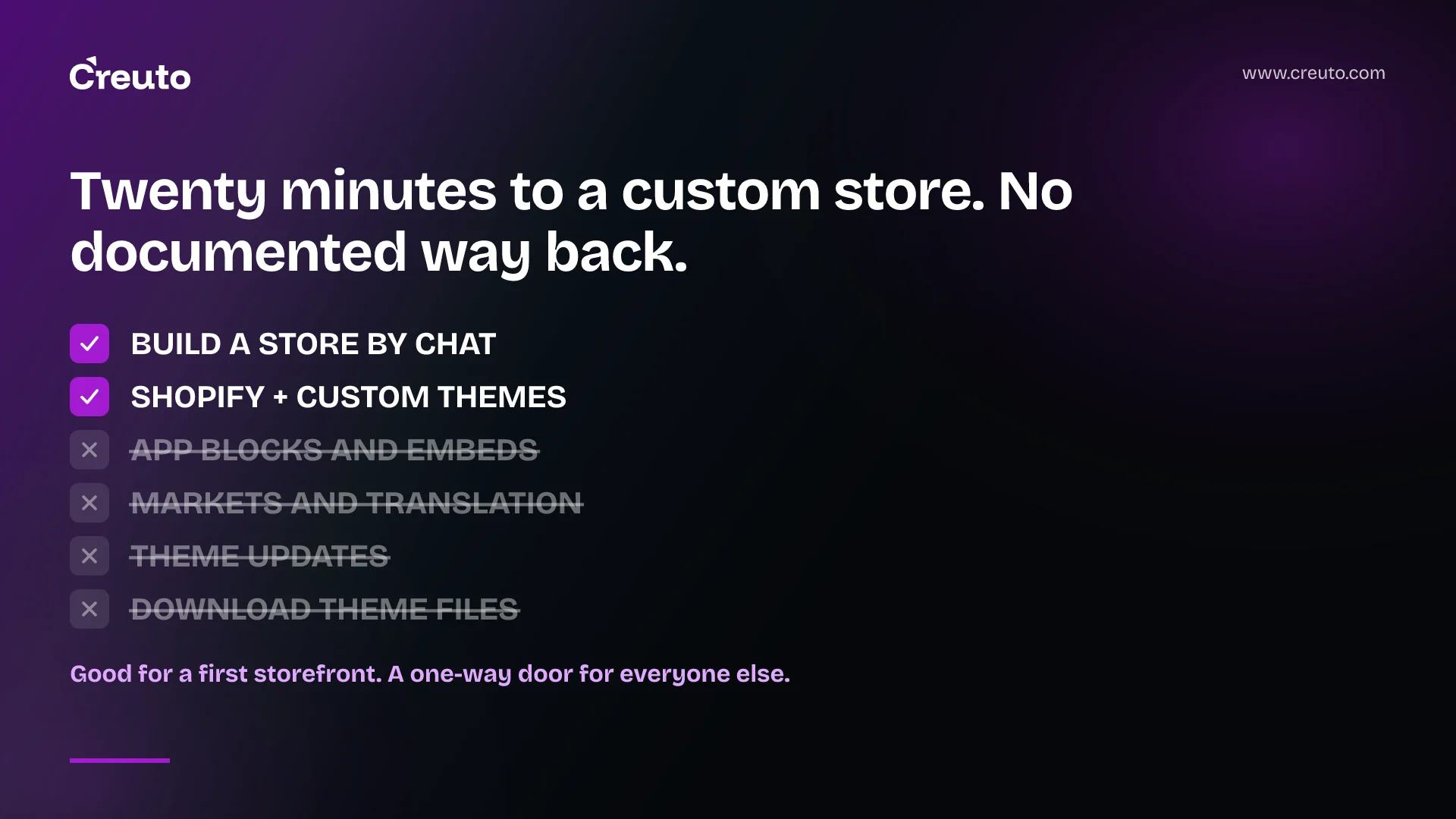
A theme you edit in Shopify Canvas can only ever be edited in Shopify Canvas again. You cannot open it in the theme editor, and you cannot download its files. That single pair of sentences, buried in Shopify's help centre rather than its launch post, decides more about whether Canvas fits your store than anything in the twenty-minute demo.
Canvas launched on 1 October 2026 as a new design surface where you chat with Sidekick, Shopify's AI agent, and watch your whole storefront redraw itself. The coverage has been uniformly enthusiastic. This post is about the other list: what Shopify itself says Canvas does not support at launch, who that rules out, and what the exit looks like if you build on it and later need the features it lacks.
What Shopify Canvas is, in Shopify's own words
Shopify describes Canvas in its changelog entry of 1 October 2026 as "a new design surface for your online store", where "every page is laid out together in one interactive, infinite workspace". You pan across the store, zoom into a detail, click an element to edit it, or tell Sidekick in chat what you want and watch the change land live — Shopify's example range is "from a single section to a store-wide redesign".
Three facts frame everything else, and all three come from Shopify rather than from coverage.
- It is desktop-only. "Canvas is available only on desktop devices", per Shopify's requirements and considerations page. There is no tablet or phone path.
- It runs on Sidekick, not a separate model product. Sidekick now works on theme files directly, and per Shopify's announcement it "validates its code and reviews screenshots to inspect how its changes landed on Canvas".
- It does not replace the editor you already use. Shopify's own wording is worth quoting rather than paraphrasing: "Canvas is not replacing the existing editor yet. Things will change quickly, and there are gaps we still need to close."
Note the word. Most coverage renders that qualification as "for now"; Shopify wrote yet, in a sentence that also commits to closing gaps. Read plainly, that is a roadmap statement, not a reassurance that the old editor is permanent.
The twenty-minute figure that leads most write-ups is a quote, not a measurement. Ben Sehl, Director of Product at Shopify and co-founder of Kotn, says in the announcement: "Today, an entrepreneur on Shopify can build a fully custom store in twenty minutes that's head and shoulders above what I built then." Treat it as a product claim from the team that shipped it.
The six limits Shopify names at launch
Shopify's changelog states the launch gaps in one sentence: "At launch, Canvas doesn't support third-party themes from the Shopify Theme Store, Markets, rollouts, translations, or app blocks and app embeds. Themes edited in Canvas don't receive theme updates."
That is six things, not seven. Several secondary write-ups, including TechCrunch's launch piece, list the same material; the count only reaches seven if you split "app blocks and app embeds" into two entries, or add "extensions" as a category Shopify does not use here. The help centre is more precise than the changelog on every one of them, and the precision changes the decision:
| Limit | What Shopify actually says | Who it stops |
|---|---|---|
| Third-party themes | Canvas works only with Shopify-developed themes and custom themes; "Third-party themes aren't supported." | Any store on a Theme Store purchase |
| App blocks and app embeds | "You can't add or configure app blocks or app embeds in Canvas." | Reviews, subscriptions, upsell, loyalty — anything that renders in the theme |
| Markets | "You can't customize a theme for different markets in Canvas." | Multi-region sellers with per-market storefront differences |
| Translations | "You can't translate theme content directly in Canvas." Shopify directs you to the Translate & Adapt app, selecting the Default theme content resource. | Nobody outright — but it moves translation into a second tool |
| Rollouts | A Canvas theme can be added to a rollout "as a replacement for your main theme", but "You can't use a rollout to edit a theme that you edited in Canvas". | Teams who stage theme changes through rollouts |
| Theme updates | "A theme that you edit in Canvas doesn't receive theme updates." | Anyone relying on upstream theme maintenance |
Two of those are softer than the headline list suggests. Translations are not blocked, they are relocated to Translate & Adapt. Rollouts are not blocked either — a Canvas theme can be the thing you roll out, it just cannot be the thing you edit inside a rollout. Being accurate about that matters, because a merchant who writes Canvas off over translations is writing it off for the wrong reason.
What the launch coverage missed
Three further constraints sit on the same requirements page and appeared in almost none of the write-ups. They are not footnotes.
You cannot download the theme files. Shopify's wording: "You can't download the theme files for a theme that you edited in Canvas." The usual escape hatch from any Shopify theme — pull the Liquid, put it in version control, hand it to a developer — is closed for Canvas themes.
You cannot add a block by hand. Blocks get added by asking Sidekick. Manual addition of a new block to a template is not available in Canvas, so the agent is not an accelerant on top of the normal controls; for that operation it is the only control.
It needs the Edit code permission. Opening Canvas requires the Online store > Themes > Edit code staff permission, and Canvas is available on plans that include theme customisation. If you move to a plan without it, you keep view access to Canvas themes but lose the ability to edit or publish them. That is a wider permission than most merchandising or marketing staff hold today.
Who Shopify Canvas genuinely suits
For a specific and large group of merchants, Canvas is a good product and the limitations cost nothing.
If you are opening a first storefront, you have no theme to migrate, no third-party theme licence, no app blocks in place, no markets configured and no rollout process. Every item on the list above is a feature you do not yet use. What you have instead is a brand description and no designer, and a surface that turns that description into a working, animated, responsive store is straightforwardly better than picking a template and fighting its settings.
It also suits the experiment. Shopify's customising guide describes duplicating a supported theme into Canvas: "The original theme stays in your theme library. You can edit the copy only in Canvas. You can continue to edit the original theme in the theme editor." Your live store is untouched while you try a redesign on a copy. If the result is good you publish it; if not you delete the duplicate. That is a genuinely low-risk way to find out what the agent can do with your brand.
And it suits the single-market, single-language store on a Shopify-built theme with few or no theme-rendering apps — a lot of real businesses, none of them touched by the limitation list.
Who should not open it yet
Be concrete about what breaks, because "it has limitations" is useless to someone deciding on a Tuesday.
If your storefront renders app blocks, Canvas cannot build it. Review widgets, subscription selectors, bundle builders, loyalty panels, size guides — on a modern Shopify store these are app blocks or app embeds dropped into theme sections. In Canvas you can neither add nor configure them. A Canvas rebuild of such a store is not a store with some features missing; it is a store whose merchandising surface you would then have to reinstate somewhere Canvas cannot reach.
If you bought a Theme Store theme, you are out at the door. Canvas works with Shopify themes and custom themes only. There is no conversion path documented for a third-party theme.
If you sell across markets or languages, the storefront work splits across tools. Per-market theme customisation is unavailable, and theme translation moves to Translate & Adapt. For a business whose whole proposition is regional pricing, regional content and localised copy, the design surface no longer holds the thing that varies.
If a theme-update workflow is part of how you stay secure and current, Canvas ends it for that theme. This is the one that gets underestimated. A theme that stops receiving updates is a theme that drifts from the platform around it, and the drift is invisible until something — a new checkout capability, a new section type, a deprecation — needs the newer theme code. We have written before about what an end-of-support deadline costs when you meet it unprepared; a storefront frozen by choice is the same problem on a slower timer.
The migration question nobody is asking
Here is the question the launch coverage does not ask: build a storefront in Canvas today, need app blocks or markets in eight months, and what exactly is the exit?
From Shopify's own documentation, three things are clear and one is not. A Canvas theme sits in your normal theme library with a Canvas badge. Opening that theme opens Canvas — per the navigating guide, themes carrying the badge open in Canvas when you click Edit theme. And you cannot download its files.
Shopify does not document a route back. We could find nothing in the changelog, the announcement or the three Canvas help pages describing how to move a Canvas theme into the ordinary theme editor, convert it, or export it. That absence matters more than any individual missing feature, because every other gap on the list is a "not yet" that Shopify has promised to close, and this one is not even characterised as a gap.
Read it conservatively, which is how you should read undocumented behaviour: a Canvas theme is a one-way door until Shopify says otherwise. The duplication model limits the blast radius — your pre-Canvas theme stays editable in the theme editor, and the two are independent, so "changes that you make to one theme aren't added to the other". But that is a fallback, not a migration. It means your exit is the old theme plus however many months of divergence, not the Canvas work carried forward.
So the question to answer before you start is not "can Canvas build my store". It is: if I still need app blocks in a year, am I willing to throw this away and rebuild? For a first store, yes, obviously. For a store doing revenue through app-rendered merchandising, that answer is a budget line nobody has costed.
What we would tell a client
E-commerce is a service we sell, so take this with the appropriate scepticism — but the advice costs us work rather than wins it. If you are launching your first storefront on Shopify, use Canvas. Hiring anyone, us included, to produce what Sidekick will produce in an afternoon is a poor use of your money at that stage.
The judgement call arrives later, and it is about where the complexity actually lives. On MakeMyLook, a salon and wellness booking marketplace, the work that mattered was vendor onboarding and the booking flow — we onboarded 200+ vendors and cut drop-offs by 40% over a 16-week build. On FlashNow, a quick-commerce platform running without centralised warehouses, it was the three platforms and four roles that had to agree with each other. In both, the storefront was the visible part and the smallest part. A tool that generates the visible part faster is useful; it does not touch the rest, and no amount of chat-driven design will.
That is the test. If your storefront is your product — a catalogue, a brand, a checkout — Canvas may genuinely be the whole job. If your storefront is the window onto an operation, treat Canvas as a front-end accelerator inside a build whose hard parts live elsewhere, and keep those parts where you can still version, test and deploy them. Our e-commerce engineering practice exists for the second case, and we would rather you knew which one you are in before you commit a theme to a surface you cannot export from.
One more thing to watch, since it lands in the same quarter: Shopify is simultaneously opening the storefront to shopping agents, which we covered in our post on whether merchants should let agentic checkout in. A storefront that an agent reads and a storefront an agent wrote are different problems, and only one of them is reversible.
What to do this week
If Canvas has reached your admin — Shopify said on 1 October that it is "rolling out to existing stores over the coming days", so it may not have yet — the cheap, reversible move is the duplicate. Take a copy of your current theme into Canvas, give Sidekick a real brief, and look at what comes back against the six limits above. You will learn more in an hour than from any launch write-up, including this one, and your live theme never moves.
What you should not do is publish that duplicate before you have listed every app block your current storefront renders and decided what happens to each one. That list, not the demo, is the decision.
Frequently asked questions
Shopify Canvas is a desktop-only design surface, launched on 1 October 2026, that lays out every page of a Shopify store in one infinite workspace. You edit elements directly or describe changes to Sidekick, Shopify's AI agent, which edits the theme files and shows the result live.
Shopify's changelog names six launch limits: no third-party Theme Store themes, no app blocks or app embeds, no per-market customisation, no in-Canvas translation, no editing through rollouts, and no theme updates for a theme edited in Canvas. The help centre adds that you cannot download its theme files.
Not yet. Shopify's announcement says Canvas is not replacing the existing editor yet and that there are gaps it still needs to close. A theme duplicated into Canvas, however, can only be edited in Canvas; the original stays editable in the theme editor as a separate theme.
Not for anything that renders in the theme. Shopify states that you cannot add or configure app blocks or app embeds in Canvas, which rules out review widgets, subscription selectors, bundle builders and loyalty panels that merchants place into theme sections.
It depends on what your storefront depends on. A single-market store on a Shopify-built theme with few theme-rendering apps loses nothing. A store using a Theme Store theme, app blocks, Markets or theme updates cannot carry those into Canvas today.
Shopify does not document a route back. A theme edited in Canvas carries a Canvas badge and opens in Canvas, and Shopify states you cannot download its theme files, so the practical fallback is the original theme you duplicated rather than a migration of the Canvas work.
