React Native 0.88: no breaking changes, one iOS launch rule
React Native 0.88 has no breaking changes, but Apple's iOS 27 SDK rule makes the SceneDelegate migration mandatory for Xcode 27 builds. Here is the fix.
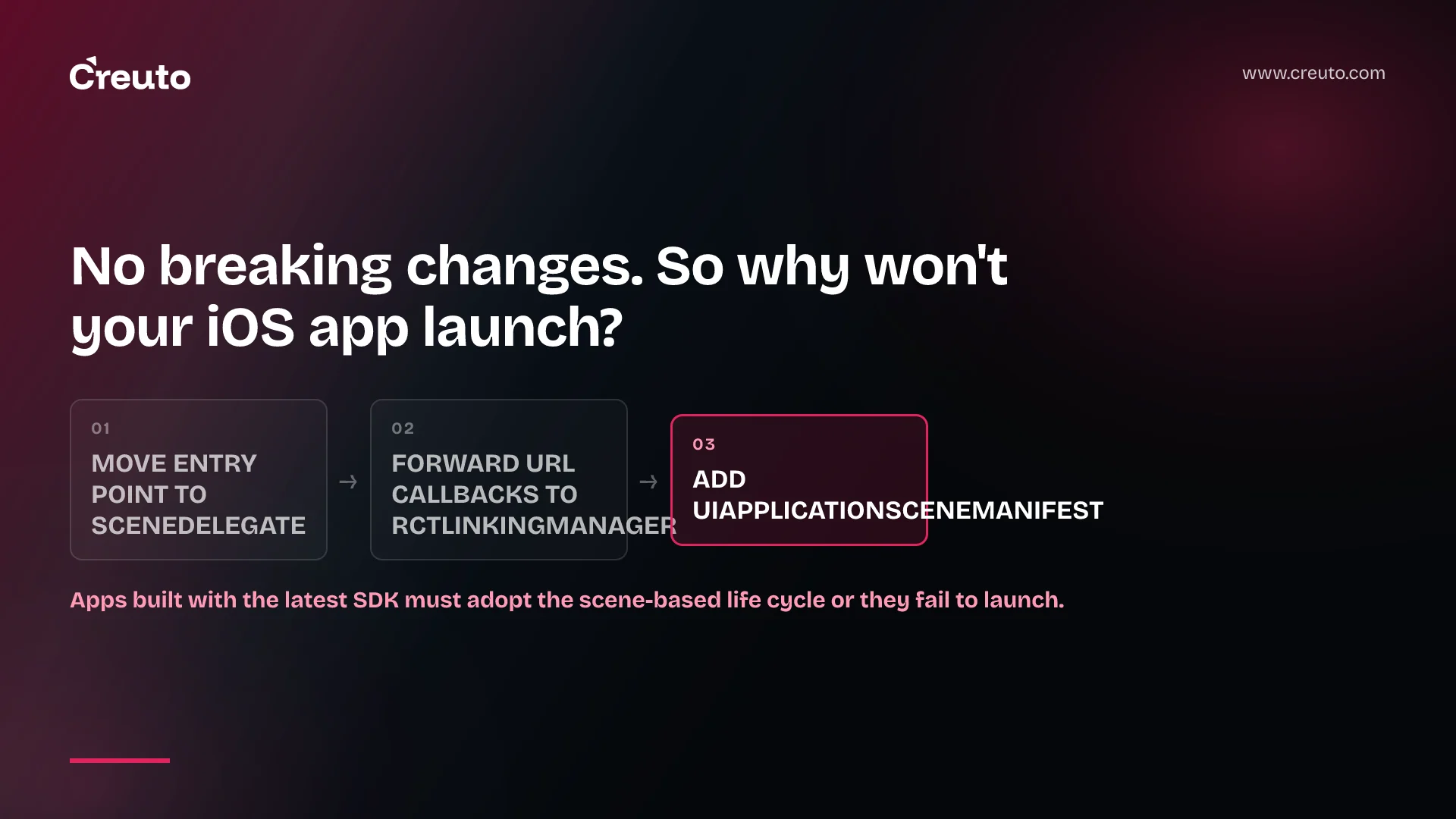
React Native 0.88 has no user-facing breaking changes, yet an iOS app built with Xcode 27 can still fail to launch. Apple says apps built with the latest SDK must adopt the UIScene lifecycle, and 0.88 is the release that adds React Native's SceneDelegate entry points. Here is what changed, what Apple mandates and what we have not tested.
React Native 0.88 changes: what shipped, and on which date
The dates differ by four days, and both are correct. The GitHub release for v0.88.0 was published on 15 October 2026, and the announcement post is dated 19 October 2026. Treat 15 October as the day you could install it and 19 October as the day the team explained it.
| Area | What the release says |
|---|---|
| Events | Dispatch goes through the W3C EventTarget API by default; the post calls it "the largest runtime change in 0.88" |
| iOS lifecycle | SceneDelegate support, added as an additive change that keeps the AppDelegate path working |
| Text | fontVariationSettings on Text and TextInput, on Android and iOS |
| Android native modules | Java TurboModules can take and return JavaScript ArrayBuffer values directly |
| Toolchain | React 19.3.0, Metro 0.87 (minimum 0.87.1), Hermes 260318099.0.4 |
| Support | 0.88 is the latest stable; 0.85.x moves to unsupported |
| Size | 568 commits from 91 contributors |
The announcement also says this is the third release in a row, after 0.83 and 0.86, with no user-facing breaking changes. If you are on 0.87, it says you should be able to upgrade without changing app code. We take that claim at face value for JavaScript. The iOS launch rule below sits outside React Native's own definition of a breaking change, which is why the two statements can both be true.
Apple's SceneDelegate rule follows the SDK you build with, not a calendar date
Apple's iOS and iPadOS 27 release notes list this under UIKit deprecations: "Apps built with the latest SDK must adopt the scene-based life cycle or they fail to launch." The same page says the iOS 27 SDK is bundled with Xcode 27. So the trigger is the day your build machine moves to Xcode 27, not the day a user installs iOS 27.
Apple telegraphed this for a while. Its technote TN3187 says UIKit has logged a warning for non-adopting apps since iOS 18.4, reworded in iOS 26 to "UIScene lifecycle will soon be required". It then states that in the next major release after iOS 26, the lifecycle "will be required when building with the latest SDK; otherwise, your app won't launch." It also says "only adoption of scene life-cycle is required", so you do not have to support multiple windows.
One thing we looked for and did not find is an Apple upload deadline for the iOS 27 SDK. When we read Apple's Upcoming Requirements page on 20 October 2026, the SDK entry still said apps uploaded to App Store Connect must be built with Xcode 26 or later, in force since 28 April 2026. We saw no Xcode 27 entry. That means the pressure today is your own upgrade schedule rather than a published submission cutoff. Check the page again before you plan around it, and see our note on iOS 27 App Store requirements for the wider picture.
How to migrate to the React Native 0.88 SceneDelegate
The React Native team's migration list is short. The announcement says you need to do three things:
- Move the React Native entry point from your AppDelegate to a SceneDelegate.
- Forward the scene's URL and user-activity callbacks to
RCTLinkingManager. - Add a
UIApplicationSceneManifestkey toInfo.plist.
RCTReactNativeFactory gains two new entry points for step one: startReactNativeWithModuleName:inWindow:connectionOptions: and a variant that also takes initialProperties. The community template already uses them, and the team points to the template's SceneDelegate.swift and Info.plist, or the Upgrade Helper, as the reference for an existing app.
Three limits are worth writing on a ticket. Support in 0.88 covers a single scene, so UIApplicationSupportsMultipleScenes must stay false. At launch, React Native forwards only the first URL context or user activity from the scene's connection options. And because the window becomes resizable under the UIScene lifecycle, Dimensions.get() and useWindowDimensions() now report updated values, which matters for any layout that cached a size at startup.
Apple's side of the work is plain too. TN3187 says to migrate when the UIApplicationSceneManifest key is missing or has no configurations, and to move life-cycle callbacks such as applicationDidBecomeActive to their scene equivalents, sceneDidBecomeActive and so on. It also tells you to test in Split View, Slide Over and Stage Manager on iPad afterwards.
What web-based event dispatching changes, and what it should not
Web-based event dispatching means React Native now routes events through the W3C EventTarget API instead of the plugin-based system its renderer used since its early days. Events travel a real capture path down to the target and bubble back up, so stopPropagation() and preventDefault() follow the web model. The announcement says the change was unblocked by the React 19.3.0 bump.
The headline worry is that capture and propagation behaviour shifts under your feet. The announcement's answer is direct: "Nothing should change." Event props keep their names, receive the same synthetic event objects, run in the same order, and the touch responder system is unchanged. Direct events such as onLayout still fire only on the target.
The code to test is anything reaching past the public API into React Native's event internals, because the plugin registry it was written against is no longer the path events take. The legacy path is still present in 0.88 behind an internal flag, but the team expects to remove it in a follow-up, so a hack that only works the old way has a limited shelf life. The imperative addEventListener, removeEventListener and dispatchEvent on native refs are Canary-only in 0.88, so do not build on them in a stable app.
When React Native 0.88 is the wrong thing to chase this week
Three situations make the SceneDelegate work less urgent than the headlines suggest. If you ship Android only, the UIScene lifecycle does not touch you. If your iOS builds stay on Xcode 26, Apple's published upload minimum (Xcode 26 or later) does not yet force the change, although you are only postponing it. If you use Expo, 0.88 arrives as part of Expo SDK 58 according to the announcement, and we have not verified how Expo handles the lifecycle change, so read the Expo SDK 58 and iOS 27 write-up before you touch native files.
The migration is also the wrong fit if you need several windows on iPad. React Native 0.88 supports one scene, and Apple's rule only requires adoption, so a single-scene app is the correct target for now. A multi-window design needs separate engineering.
While you are in the release notes, three smaller items deserve a ticket:
InputAccessoryView(iOS only) is deprecated. Nothing changes in 0.88 beyond a JSDoc tag and a one-time warning on import, and the team suggestsKeyboardStickyViewfromreact-native-keyboard-controller.'react-native/Libraries/Core/InitializeCore'is deprecated in favour of'react-native/setup-env'.- On Android, the default
User-Agentnow includes the app name and version, matching iOS, so a server keying off the old default will see a different value.
The Swift Package Manager plan matters for planning, not for this upgrade. It stays experimental and opt-in in 0.88; the stated rollout makes it the default in 0.89 with an opt-out to CocoaPods, and CocoaPods support is to be removed in a later release.
What we have and have not tested
We have not migrated any app to React Native 0.88 or to the SceneDelegate entry point, and we have not run the new event path against a production codebase. Everything above comes from the React Native announcement, the GitHub release notes and Apple's own documents. We have not verified, for example, how third-party push or deep-linking libraries behave once the entry point moves, and we would not assume they are fine.
What we can point to is the kind of product this touches. We have built mobile products such as the dining super app, which serves five user roles, and an entry-point change reaches every one of them. That is context, not migration experience. If you want help scoping the work, it sits with our React Native app development and mobile app development practices.
Your next decision is a date, not a version. Find out when your build machines and CI move to Xcode 27, and put the SceneDelegate migration on a branch ahead of it. Take the 0.88 upgrade first if you are on 0.87, since the announcement says it needs no app code changes, then do the migration from the template files as a separate, testable step.
Frequently asked questions
React Native 0.88 switches event dispatching to the W3C EventTarget API by default, adds SceneDelegate support on iOS, brings fontVariationSettings to Text and TextInput, and lets Java TurboModules use ArrayBuffer. It also moves to React 19.3.0 and Metro 0.87, with no user-facing breaking changes.
React Native 0.88 has no user-facing breaking changes, and the announcement says apps on 0.87 should upgrade without app code changes. Code that reaches into React Native's event internals is the exception to test. Separately, Apple's UIScene rule can still stop an Xcode 27 build from launching.
Apple's iOS 27 release notes say apps built with the latest SDK must adopt the scene-based life cycle or they fail to launch. The requirement attaches to building with the iOS 27 SDK in Xcode 27, and Apple says only adoption is required, not multiple scenes.
Move the React Native entry point from your AppDelegate to a SceneDelegate using the new RCTReactNativeFactory methods, forward URL and user-activity callbacks to RCTLinkingManager, and add a UIApplicationSceneManifest key to Info.plist. The community template's SceneDelegate.swift and Info.plist are the suggested reference.
Web-based event dispatching routes React Native events through the W3C EventTarget API, with a real capture path down to the target and bubbling back up. Event props, synthetic events and call order are meant to stay the same, and the imperative addEventListener API is Canary-only in 0.88.
React Native 0.88 supports a single scene only, so UIApplicationSupportsMultipleScenes should stay false. At launch, it forwards only the first URL context or user activity from the scene's connection options. Apple's own requirement is just to adopt the scene lifecycle, not to support several windows.
