OpenAI Agent Builder deprecation: move off by 30 November
The OpenAI Agent Builder deprecation lands 30 November with Evals and reusable prompts. Compare the Agents SDK, Agents API and workspace agents, and migrate.
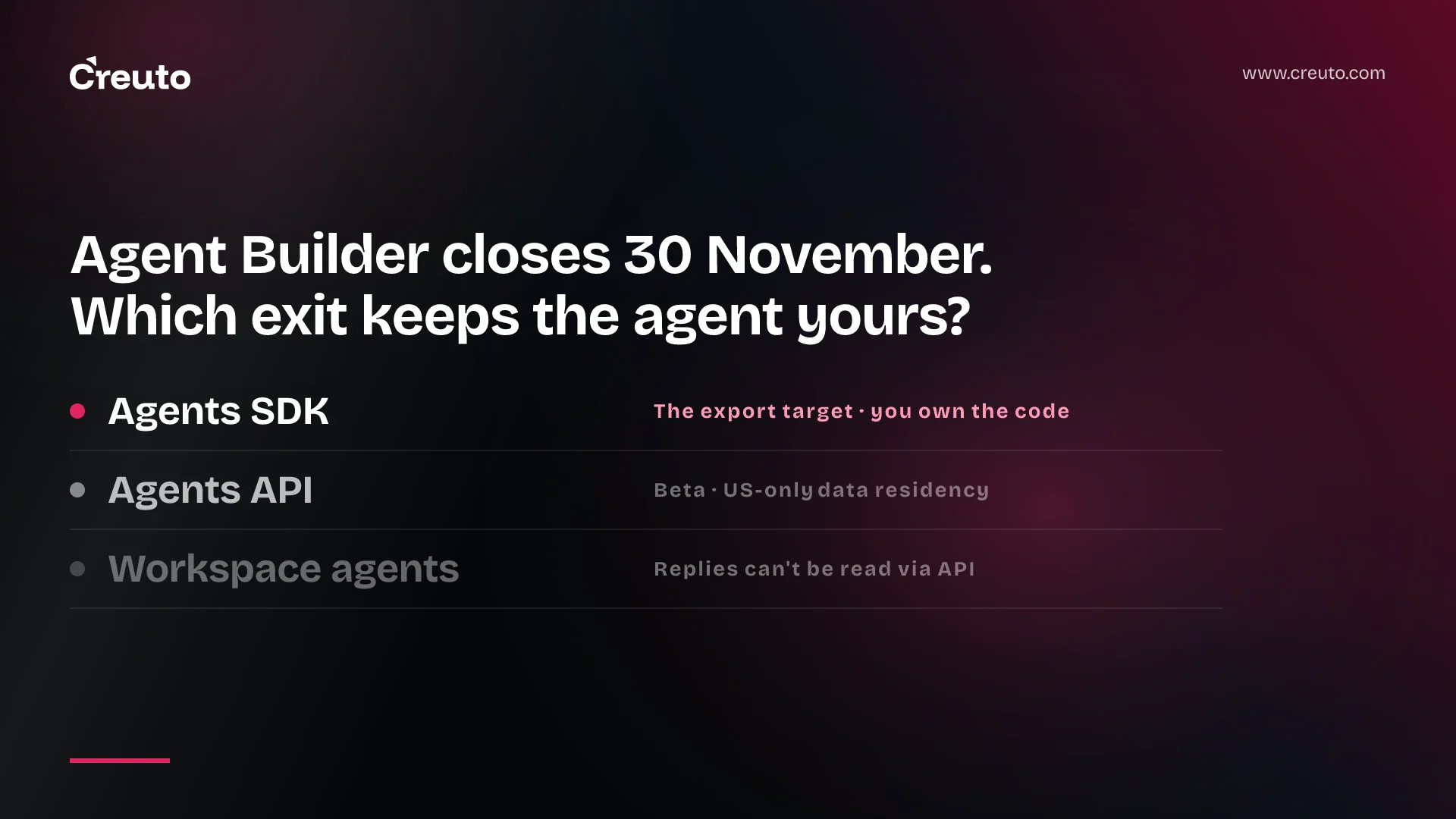
OpenAI's own migration guide for Agent Builder names two destinations, not three, and neither of them is the new Agents API. That matters because the OpenAI Agent Builder deprecation ends on 30 November 2026, the same day the Evals platform and reusable prompt objects shut down. This post covers what closes and when, which exit fits which kind of agent, and a migration order that keeps your eval baseline intact.
If you built a workflow in Agent Builder, evaluated it in the Evals dashboard and referenced a saved prompt by ID, all three pieces of that stack go on the same date. The order you move them in decides whether you can prove the migrated agent still behaves.
What the OpenAI Agent Builder deprecation actually shuts down
OpenAI notified developers on 3 June 2026 of three coupled deprecations. The dates below are from the OpenAI deprecations page as of September 2026.
| Product | Date | What happens |
|---|---|---|
| Evals platform | 31 October 2026 | Existing evals become read-only |
| Evals platform | 30 November 2026 | Evals dashboard and API scheduled to shut down |
| Agent Builder | 30 November 2026 | Agent Builder scheduled to shut down |
| Reusable prompts | 30 November 2026 | The v1/prompts API and reusable prompt objects scheduled to shut down |
One piece survives: ChatKit, the embeddable chat UI, remains available. The deprecations page also lists the graders documented for eval workflows as part of the Evals transition, so plan to rebuild them rather than keep them. The earliest date is not 30 November: from 31 October your evals stop being editable, which leaves roughly five weeks to use them as a reference before they disappear.
Is OpenAI Agent Builder being discontinued?
Yes. OpenAI Agent Builder is deprecated and scheduled to shut down on 30 November 2026. Existing users can keep using it during the transition window, according to the ChatKit guide, which also says that new ChatKit work should use the advanced integration with your own server-side agent rather than a hosted Agent Builder workflow.
Three exits, and what each one really is
The Migrate from Agent Builder guide gives one mechanism: open the workflow, select Code, choose Agents SDK, and copy the TypeScript or Python export. From there you either keep the code or paste it into ChatGPT to create a workspace agent. The guide is explicit that this does not convert your workflow graph or guarantee that every behaviour transfers unchanged.
| Exit | Who owns the code | Where it runs | Our verdict |
|---|---|---|---|
| Agents SDK | You | Your application and infrastructure | The default exit for anything in a product |
| Agents API | You own the agent config; OpenAI runs the harness | OpenAI-managed Codex harness, with hosted, self-hosted or no sandbox | A second step, not a migration target |
| ChatGPT workspace agents | Lives in your ChatGPT workspace | ChatGPT Business, Enterprise or Edu | Internal team workflows only |
Agents SDK: the exit the export was built for
The export is Agents SDK code, so this is the shortest path. OpenAI's agent runtime comparison describes the SDK as running inside your application, with state held in your storage and SDK sessions, and gives it medium integration effort. You take on runtime configuration, tools, authentication, permissions and deployment, which the migration guide lists as things you must validate yourself. In exchange, nothing about the agent depends on another OpenAI product surviving.
Agent Builder vs Agents API
The Agents API is newer and gives you the Codex harness managed by OpenAI: sessions, orchestration, context compaction and recovery. It is also still a beta surface; the Agents API overview shows sessions created through client.beta.agents and an OpenAI-Beta: agents=v1 header. The same page says it currently supports data residency only in the United States and does not support Zero Data Retention. For teams in India or the UAE with residency obligations, that can rule it out before any technical comparison starts. We weighed the trade-offs in buy the harness, or keep yours.
Our read: migrate to the SDK first, then decide whether a long-running task belongs on the managed harness. Moving off a deprecated product onto a beta one in the same five weeks doubles the variables.
ChatGPT workspace agents: fine inside the team, wrong for a product
Workspace agents need a ChatGPT Business, Enterprise or Edu workspace, and they are built by pasting the export into ChatGPT and reviewing what the builder flags. The constraint that decides most cases is in the Workspace Agents trigger API: an external system can trigger an agent and poll run status, but the agent's response cannot currently be retrieved through the API. The trigger returns a ChatGPT conversation URL. If your Agent Builder workflow sat behind a customer-facing ChatKit widget, this exit does not replace it. The migration guide also warns that workflows with strong determinism at their core may not migrate faithfully to a workspace agent.
OpenAI Evals deprecated: move the baseline before you move the agent
OpenAI recommends Promptfoo, an open-source CLI and library, as the replacement. The Evals-to-Promptfoo cookbook is careful about what it does not do: it recreates evaluations manually rather than through an export feature, and a new Promptfoo run is separate from any previously completed OpenAI Evals run. Your history does not move. Similarity-based scores may not match across systems, and any recreated LLM-as-a-judge grader should be validated before you rely on it for regression decisions.
That is why order matters. If you migrate the agent first and the evals second, you have nothing to compare the new agent against. Build the Promptfoo suite while the Agent Builder workflow still runs, score the old workflow with it, and you have a baseline that belongs to you. We argue in score the trajectory, not the answer that agent evals should check the path as well as the output; a migration is exactly when a changed tool call hides behind an unchanged answer.
Reusable prompts move into your repository
The prompt object migration guide replaces the prompt parameter, with its ID, version and variables, by prompt text in your codebase passed as input to the Responses API. Variables become typed function arguments, and versioning moves to git commits, pull request review and tests. The guide adds one cost detail worth keeping: put static content first and dynamic content later, because cache hits depend on exact prefix matches. This is the smallest of the three migrations and the one we would do first, since the exported SDK code and the Promptfoo config both need the prompt text anyway. It also fits a pattern we recommend regardless, keeping agent knowledge in version control.
A migration order that keeps your eval history useful
- Before 31 October: record every eval's test data, grader definitions and latest scores outside the platform, while the evals are still fully editable.
- Move reusable prompt content out of prompt objects and into your repository, so the prompt text has one reviewed source.
- Recreate the evals in Promptfoo and score the current Agent Builder workflow. This is your baseline.
- Export the workflow as Agents SDK code, wire tools, authentication and permissions, and run the same suite. Investigate every regression, not just the aggregate.
- If you use ChatKit on a hosted workflow, move it to the advanced integration backed by your SDK server.
- Cut over well before 30 November, and only then consider the Agents API or a workspace agent for work that suits them.
This order is overkill if your Agent Builder workflow is an internal prototype with a handful of users; paste it into a workspace agent, test it in Preview, and move on. It is the minimum for anything customers touch.
The practical decision this week is who owns step four. Exported code is a starting point, not a deployable service, and the integration work lands on whoever runs the agent afterwards. As an OpenAI Select Partner, we do this kind of migration as part of our AI engineering services, and the first thing we ask for is the eval data, before 31 October.
Frequently asked questions
Yes. OpenAI Agent Builder was deprecated on 3 June 2026 and is scheduled to shut down on 30 November 2026. Existing users can keep using it during the transition window. ChatKit remains available, but new ChatKit work should connect to your own server-side agent instead of a hosted Agent Builder workflow.
OpenAI recommends Promptfoo, an open-source CLI and library, to replace the Evals platform. Evals become read-only on 31 October 2026 and shut down on 30 November. Migration is manual: you recreate prompts, test cases and graders in a Promptfoo config, and past Evals runs do not carry over.
The Agents SDK is the direct migration target, because Agent Builder exports Agents SDK code in TypeScript or Python. The Agents API is a managed, beta harness that currently supports data residency only in the United States and no Zero Data Retention, so it suits a later, separate decision.
Usually not. A ChatGPT workspace agent can be triggered by an external system through the Workspace Agents API, but its response cannot currently be retrieved through the API. It also needs a ChatGPT Business, Enterprise or Edu workspace. It suits internal team workflows better than product features.
The v1/prompts API and reusable prompt objects are scheduled to shut down on 30 November 2026. OpenAI's migration guide moves prompt text into your codebase, turns prompt variables into function arguments, passes messages through input in the Responses API, and moves versioning to git and pull requests.
