Odoo 20 migration: the checklist before you move production
An Odoo 20 migration checklist: inventory customisations, check third-party apps, rehearse the test upgrade, and plan a cutover you cannot undo.
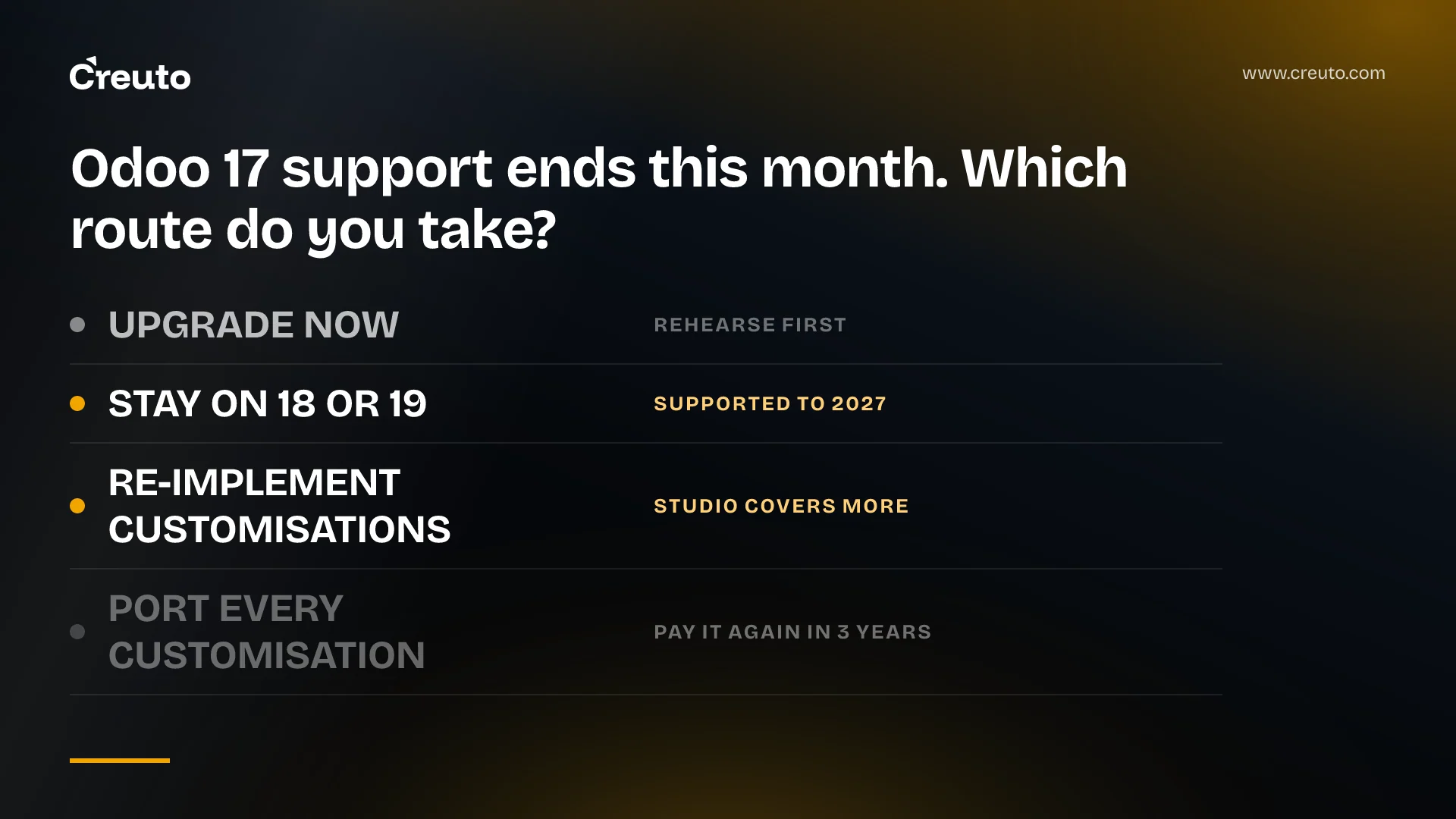
Odoo's own upgrade documentation contains the sentence that should shape your entire odoo 20 migration plan: once a production upgrade completes, "it is impossible to revert to the previous version". Production upgrades are one-way. Every safety net you get lives before the cutover, and this post is the checklist we work through before we let a client press the button.
We have already written about whether to upgrade to Odoo 20, wait, or build around it. This one assumes you have decided, and covers how: what to inventory, what survives, what to test, and what to throw away rather than carry.
The dates that set your deadline
Odoo 20 was released in September 2026, according to Odoo's published release notes. Three facts from Odoo's support policy decide how much time you actually have:
| Fact | What it means for you |
|---|---|
| Each major version gets three years of standard support | Helpdesk support, bug fixing and security updates, then it stops |
| Odoo 17.0's standard support ends September 2026 (planned) | If you are on 17, your clock has run out this month |
| Beyond three years, extended support is "subject to a mandatory additional fee" | Staying put stops being free, and covers bug fixes "depending on feasibility" only |
| You can upgrade "from any version to supported versions only" | The last unsupported version stays a valid target for six months after its end-of-life date |
Those come from Odoo's standard and extended support table. Odoo 18.0 runs to September 2027 and 19.0 to September 2028, both planned, so a shop on 18 or 19 has room to rehearse properly. A shop on 17 does not, and should be planning the rehearsal now rather than the go-live.
An Odoo 20 migration starts with an inventory, not an upgrade request
The first pass is not technical. It is a list of every way your database differs from stock Odoo, sorted into two columns, because Odoo treats them as two entirely different problems.
Odoo's definition is exact: "We consider a custom module, any module that extends the standard code of Odoo and that was not built with the Studio app." Studio customisations ride along with the standard database upgrade. Code modules do not — and the documentation is blunt about the consequence: "If your database contains custom modules, it cannot be upgraded until a version of your custom modules is available for the target version of Odoo."
So the inventory has four buckets, and each one has a different owner:
- Studio customisations — added fields, views, automations, reports built in the Studio app. Upgraded as data, but still need testing, because a view that renders today can break against a redesigned standard view.
- Custom modules you maintain — your problem entirely. Their source has to be compatible with Odoo 20 before the upgrade will run.
- Third-party and partner apps — someone else's release schedule, on your critical path.
- Integrations — EDI feeds, payment and shipping connectors, anything talking to your Odoo over the API. Odoo's testing guidance calls these out specifically.
In the ERP work we do, this inventory is almost always longer than the client expects, and the surprises are rarely in the custom modules. They are in the automated actions and server actions nobody documented, and in the one report that finance depends on at month end.
Third-party app compatibility sets your real timeline
You control when your own modules are ported. You do not control when a third-party app ships an Odoo 20 branch, and a single unported app can hold the whole database on the old version. Check every installed app against the target version before you commit to a date, and get the answer in writing from the publisher rather than inferring it from a repository branch that exists but has never been tested.
Odoo's service-level agreement draws the line in the same place. Upgrade services are "limited to the technical conversion and adaptation of a database (standard modules and data)". Explicitly not included: "the upgrade of additional modules not covered by a maintenance contract that are created in-house or by third parties, including Odoo partners". Odoo partner branding on an app does not put it inside the SLA.
The Odoo 20 changes most likely to break your customisations
Read the Odoo 20 release notes for your apps, but three entries in the Technical and General sections matter more than the feature list, because each one touches code that customisations commonly sit on:
- Font Awesome icons have been replaced by Material Symbols icons. Any custom view, report or widget that hardcodes an
fa-class is now rendering nothing. - Mail tracking values have been removed, with the tracking message generated on the fly instead. Odoo has updated the standard features built on them — burndown charts, stage duration — and says admins who still need tracking values can install a dedicated module. Custom reports or integrations that read tracking records directly will not survive untouched.
- Push notifications are no longer handled by Firebase but by in-house Odoo push tools. If you built anything around the Firebase path, that is a rewrite, not a port.
The rehearsal cycle is the actual test, and it is not a single run
Odoo's process for a customised database is six steps, and the order matters more than any individual step. Stop development first. Then request an upgraded test database — not to start working in it, but to confirm the standard upgrade itself succeeds. Then make your custom modules install cleanly on an empty Odoo 20 database before you go anywhere near the upgraded copy.
That third step is the one teams skip, and it is the one that saves the most time. Odoo's reasoning is that an empty database strips out "changes and wrong configurations that might be present in the production database (like studio customization, customized website pages, email templates or translations)" so you debug one problem at a time instead of three at once.
Two things about the test databases that catch people out. They are neutralised: scheduled actions are disabled, outgoing mail servers are archived and replaced with a fake one, payment providers and delivery carriers are reset to test, and bank synchronisation is off. And the upgraded database is returned without your production filestore — Odoo submits the database copy without it for storage reasons, so the filestore you get back must be merged with production's before the test means anything.
Then rehearse repeatedly. Odoo's guidance is explicit that both the standard upgrade scripts and your database keep changing, so a successful test three months ago proves nothing today, and it recommends a full rehearsal of the upgrade process the day before the production run. Treat the first successful upgrade as the start of the test cycle, not the end of it.
Data validation: test the flows, not the record counts
Row counts match after almost every upgrade. Behaviour is what changes. Odoo's suggested end-to-end test is a good template because it follows one product all the way through: buy it, receive it, check its inbound route, sell it, ship it, check its outbound route, validate the customer invoice, then credit the invoice and confirm the credit note behaves as it did before.
Beyond that, the checks worth running on your own data are the ones the upgrade report will not flag: reports that finance signs off, saved search filters, mail templates, saved translations, data exports, automated actions, and server actions triggered from both the form view and a multi-record list selection. Odoo warns that you may find significant differences in standard views, features, fields and models, and that those "cannot be reverted on a case-by-case basis" — where a version change breaks a customisation, fixing it is the module maintainer's job, not Odoo's.
Build the validation set once and reuse it on every rehearsal. This is ordinary regression testing, and it is worth wiring into the same QA and automation practice you use for the rest of your stack rather than running it from a spreadsheet.
Cutover and rollback, when rollback does not exist
The production upgrade makes the database unavailable for as long as it takes, and Odoo recommends scheduling it when database use is minimal. Since reverting is impossible once it completes, your rollback plan is not a rollback at all — it is a verified backup of the pre-upgrade database plus its filestore, restorable onto a known-good Odoo installation of the old version, tested by actually restoring it before cutover day.
A backup you have never restored is not a rollback plan. Write the go/no-go criteria before the day, name who makes the call, and agree in advance what the first hour of production looks like: which reports get run, which flows get walked, and at what point you stop and restore instead of fixing forward.
What to re-implement rather than port
Odoo's first step for a customised database is not "start porting". It is "stop the developments and challenge them": compare your customisations against the features introduced between your version and the target, find functional workarounds, and remove redundancy, because doing so "will lead to an eased upgrade process and reduce technical debt".
Odoo 20 makes that exercise worth doing properly. Studio now covers work that used to require custom XML — customising Kanban stages from the form view, reordering a form's buttons and smart buttons, dragging tabs into a new order, setting minimum and maximum list column widths, and adding Many2many fields to PDF reports through the report editor. If a custom module exists to do one of those things, delete it rather than port it.
Our working rule, from building a custom ERP that unified HR, CRM, inventory and finance for a large-scale industrial client: port anything that encodes a business rule you cannot buy, and re-implement anything that was a workaround for a gap the platform has since closed. Porting is cheaper this week. Re-implementing is cheaper by the next upgrade, because you pay the porting cost again every three years.
How much does an Odoo upgrade cost?
We are not going to quote a number, because the number is not in the upgrade — it is in the work Odoo's SLA excludes. Three items sit outside it: cleaning pre-existing data and configurations during the upgrade, upgrading in-house or third-party modules not covered by a maintenance contract, and training on the new version's features and workflows.
Those three are your project. Estimate them by counting custom modules, third-party apps and integrations from the inventory, and by being honest about how much of your database is configuration debt that someone will have to clean by hand. If you are weighing that ongoing cost against building your own, our breakdown of what Odoo really costs in India covers the comparison properly, and custom ERP development is the work itself.
The one decision that changes the total is the one at the top: how much of what you customised in 2022 still needs to exist in 2026. Start the inventory this week, and make that call before you request a single test database.
Frequently asked questions
An Odoo 20 upgrade runs in six steps: freeze development, request an upgraded test database, make custom modules install on an empty Odoo 20 database, make them work on the upgraded copy, test and rehearse, then upgrade production. Odoo documents this order for customised databases specifically.
Studio customisations are upgraded with the database. Custom code modules are not: Odoo states a database with custom modules cannot be upgraded until a version of those modules exists for the target release. Third-party apps depend entirely on their publisher shipping an Odoo 20 branch.
The technical conversion can finish in well under an hour for a clean database, but the project length is set by porting custom modules and waiting on third-party apps. Odoo recommends repeated test upgrades plus a full rehearsal the day before production, so plan in weeks.
No. Odoo states that once the upgrade process completes it is impossible to revert to the previous version. Your only fallback is a pre-upgrade backup of the database and filestore, restored onto the old Odoo version, which you should test by actually restoring it beforehand.
Odoo's SLA covers the technical conversion of standard modules and data only. It excludes cleaning pre-existing data and configurations, upgrading in-house or third-party modules that are not under a maintenance contract, and training staff on the new version's features and workflows.
Odoo provides three years of standard support per major version, covering helpdesk support, bug fixing and security updates. After that, extended support carries a mandatory additional fee and includes bug fixes only where feasible. Odoo 17.0's standard support is planned to end in September 2026.
