JSON-LD script injection: the escape most sites skip
One </script> in a product name can break your structured data or open XSS. JSON-LD script injection is fixed with one escape, and a native script tag.
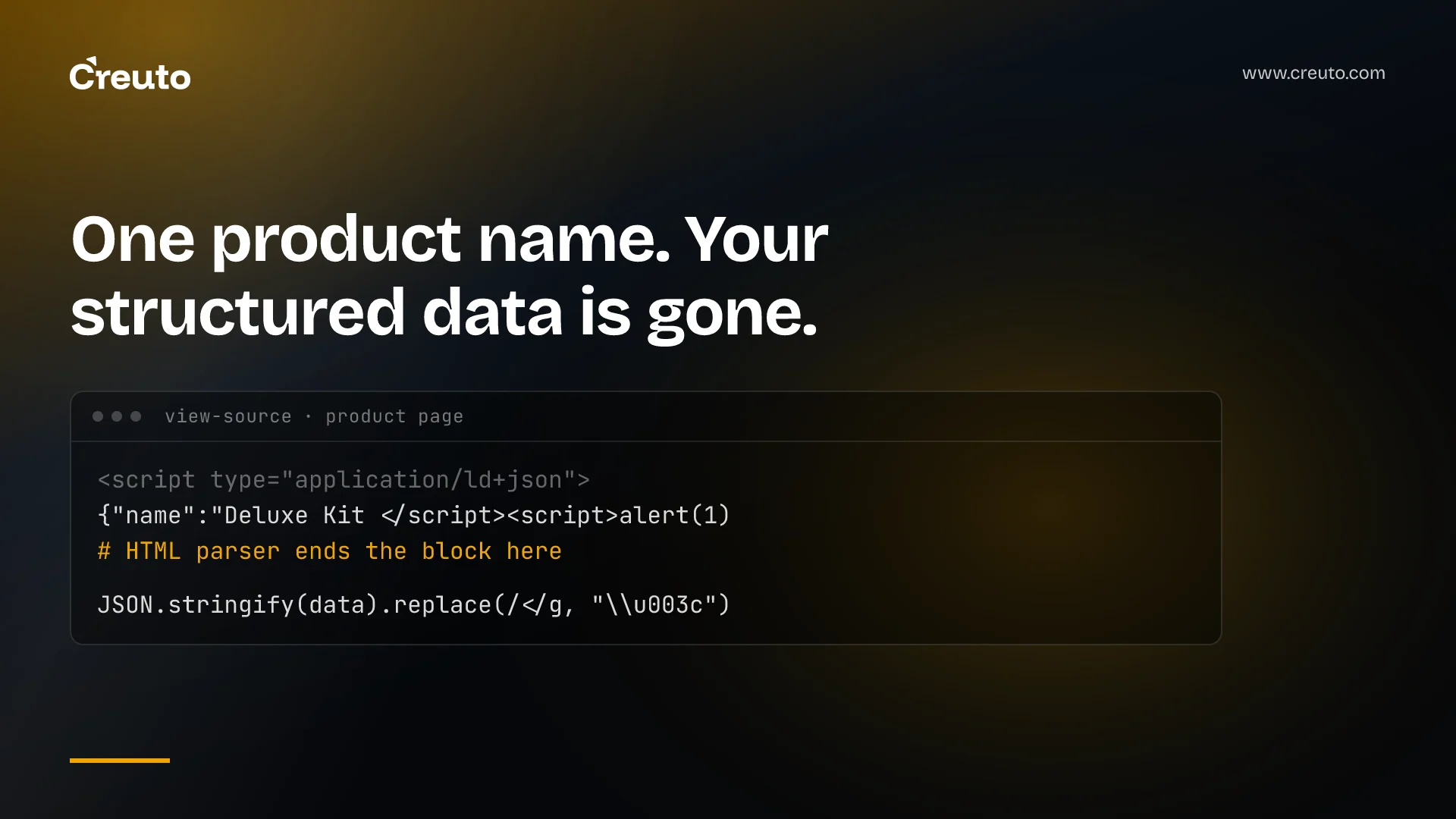
Structured data is the part of a page almost nobody looks at, which is exactly why it breaks quietly. The most common way it breaks is also one of the most avoidable: JSON-LD script injection, where a string inside your structured data closes the script tag early. The fix is a single replace call. Most implementations skip it, and many also render the structured data in a way search engines never see.
We found both problems on this site while adding FAQ schema to our blog posts, so what follows is not theoretical.
How a product name breaks a page
JSON-LD usually goes into a page like this: build an object describing the page, run JSON.stringify, and place the result inside <script type="application/ld+json">. It looks safe, because the output is valid JSON.
The problem is the order in which a browser reads the page. The HTML parser processes the document before any JSON parser sees the script contents, and the HTML parser has one rule for script elements that overrides everything else: the sequence </script> ends the block, wherever it appears. It does not know or care that it is inside a JSON string. The HTML standard's restrictions on script element contents exist precisely because of this.
So if any value in your structured data contains that sequence — a product name, a review, a blog title, an FAQ answer, a job description — two things happen. The JSON-LD is cut off at that point and becomes invalid, so the rich result disappears. And everything after the cut-off is parsed as ordinary HTML.
A recent write-up puts the consequence plainly: if a product name ever contains </script>, the JSON-LD gets cut off right there and the rest is parsed as HTML. In the benign case you lose your structured data. In the hostile case, input such as </script><script>... becomes executable script on your page — a cross-site scripting vulnerability delivered through the one block nobody reviews.
Why this matters more than it used to
Five years ago most JSON-LD was hand-written by a developer and contained nothing a user could influence. That is no longer true. FAQ schema is generated from editable content. Product schema comes from catalogues maintained by merchandising teams and supplier feeds. Review schema quotes customers directly. Article schema pulls titles and descriptions from a CMS that marketing edits every day.
Every one of those is a path by which untrusted text reaches a script tag. The more your structured data is generated from content, the more it needs the same treatment as any other output of user-influenced data.
The fix for JSON-LD script injection
Escape the less-than character in the serialised JSON:
JSON.stringify(data).replace(/</g, "\u003c")This works because \u003c is a valid JSON escape for <. The HTML parser never sees a literal <, so it can never see </script>. The JSON parser that reads the block afterwards decodes the escape back to the original character, so search engines receive exactly the data you intended.
The Next.js JSON-LD guide recommends exactly this, noting that JSON.stringify does not sanitise strings used in XSS injection and showing the same replace. On this site we went slightly further and escape > and & as well, in a small helper used everywhere structured data is rendered. Escaping the less-than character is the essential part; the others are cheap belt-and-braces.
The write-up also makes a point worth adopting: add a test. Assert that no raw < survives in any generated JSON-LD block, so a future refactor that "simplifies" the serialisation cannot silently remove the escape.
Why HTML-escaping is the wrong fix
The instinctive fix is to HTML-encode the values — turn < into < the way you would in a paragraph. Inside a script element that corrupts your data instead of protecting it. Script contents are raw text to the HTML parser, so character references are not decoded there: the JSON parser receives the literal characters <, and your product name now contains an entity search engines will display verbatim.
That is why the correct escape is a JSON escape rather than an HTML one. It is applied at the layer the HTML parser ignores and the JSON parser understands, which is the only layer where it is invisible to both the attacker and the reader.
The same bug, elsewhere on your page
JSON-LD is the most common instance, not the only one. Any time server-side data is serialised into an inline script, the same rule applies. Initial state embedded for client hydration, configuration objects written into the page, analytics data layers and feature-flag payloads all follow the same pattern, and all break the same way when a value contains the closing tag sequence.
Framework-managed hydration usually handles this for you. Hand-written inline blobs usually do not. The Next.js guide also points to community-maintained serialisers such as serialize-javascript for teams that prefer a library to a replace call; either is fine, provided it is used consistently and tested.
The second bug: structured data search engines never see
This is the one we actually had. In a Next.js application it is natural to reach for next/script for anything that goes in a script tag. For JSON-LD that is the wrong component.
next/script is built to load and execute JavaScript efficiently, which can mean injecting it on the client after the page has loaded. Structured data is not code, and a crawler reading the server-rendered HTML may never see a block added later. Our blog posts had FAQ and article schema that looked correct in the browser's element inspector and was absent from the HTML a crawler receives. The Next.js guide states it directly: because JSON-LD is structured data, not executable code, a native <script> tag is the right choice.
We replaced next/script with plain script tags on the blog listing and detail pages. Checking the fix is simple: fetch the page with curl, without a browser, and search the response for application/ld+json. If it is not in the raw HTML, assume search engines are not reading it either.
It is worth understanding why the element inspector misled us, because it will mislead anyone. Developer tools show the live document after all scripts have run, including anything injected on the client. The raw HTML response is what arrived from the server before any of that happened. For humans the two usually look identical. For a crawler that does not execute every script, or does so later and less reliably, only the second one is guaranteed to count. The habit worth building is simple: when the question is what a machine reads, look at the response, not the rendered page.
The same distinction explained the broken social previews we fixed on this site shortly before. The correct cover image was present in the document, but a hardcoded default tag rendered earlier in the raw HTML, and link-preview scrapers take the first one they find. Two different bugs, one lesson: machines read the response in order, and they do not wait for your JavaScript.
A five-minute audit
- Fetch a page with curl and confirm the JSON-LD is in the server response rather than added in the browser.
- Find every place structured data is serialised and confirm it escapes
<. Template literals and rawJSON.stringifyare the usual offenders. - List which fields come from editable content — titles, descriptions, FAQs, reviews, product names. Those are your injection paths.
- Test with a hostile value. Put
</script>into a test product or FAQ answer and view the rendered source. The page should be intact and the escape visible in the JSON. - Validate the output with Google's Rich Results Test and the Schema Markup Validator, which the Next.js guide also points to.
- Add a regression test asserting no raw
<in generated blocks.
Small detail, disproportionate cost
Structured data matters more than it did, because it is increasingly how search engines and AI answer engines understand what a page is about. That is part of why we care about what crawlers can actually read on a page in the first place. A block that never reaches the crawler, or breaks on the first unusual product name, costs visibility without producing any visible error.
Both failures described here are invisible in a browser and obvious in raw HTML. That asymmetry is the whole lesson: test what the crawler receives, not what you see. It is a small, concrete check we build into every web application we ship, and it is the same instinct behind validating what untrusted input can reach before it reaches anything that executes — the discipline we applied when writing about build systems that trust author-controlled files.
Frequently asked questions
It happens when a value inside JSON-LD contains the sequence . The HTML parser ends the script block at that point, invalidating the structured data and parsing the remainder as HTML, which can allow attacker-controlled markup or script to run on the page.
Replace every < in the serialised JSON with the unicode escape \u003c, for example JSON.stringify(data).replace(/</g, '\\u003c'). The HTML parser never sees a literal less-than character, while JSON parsers decode the escape back to the original value.
No. The Next.js documentation recommends a native script tag, because next/script is optimised for loading and executing JavaScript and JSON-LD is structured data. Client-side injection can leave structured data absent from the HTML that crawlers receive.
Fetch the page with curl, without a browser, and search the raw response for application/ld+json. If the block is missing from the server-rendered HTML, assume crawlers are not reading it, even if it appears in the browser's element inspector.
Any field sourced from editable or external content: FAQ answers, product names, review text, article titles and descriptions, and job descriptions. Each is a path by which untrusted text can reach a script tag without anyone reviewing it.
Add an automated test asserting that no raw in a sample record, so a future refactor cannot silently drop the escaping.
