Jira Automation pricing: what a step costs from 3 December
Jira Automation pricing from 3 December 2026: $0.50 per 1,000 steps, even no-match triggers. Allowances, cost models, and when to move rules out.
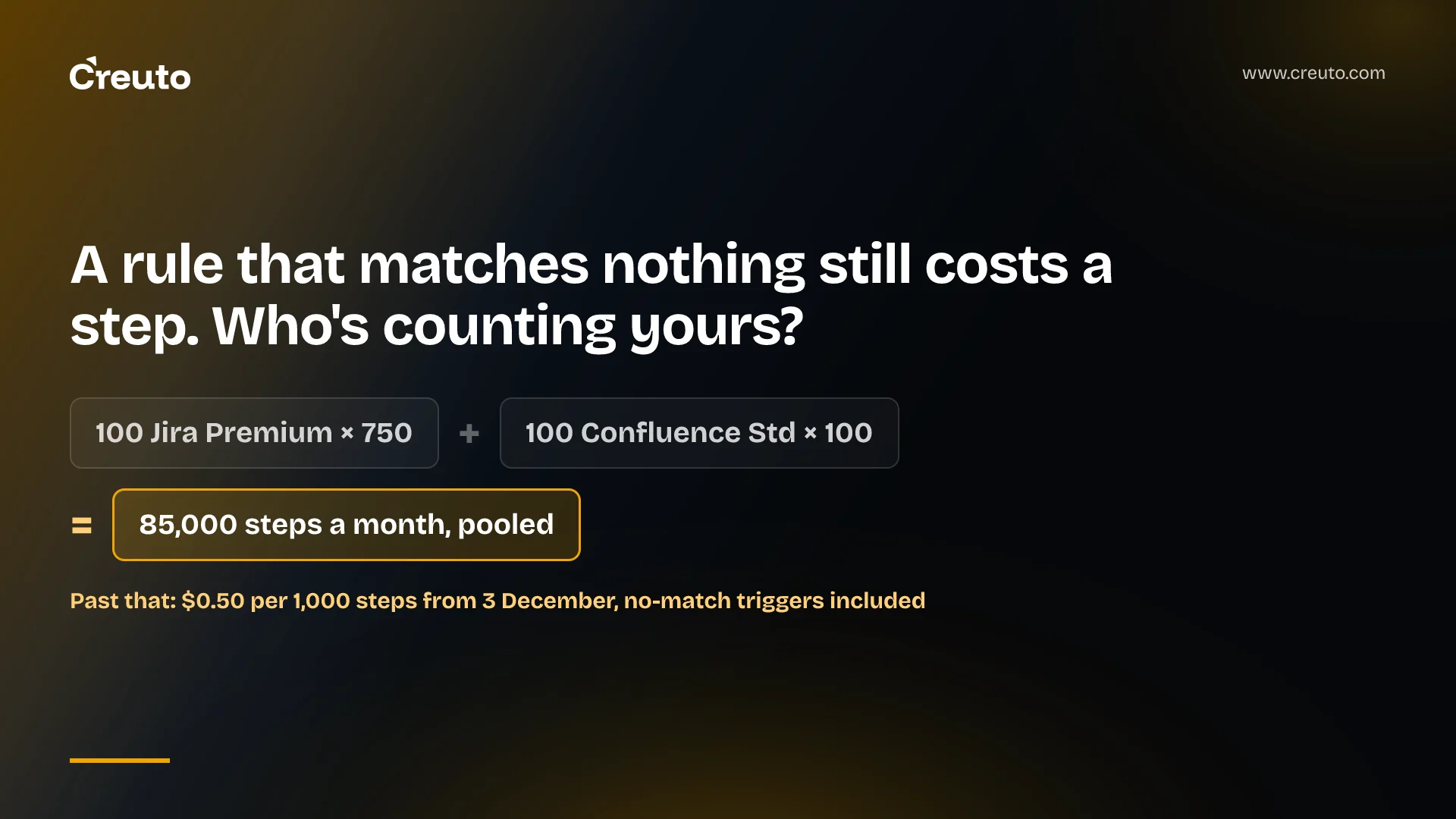
Jira Automation pricing changes on 3 December 2026: every executed step now counts, including a trigger that matches nothing, and steps beyond your organisation's pooled allowance bill at $0.50 per 1,000. By the end of this post you'll know what a step is, what your allowance is, why the price is rarely the real risk, and which rules belong outside Jira.
Atlassian's support documentation puts the date plainly: "On December 3, 2026, extra usage billing takes effect." The change was published alongside Atlassian's wider usage-based pricing, whose FAQ lists the meters "available as of September 1, 2026". If your team has never looked at automation usage because Enterprise was unlimited, or because the old limits counted whole rule runs, this is the quarter to start.
Jira Automation pricing at a glance: dates, rates and who is affected
| What | The rule | Source |
|---|---|---|
| Billing starts | 3 December 2026, extra usage billing takes effect | Atlassian Support |
| Unit | One step per trigger, condition, action, branch or loop that runs | Atlassian Support |
| Overage rate | $0.50 per 1,000 steps beyond the allowance | Automation FAQ |
| Allowance scope | Pooled at the organisation level across all apps | Automation FAQ |
| Enterprise | "Enterprise plans will no longer have unlimited automation" | Automation FAQ |
| Default setting | Extra usage is enabled by default for most organisations | UBP FAQ |
| Reset | Allowances refresh monthly | Atlassian Support |
A trigger that matches nothing is now a charged step
An automation step is, in Atlassian's words, "a single executed part of an automation flow, including triggers, conditions, actions, branches, and loops." Atlassian's own licensing example spells out the arithmetic: trigger, check priority, assign user, send notification = 4 steps.
The detail that changes behaviour is the list of charged statuses. A step is charged when it ends in SUCCESS, NO_ACTIONS_PERFORMED, SOME_ERRORS, ABORTED or NO_MATCH, and for NO_MATCH the documentation is explicit: "Even if a trigger doesn't find a match to start the rest of the flow, the trigger execution itself is charged as one step." A misconfigured rule that errors is charged too, because SOME_ERRORS covers business errors such as flow misconfiguration.
What isn't charged is short: system and synthetic components Atlassian runs on your behalf, THROTTLED runs where no step executes, and system-side errors. Agentic components (Use Rovo, Use agent and Use Jira Coding agent) are billed under Rovo credits and do not consume automation steps. Some partner posts quote per-plan Rovo credit allowances; Atlassian's automation FAQ gives no Rovo credit figures, so we don't repeat any here.
One Atlassian page hasn't caught up. The best-practices guide still says "Only flows that perform a successful action will count toward your usage." That was true of the old model, which counted successful flow runs, one per completed flow regardless of how many actions it contained. Under step billing it is wrong, and any rule designed around it (a broad trigger that relies on a condition to throw most events away) is the rule that will cost you most.
What your allowance is, and why Enterprise is no longer unlimited
Each subscription contributes a monthly step allowance, and the allowances add up into one pool. Atlassian's support page publishes the per-plan figures:
| App | Free | Standard | Premium | Enterprise |
|---|---|---|---|---|
| Jira | 150 per subscription | 400 per user | 750 per user | 1,000 per user |
| Confluence | 50 per subscription | 100 per user | 250 per user | 500 per user |
| Jira Service Management / Service Collection | 1,250 per subscription | 3,000 per user | 6,500 per user | 9,500 per user |
| Teamwork Collection | 200 per subscription | 2,500 per user | 5,000 per user | 7,500 per user |
| Jira Product Discovery | 100 per subscription | 300 per user | 500 per user | 750 per user |
Atlassian's worked example: 100 Jira Premium users give 75,000 steps, 100 Confluence Standard users give 10,000, and the organisation shares 85,000 steps a month across both apps. A Confluence rule and a Jira rule draw from the same bucket, so one noisy integration in one product can starve automation in another.
Two caveats. First, Atlassian's pages disagree on Free plans: the support page says Jira Free gets 150 steps per subscription, while the usage-based pricing FAQ lists "150 Automation steps per user, per month" for Jira Free. Check your own figure in Atlassian Administration before you plan around it. Second, Enterprise customers previously had unlimited automation; now they "receive pooled allowances designed to cover typical Enterprise usage patterns." If you are the atypical Enterprise customer, December is when you find out.
How much does Jira Automation cost? Three illustrative models
The models below are illustrative. The event volumes are assumptions we chose to show the arithmetic, not measurements from any customer, and none of this is a Creuto price. The only real inputs are Atlassian's: the allowance table above and the formula (monthly steps consumed − included allowance) ÷ 1,000 × $0.50. Each assumes the same 85,000-step pool from Atlassian's example.
Model 1: a scheduled rule that rarely finds anything
A scheduled rule every five minutes fires 12 times an hour, 288 times a day, or 8,640 times in a 30-day month. Because NO_MATCH is charged, the trigger alone costs 8,640 steps even if the JQL returns nothing every time. That is 10.2% of an 85,000-step pool (8,640 ÷ 85,000) before the rule has done any work.
Model 2: a broad "work item updated" rule
Assume a rule with one trigger, one condition and two actions, scoped globally, seeing 40,000 update events a month, of which 10,000 pass the condition. Our reading of Atlassian's rule that every component that runs is a step: the 30,000 filtered events cost 2 steps each (trigger plus condition), 60,000 steps, and the 10,000 that pass cost 4 each, 40,000 steps. Total: 100,000 steps. On its own that rule overshoots the pool by 15,000 steps: 15,000 ÷ 1,000 × $0.50 = $7.50.
Model 3: a high-volume integration
Assume an inbound webhook rule handling 500,000 events a month at 5 steps per run: 2,500,000 steps. Over the 85,000 pool that is 2,415,000 extra steps: 2,415 × $0.50 = $1,207.50 a month, or $14,490 a year. At this volume the conversation about where the logic lives becomes a budget conversation.
Read the three together and the pattern is clear. At $0.50 per 1,000 steps, a million extra steps cost $500. Most mid-sized teams will see small bills; a few integration-heavy ones will see a line item someone asks about.
The price is small. The hard stop is the risk.
Extra usage is enabled by default for most organisations, so if you do nothing, flows keep running and overage lands on the next invoice. Admins get notifications at 80% and 100% of the allowance, and can set a monthly limit.
The failure mode sits on the other side. If a finance team switches extra usage off to cap spend and the pool runs dry, Atlassian's FAQ says new flows stop, in-flight flows complete, flows with manual triggers pause, and "Events are not queued": events that occur during the pause are not stored or replayed when the allowance refreshes. Your SLA timers, escalation rules and sync jobs simply miss whatever happened in that window.
There is also no priority lane. Atlassian states "There is no way to designate individual flows for prioritized execution." A low-value notification rule and your incident escalation draw on the same pool and stop at the same moment. If you disable extra usage, set a usage limit instead of a hard off, and treat the 80% alert as a page, not an email.
How to reduce Jira Automation step usage before December
The cheapest step is the one that never runs. Atlassian's own tooling and guidance give you most of what you need:
- Find the pool's trend. The Platform usage dashboard under Insights in Atlassian Administration shows up to 90 days of usage history and estimated monthly usage, and usage data can be exported as CSV to model your own scenarios.
- Find the noisy rules. Performance insights break each flow's execution count down by Successful, No action, Some errors, Loop and Throttled. A rule with a large "No action" count is paying for runs that achieve nothing.
- Narrow the trigger. Atlassian's guide says Field Value Changed "is far more economical than" Work Item Updated.
- Restrict scope. The same guide says to avoid global scope; events from spaces without a matching flow are filtered out.
- Order conditions. Put cheap compare conditions (work item fields, user) first and JQL or CQL conditions, which "require more processing", later.
- Combine or disable. Two rules on the same trigger pay for two trigger steps per event. Merging them with branches, or disabling rules nobody owns, removes steps outright.
- Stretch schedules. Under Model 1's arithmetic, moving a five-minute schedule to hourly cuts trigger steps from 8,640 to 720 a month.
Remember the conflict noted earlier: the guide's line that only successful flows count no longer holds, so a condition that filters an event still costs the trigger and the condition. Conditions reduce actions, not triggers.
When to move a rule out of Jira
Price alone rarely justifies a rewrite. Model 3's $14,490 a year is real money, but a service you own has its own costs: hosting, on-call, deployment, and the audit trail Jira gives you for free. The strongest case for staying is that Jira Automation is maintained by admins who know the process, and moving it into code moves ownership to engineers who may not.
Move a rule when at least one of these is true:
- Volume is high and steady. The rule is a large share of the pool every month, not a spike.
- Losing an event is unacceptable. Jira Automation doesn't queue events when the allowance is exhausted and extra usage is off. A queue you own can.
- The logic is really integration code. Long chains of web requests, JSON parsing and branching are easier to test and version in a service.
- You are near service limits. Atlassian caps a flow at 65 steps, and Lookup work items at 100 work items.
Keep it in Jira when the rule is low-volume, owned by a process admin, and failure-tolerant. Most assignment, notification and transition rules fit that description.
What the replacement looks like: webhooks and your own worker
The usual pattern is a Jira webhook feeding a queue and a worker. Webhooks are not among the usage-based meters Atlassian lists, but they come with their own rules you must design for. Jira retries failed deliveries up to five times with a randomised 5-15 minute back-off, may deliver the same event more than once (deduplicate on the X-Atlassian-Webhook-Identifier header), supports JQL filtering only on a subset of events, and expires dynamically registered webhooks 30 days after creation or refresh unless you extend them.
That makes the worker idempotent by necessity, and it means you need your own record of what ran. When we built a workflow management system, the full task audit trail and reporting suite were part of the build, not afterthoughts; a team leaving Jira Automation needs to budget for the same, because the automation audit log stays behind. If the queue sits on AWS, the trade-offs in our post on an EventBridge custom event bus apply directly.
The same build-or-stay reasoning showed up in the Power Apps Premium price increase: a platform reprices, and the question is which workloads still belong on it. Here the answer for most rules is "stay, but tune". For the few that dominate your pool or can't afford to drop events, a small service is usually the better home, and that is the kind of custom software development worth scoping before your first post-December invoice arrives.
Your next step is mechanical: open Platform usage to see where the pool is heading, open performance insights to rank flows by execution count, and decide before 3 December which ones you tune, which you move, and whether extra usage stays on.
Frequently asked questions
Jira Automation is still included in every Atlassian Cloud subscription, but only up to a monthly step allowance pooled across your organisation. From 3 December 2026, steps beyond that allowance are billed at $0.50 per 1,000 if extra usage is enabled, which Atlassian sets as the default for most organisations.
A Jira Automation rule that doesn't match still uses one step. Atlassian charges the NO_MATCH status, so the trigger execution counts even when nothing else in the flow runs. A scheduled rule every five minutes therefore costs 8,640 trigger steps in a 30-day month, whether or not it finds anything.
Rovo actions are not billed as Jira Automation steps. Atlassian bills the Use Rovo, Use agent and Use Jira Coding agent components under Rovo credits, a separate meter with its own allowance, so an AI step inside a flow draws Rovo credits rather than automation steps and is not counted twice.
When Jira Automation runs out of steps with extra usage disabled, new flows stop until the allowance refreshes or a pack is added. In-flight flows finish, manual triggers pause too, and Atlassian does not queue or replay events that occur during the pause. With extra usage on, flows continue and overage is invoiced.
Jira Automation costs nothing extra after December 3 until your organisation exceeds its pooled monthly step allowance. Beyond it, Atlassian charges $0.50 per 1,000 steps, so 10,000 extra steps cost $5.00 and a million extra steps cost $500. Allowances depend on plan, such as 750 steps per Jira Premium user.