ERP data migration: why go-live fails on data, not software
ERP data migration breaks go-live more often than the software does. What to migrate, who owns it, and how trial loads and reconciliation catch it early.
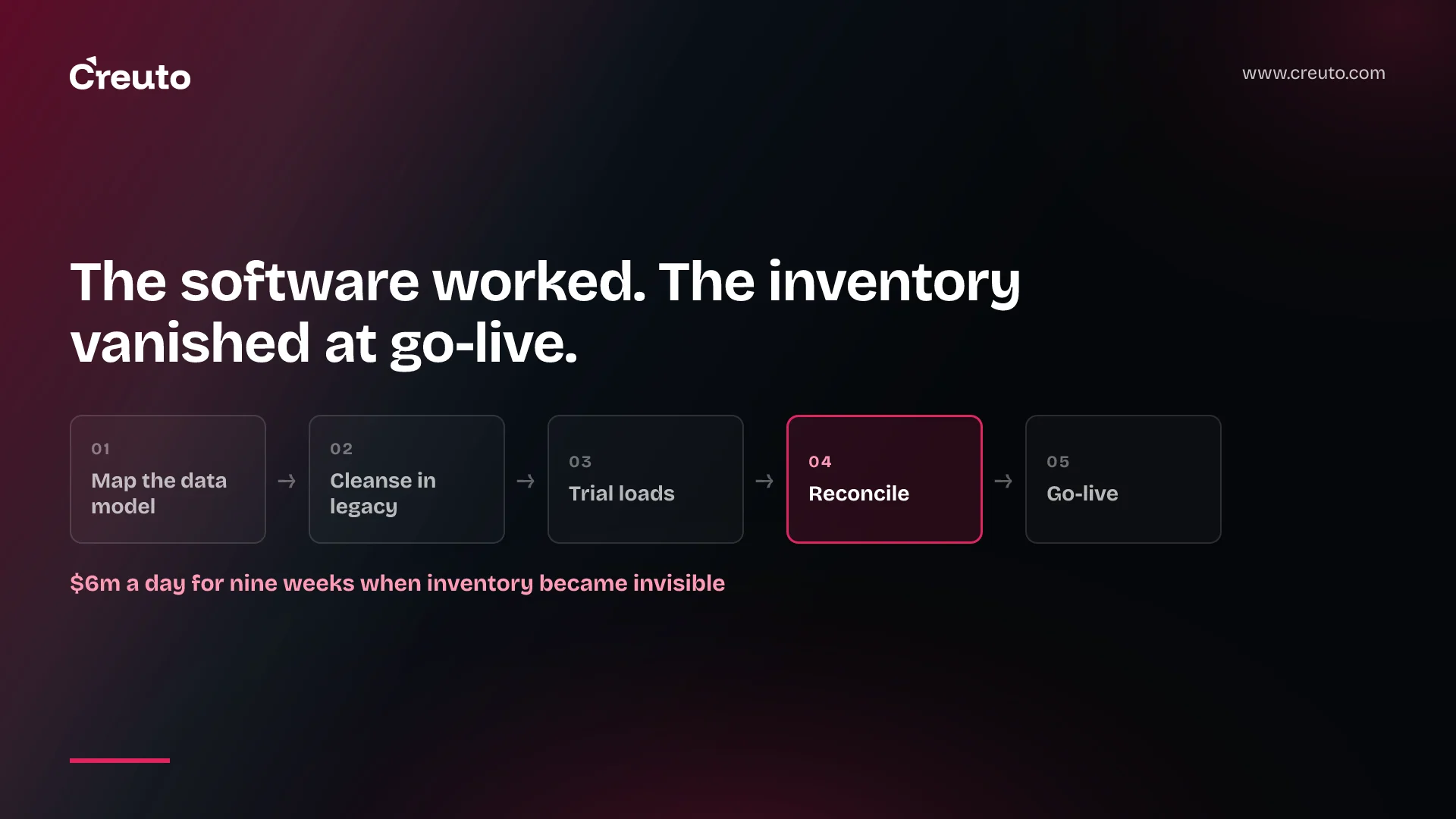
One company lost more than $6m a day for nine weeks after its new ERP went live, according to AlixPartners, because its inventory "effectively became invisible at the point of go-live". The software worked. The ERP data migration did not. By the end of this post you will know where migrations break, what to carry across, who should own it, and how to test it before cutover.
That matters if you are a COO, finance director or IT head replacing Tally, an ageing ERP or a stack of spreadsheets. The decision in front of you is rarely "which vendor". It is how you stop go-live breaking stock, orders and invoicing, and whose job the migration actually is. Most of the published advice skips the second half of that question.
The failure figures everyone quotes, and what they actually say
The number you will see most is that up to 75% of ERP projects fail. AlixPartners repeats it in the same article as the $6m example, writing that "Gartner estimates up to 75% ERP projects fail or do not meet their intended objectives". It names no Gartner report and no date, so treat it as a secondhand figure.
What Gartner itself has said on the record is narrower. In November 2025, Gartner's Dixie John told its Barcelona symposium that 70% of ERP initiatives fail to fully meet their original business use case goals, and 25% fail catastrophically, as The Register reported. "Fail to fully meet goals" is not the same as "fail". And the causes she listed were bad business cases, unrealistic scope, underestimated complexity and scope creep, not software defects.
Notice what none of these figures measures: data. No one in this set of sources has published what share of ERP failures trace back to migration. So we will not invent one. What the documented cases show instead is a pattern, and the pattern is worth more than a percentage.
Why do ERP data migrations fail?
ERP data migrations fail because the old data does not fit the new system's model, and nobody finds out until real transactions hit it. TechTarget's guide on ERP data migration challenges puts it plainly: "Each ERP system has a unique data model." Moving hierarchical data into a flatter structure, or the reverse, risks duplication or loss.
The same guide flags relationships as the second trap. One customer payment applied across several invoices has to arrive with every link intact, or receivables stop reconciling. Its third point is quality: "Data quality erodes over time," and duplicate records distort reporting long after go-live.
Lidl is the expensive version of a model mismatch. RetailDetail, citing Handelsblatt, reported in September 2018 that the retailer lost about €500 million on a failed SAP project. The reported core problem was inventory valuation: Lidl's stock system was based on purchase prices, while the SAP software was based on retail prices. Neither company confirmed the figure, so read it as a press estimate. The lesson does not depend on the number. A difference in how stock is valued is a data model decision, and it was not settled before the build.
Birmingham City Council shows the reconciliation version. It went live on Oracle on 11 April 2022, and auditors Grant Thornton later found that council staff testing the bank reconciliation solution "were unable to fully test" it, while cash management was still rated green to the steering committee. Total project costs rose from around £19 million to £170 million, as The Register reported. Heavy customisation was a large part of that story, and the council now plans to re-implement Oracle "out of the box". But the lesson for a migration is direct: if you cannot prove the numbers balance before go-live, you are not ready.
| Failure mode | What it looks like after go-live | What catches it earlier |
|---|---|---|
| Data model mismatch | Stock values or units that do not match the old books | Mapping each object before the vendor is chosen |
| Broken relationships | Payments, orders and invoices that no longer link | Trial loads that run real transactions end to end |
| Duplicate and stale master data | Two records for one customer, items nobody stocks | Cleansing owned by the business, before extraction |
| Untested reconciliation | Balances nobody can prove match the legacy system | Signed-off record counts and financial totals per trial |
What data should you migrate to a new ERP?
Migrate the minimum the business needs to operate on day one, and archive the rest. AlixPartners says it directly: "Migrate the minimum by reducing volumes." Microsoft's Dynamics 365 data migration workshop makes the same point from the vendor side, asking teams to review the type of data to bring in and "determine whether all that data is needed".
In practice that usually means three groups. Master data: customers, suppliers, items, bills of material, the chart of accounts. Open transactions: unpaid invoices, open purchase and sales orders, stock on hand. Opening balances that finance can tie back to the last closed period. Closed history usually stays in a read-only archive or reporting copy, because loading it means mapping years of records that were captured under rules the new system does not share.
The strongest argument against this is real. Finance teams want history in one place for audits and year-on-year reporting, and an archive is one more system to keep alive. That is a fair cost. But every year of history you load is another year of duplicates, retired item codes and old valuation rules to clean and map, and each one has to pass reconciliation. Load history only where a named person can say what it is for.
ERP master data cleanup before migration
TechTarget's advice is to cleanse thoroughly before migrating: remove duplicates, correct inaccuracies and standardise formats. The order matters. Legacy data cleansing done in the legacy system, by the people who know which customer record is the real one, is far cheaper than fixing the same records once orders are flowing in the new ERP.
Who owns data migration in an ERP project?
A named business owner should own each data object, with a migration lead accountable for the whole plan. AlixPartners is blunt about the alternative: "Unless data ownership exists, the quality of the data migration will be compromised." Microsoft's workshop puts ownership on the agenda next to timelines, covering "who owns the data, and who will be responsible for all tasks around it (extraction, provision, cleansing, and importing)".
The common assumption is that the vendor or implementation partner owns it. Partners can own the tooling, the extract-transform-load (ETL) scripts and the load runs. They cannot decide which of two supplier records is correct, what an obsolete item is worth, or whether a customer's credit limit still applies. Those are business calls. If nobody in finance, sales and the warehouse has signed up to make them, the partner will make them for you, quietly, by default.
TechTarget also warns that many leaders underestimate the time and expertise required, and that smaller firms often lean on IT staff who know neither the old system nor the new one deeply. That is the case for a dedicated migration lead, internal or external, whose only job is the data.
How do you test an ERP data migration?
You test an ERP data migration by rehearsing it end to end, more than once, and reconciling every run against the legacy system. Microsoft lists the questions every plan should answer, including "How many data migration cycles or dry runs will be conducted?" and whether user acceptance testing will be performed on migrated data. It calls data validation "a mandatory step".
ERP data migration trial loads
A trial load, also called a mock migration, runs the real extract through the real scripts into a non-production environment. One practitioner checklist sets the floor at two complete end-to-end trial runs before cutover, with the first for the implementation team and the second for the business data owners. The same guide notes that a complex cutover load can take 12-36 hours. That is a practitioner's estimate, not a benchmark, but it is the right question to ask early: how long does your load take, and does it fit inside the window you can stop trading?
Reconcile inventory after ERP go-live
Reconciliation is where trial loads earn their cost. Compare record counts and financial totals between the old and new systems, then compare the things the business actually runs on: stock quantity and inventory valuation by location, open order value, receivables and payables ageing, and the trial balance. Run the same comparison on go-live day, against the baseline the data owners signed off. If inventory is going to vanish, this is where you see it before customers do.
An ERP data migration checklist you can take into the next steering meeting
- Name an owner per data object — customers, suppliers, items, open orders, balances — plus one migration lead.
- Map the data model first, especially stock valuation, units of measure and how payments link to invoices.
- Decide scope: master data, open transactions and opening balances in; closed history archived unless someone justifies it.
- Cleanse in the legacy system, and freeze new master data creation close to cutover.
- Run at least two trial loads, timed, with the second checked by business owners.
- Agree reconciliation criteria in writing: counts, totals, stock and valuation by location.
- Write the cutover plan around the measured load time, with a go/no-go point and a rollback.
This is the wrong level of ceremony if you hold no stock and your books already balance cleanly in one system. Then the risk is smaller and two of these steps shrink to an afternoon. For a manufacturer or distributor with stock in several locations, none of them is optional. If you are moving off Odoo specifically, our Odoo 20 migration checklist covers the version-specific steps.
How long does ERP data migration take?
ERP data migration takes as long as the implementation, because it runs alongside it rather than at the end. Microsoft's guidance notes that data migration is discussed in several different phases of a project and that plans fluctuate as teams learn the quirks of their data. We have not found a sourced, general figure for migration alone, and we would distrust one: it depends on how many objects you carry across, how dirty they are and how many trial loads it takes to reconcile.
For context, the larger enterprise platforms we build typically take 3-6 months depending on complexity, integrations and scope. Migration work starts in the first weeks of that, not the last.
Scope the ERP data migration before you choose the system
The cheapest point to discover a valuation mismatch or a broken payment link is before you have signed with a vendor. On our custom ERP for a large industrial client, HR, sales, inventory and finance had each run on their own tools and spreadsheets. We moved four departments onto one browser-based system with one source of truth, and the migration from those spreadsheets was part of the delivery, not an afterthought. If you are still comparing packaged and custom options, our breakdown of Odoo vs custom ERP costs is a useful companion.
If you are replacing Tally, a legacy ERP or spreadsheets and want to know which of your data objects will break at cutover before you commit, our custom ERP development team can map your stock, orders and invoicing data against the target model and give you a migration plan with named owners and trial loads before the vendor decision is made.
Frequently asked questions
ERP data migrations usually fail because legacy data does not fit the new system's data model, relationships such as payments linked to several invoices break, duplicate records survive, and nobody reconciles balances before go-live. The software is often working correctly; the data loaded into it is not.
ERP data migration runs for the length of the implementation rather than as a step at the end. Its duration depends on how many data objects you migrate, how much cleansing they need and how many trial loads it takes to reconcile, so a general figure without that scope is not reliable.
A new ERP usually needs master data such as customers, suppliers, items and the chart of accounts, open transactions such as unpaid invoices and open orders, stock on hand and opening balances. Closed history is usually archived unless a named owner can justify loading it.
An ERP data migration is tested by running full trial loads into a non-production environment and reconciling each one against the legacy system: record counts, financial totals, stock quantity and valuation by location, open orders and the trial balance, signed off by the business data owners.
Data migration in an ERP project should be owned by named business owners for each data object, such as finance for balances and the warehouse for stock, with one migration lead accountable for the plan. The implementation partner can own the tooling and loads, not the business decisions.
