ECS Gateway vs ALB: no custom domain, 25 services per ALB
ECS Gateway vs ALB: the gateway packs 25 services onto each ALB for free, but generated on.aws hostnames and HTTPS-only limits decide who should switch.
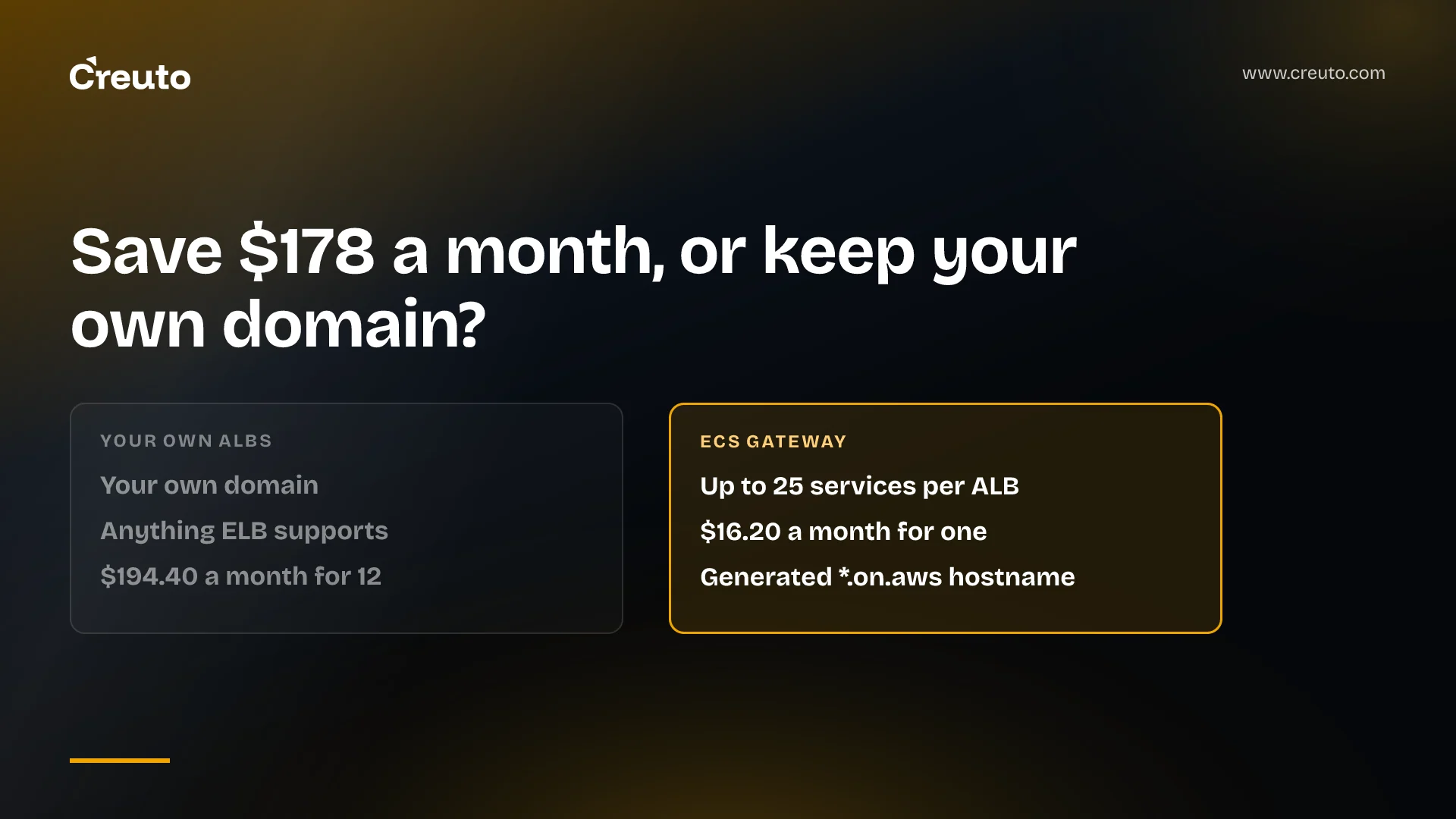
Amazon ECS Gateway does not replace your Application Load Balancers. It creates them, packs up to 25 services onto each one and charges nothing for doing it. So the real ECS Gateway vs ALB question is whether you can live with its rules: a generated *.on.aws hostname, HTTPS on port 443 only, and settings you cannot change later.
By the end of this post you will know what the gateway builds in your account, what it saves on a typical bill in US East, Mumbai and the UAE, why the missing custom domain decides most migrations, and how to move one service across without downtime. AWS announced ECS Gateway on 20 October 2026; everything below reflects the documentation as of 6 November 2026.
| Fact | What the documentation says |
|---|---|
| Price of the gateway itself | No additional charge; you pay for the ALBs, CloudWatch and data transfer it creates |
| Services per ALB | Up to 25, fixed |
| ALBs per gateway | Default maxAlbCount of 10, quota of 200 |
| Protocol | HTTPS on port 443 only |
| Network mode | awsvpc only, on EC2, Fargate and ECS Managed Instances |
| Hostname | https://<unique-id>.ecs.<region>.on.aws |
| Regions | All commercial AWS Regions |
What ECS Gateway actually creates in your account
ECS Gateway is an account-level resource that provisions ordinary Elastic Load Balancing infrastructure on your behalf. According to the ECS Gateway overview, each gateway manages shared resources (the Application Load Balancer, its listener and its security group) and per-service resources (an ACM certificate, a DNS hostname, a listener rule, a target group and a service security group). Routing between services on one ALB is host-based.
Nothing is hidden. The ALBs sit in your account, tagged AmazonECSManaged=true, and you see them in the EC2 console like any other load balancer. That matters for the cost discussion: the gateway does not have its own meter. It changes how many ALBs you run, not what an ALB costs.
The work splits between two teams. A platform team creates the gateway, picks subnets, scheme, WAF web ACL and access logs, and associates it with clusters. An application team opts a service in by adding a gateway connector that names a container port. The gateway management guide notes that the application team needs no permission to create load balancers, because those permissions live in an infrastructure IAM role. If you are building that split between platform and product teams right now, it is the same tenancy question we covered for Elastic Beanstalk Cluster Mode.
ECS Gateway vs ALB on cost: you save the hourly charge
The saving from ECS Gateway is the fixed hourly charge of the ALBs you stop running. An ALB is billed per hour plus per Load Balancer Capacity Unit. On the Elastic Load Balancing pricing page, US East charges $0.0225 per ALB-hour and $0.008 per LCU-hour, and one LCU covers 25 new connections per second, 3,000 active connections per minute, 1 GB processed per hour or 1,000 rule evaluations per second, whichever is highest.
Take a dozen Fargate services, each behind its own ALB, against the same twelve on one gateway-managed ALB. Using 720 hours a month, as AWS's own pricing examples do, and the hourly rates from the AWS Price List API for US East, Mumbai and the UAE (published 2 November 2026):
| Region | ALB-hour | LCU-hour | 12 ALBs, hourly charge per month | 1 ALB, hourly charge per month |
|---|---|---|---|---|
| US East (N. Virginia) | $0.0225 | $0.008 | $194.40 | $16.20 |
| Asia Pacific (Mumbai) | $0.0239 | $0.008 | $206.50 | $17.21 |
| Middle East (UAE) | $0.028224 | $0.00896 | $243.86 | $20.32 |
That is roughly $178 a month in US East and $224 in the UAE, before LCUs. It is real money for a platform team, but it is not a line that changes a SaaS company's gross margin. If your UAE workloads also depend on services that are thin in me-central-1, the UAE cloud region service gap is the bigger cost question.
LCUs do not shrink the same way. Processed bytes and connections are a property of your traffic, so moving twelve services onto one ALB moves the same traffic. One dimension can go up: the pricing page says that with 10 or fewer rules the rule-evaluation dimension is ignored, and the first 10 processed rules are free. A shared ALB with 25 services, each with its own listener rules, is past that line. Run your own LCU numbers before you count the saving.
Two documented behaviours erode the saving over time. The gateway does not consolidate load balancers: it adds ALBs when the existing ones are full and removes them only when empty, so several half-filled ALBs can stay running after services leave. And the default maxAlbCount is 10, which caps a gateway at 250 services until someone raises it. Popular summaries quote the 200-ALB quota; the setting you actually start with is 10, and a service that opts in when every ALB is full fails its deployment.
Can you use your own domain with ECS Gateway?
The documentation describes no way to put your own domain on an ECS Gateway service. Each connection gets https://<unique-id>.ecs.<region>.on.aws, and the connection guide says the identifier is random and not derived from the service name, so a service you delete and recreate under the same name gets a different URL. InfoQ's 4 November report made this its headline: neither the announcement nor the documentation explains how to place a custom domain in front of a service.
The obvious fix, editing the listener rule or adding your certificate on the managed ALB, works against the design. The troubleshooting guide says Amazon ECS does not repair or recreate managed resources changed outside it, and that such changes can interrupt traffic or make later deployments, gateway updates and cleanup fail. It asks you to make changes through gateway operations only.
Compare ECS Express Mode. AWS's App Runner migration guide tells you to add your custom domain as a host-header condition on the Express Mode ALB's listener rule and attach your ACM certificate to its HTTPS listener. Express Mode lets you touch its load balancer; Gateway asks you not to.
Amazon ECS Gateway custom domain workaround: CloudFront in front
CloudFront is the cleanest way we can see to put a domain you own in front of a gateway hostname. When CloudFront does not forward the viewer's Host header, its custom-origin behaviour sets Host to the origin's domain name. With the on.aws hostname as the origin, the request arrives at the ALB carrying the generated hostname, which is what its listener rule and certificate expect.
The catch is that the origin can move. The troubleshooting guide's recovery path for a deleted managed resource is to remove the connector and add it back, which issues a new generated hostname and tells you to update any clients or DNS records pointing at the old one. Your distribution's origin becomes something a deployment can invalidate. CloudFront also adds its own charges. We have not run this pattern in production on a service this new, so treat it as a design to test, not a recipe.
ECS gateway limitations that are fixed at creation
Several settings are permanent. The management guide lists name, subnets, IP address type and scheme as immutable, and the listener is HTTPS on port 443 with no other protocol or port supported. To change any of them you create a new gateway, move services and delete the old one, and each moved service gets a new hostname.
- No TCP or UDP. A gateway serves web applications and APIs addressed by hostname. For raw TCP you still need a load balancer you manage yourself. The documentation does not mention gRPC either way; the target group takes its protocol version from the named container port, so test gRPC before you depend on it.
- Single account. A gateway and its clusters must be in the same account and Region.
- Full Availability Zone coverage. A service connects only to gateways whose subnets cover every AZ it runs in. Subnets cannot be changed later, so pick wide coverage on day one.
- Health check changes need blue/green or canary. Changing a connector's health check replaces the target group, which fails on a service using the
ROLLINGdeployment strategy. - Test traffic is header-only. One header per gateway routes test traffic to a new revision; you cannot send a percentage.
The WAF story is better. You attach one regional web ACL to the gateway and it applies to every load balancer the gateway manages, which is less work than wiring WAF to a dozen separate ALBs.
ECS Gateway vs ECS Express Mode vs your own ALBs
ECS Gateway does not work with Express Mode services, so these are separate paths, not layers. Express Mode already shares one ALB across up to 25 services using host-header rules, runs on Fargate and has no additional charge.
| Need | Own ALB per service | ECS Gateway | ECS Express Mode |
|---|---|---|---|
| Shared ALB cost | No | Up to 25 services per ALB | Up to 25 services per ALB |
| Your own domain | Yes | Not documented | Yes, via listener rule and ACM certificate |
| Protocols | Anything ELB supports | HTTPS 443 only | Through its provisioned ALB |
| Who touches the ALB | You | ECS only | ECS, with documented edits |
| Launch types | Any | EC2, Fargate, Managed Instances | Fargate |
Express Mode also matters for teams leaving App Runner. AWS App Runner is no longer open to new customers; existing customers keep using it, AWS plans no new features, and it recommends Express Mode as the migration path. If you are choosing an App Runner replacement for new customers this quarter, Express Mode is the one AWS names, and it keeps your custom domain.
How to migrate an ECS service from ALB to ECS Gateway
Migration is additive. The connection guide says adding a gateway connector to a service that already has its own load balancer neither removes nor modifies it, so both ingress paths serve traffic at once.
- Create an infrastructure IAM role trusted by
ecs.amazonaws.comwith theAmazonECSInfrastructureRoleForGatewayHostSharedALBmanaged policy. - Create the gateway with subnets covering every AZ your services use, and set
maxAlbCountabove your expected ALB count. - Associate the gateway with the cluster. This routes nothing on its own.
- Run
aws ecs update-service --gateway-connectors '[{"portName": "web"}]'on one service, with a health check path set now to avoid theROLLINGrestriction later. - Read the connection from
describe-service-revisionsand wait forACTIVEbefore sending traffic to itsserviceUrl. - Move clients to the new hostname, then remove the old load balancer in a later update.
Step six is where the custom-domain question bites. If your clients call api.yourcompany.com, there is no documented record to point at the gateway, which is why internal service-to-service APIs and preview environments are the natural first candidates.
Which ingress to choose for a dozen ECS services
Keep your own ALBs, or move to Express Mode, if customers reach the service on a domain you own; that rules out ECS Gateway today, whatever the hourly saving. Use ECS Gateway for internal APIs, staging and preview environments, where a generated hostname is acceptable and a platform team wants one place for subnets, WAF and access logs. Put CloudFront in front only if you will own the work of tracking a hostname that can change.
If you are weighing that split across your own services, our AWS consulting team can map each service to an ingress path, model the ALB and LCU bill for your regions, and plan the cutover. The wider platform work, from CI/CD to monitoring, sits with our DevOps and cloud engineering practice.
Frequently asked questions
Amazon ECS Gateway does not replace Application Load Balancers. It provisions and manages them in your account, placing up to 25 ECS services on each shared ALB with host-based routing. You still pay the normal ALB hourly and LCU charges; the gateway itself has no additional charge.
ECS Gateway documentation describes no custom domain option. Each service gets a generated hostname under on.aws, and editing the managed ALB yourself is unsupported. Putting CloudFront in front with the generated hostname as origin is a possible workaround, but that hostname changes if the service's gateway route is recreated.
ECS Gateway is cheaper on the fixed ALB hourly charge. Twelve ALBs in US East cost about $194 a month in hourly charges at 720 hours, against about $16 for one shared ALB. LCU charges follow your traffic, and more listener rules on a shared ALB can add rule-evaluation LCUs.
ECS Gateway listeners accept HTTPS on port 443 only, so raw TCP and UDP traffic is not supported and needs a load balancer you manage. The documentation does not state gRPC support either way, so test a gRPC service against a gateway before relying on it in production.
AWS App Runner is closed to new customers, but existing customers can keep using it, including creating new services. AWS plans no new features and recommends ECS Express Mode as the migration path, with a documented guide that keeps your custom domain and shifts traffic gradually using weighted DNS records.
An ECS Gateway places up to 25 services on one Application Load Balancer, a fixed limit. The default maxAlbCount is 10, so a gateway serves 250 services until you raise it, up to a quota of 200 load balancers. A service that opts in when every ALB is full fails its deployment.