.NET Framework to .NET 10 migration: 4.8.1 has no end date
.NET Framework to .NET 10 migration: 4.8.1 follows Windows, Upgrade Assistant is deprecated, and what won't port. When to stay, move or rewrite.
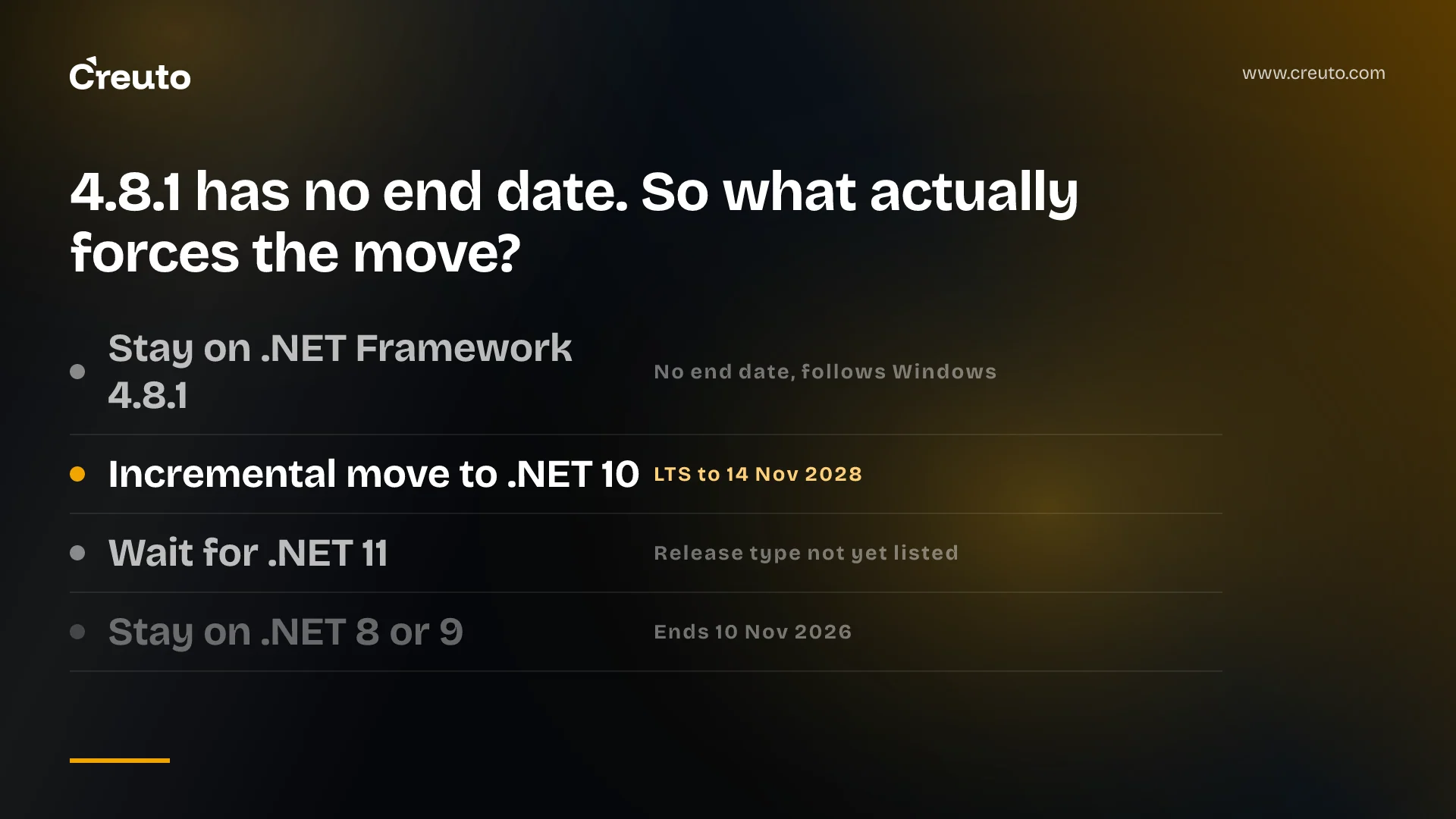
.NET Framework 4.8.1 has no end-of-support date. Microsoft defines it as a component of Windows that follows the lifecycle of the OS it is installed on, so a .NET Framework to .NET 10 migration is never forced by a runtime deadline. By the end of this post you will know which dates do bind you, what will not port, what the Copilot agent that replaced Upgrade Assistant actually automates, and when staying put is the right call.
The timing matters this month. As of 4 November 2026, .NET 8 and .NET 9 both reach end of support in six days, on the day .NET Conf launches .NET 11, and the last of the older 4.x Framework releases loses support in January.
| Version | Status on 4 November 2026 | End of support |
|---|---|---|
| .NET Framework 4.8.1 and 4.8 | Active, Windows component | None listed; follows the Windows lifecycle |
| .NET Framework 4.6.2 | Active | 12 January 2027 |
| .NET 8 (LTS) | Supported | 10 November 2026 |
| .NET 9 (STS) | Supported | 10 November 2026 |
| .NET 10 (LTS) | Supported | 14 November 2028 |
| .NET 11 | RC3 go-live build | Not yet in the supported table |
Framework dates come from Microsoft's .NET Framework support policy; modern .NET dates from the .NET and .NET Core support policy.
.NET Framework 4.8 is not being discontinued, but your Windows Server version sets the real date
.NET Framework 4.8 is not being discontinued. Microsoft's policy says that from 4.5.2 onwards the Framework "follows the lifecycle policy of the underlying Windows OS on which it is installed", and that 4.8.1 stays supported "as long as it is installed on a supported version of Windows". The same page lists 4.6.2 as the exception, with an end date of 12 January 2027.
The detail that changes the decision is that 4.8.1 is not available everywhere. Microsoft's system requirements table shows 4.8.1 preinstalled on Windows Server 2025 and installable on Windows Server 2022, while Windows Server 2019 and Windows Server 2016 top out at 4.8. If your app runs on a 2016 box, "stay on 4.8.1" is not an option you have without moving the server first.
That server move has its own clock. Microsoft's lifecycle page lists Windows Server 2016 extended support ending in January 2027, and once the OS is out of support the Framework on it is too. We covered why that deadline is usually an application problem rather than an infrastructure one in Windows Server 2016 end of support.
The strongest case for staying on .NET Framework 4.8.1
Staying is a legitimate decision, and Microsoft's own tooling treats it as one. The GitHub Copilot upgrade agent ships a dedicated .NET Framework version upgrade scenario that moves projects to 4.8.1 "without moving to modern .NET", for teams that "aren't ready to move".
Microsoft is also blunt about the cost of leaving. Its ASP.NET guide opens by saying the move to ASP.NET Core "is non-trivial for the majority of production apps", and lists System.Web dependencies, session state, authentication and library dependency chains as the reasons. None of that work ships a feature your users asked for.
Staying on 4.8.1 is the right choice if the app is stable, runs on Windows Server 2022 or 2025, has a planned retirement date, and nothing on your roadmap needs Linux hosting or a library that only targets modern .NET. If all four are true, spend the budget elsewhere and revisit when one of them changes.
Why a .NET Framework to .NET 10 migration is about the next five years, not a deadline
The case for moving is that the Framework is a closed line. The Copilot agent's scenarios for ARM64 migration and WinForms feature adoption apply to modern .NET, and the WinForms dark mode and async APIs it adopts require .NET 9 or later. New platform capability is landing on one side of the fork only.
Hosting is the second constraint. Every operating system in Microsoft's .NET Framework compatibility tables is a version of Windows, so a Framework app cannot move to Linux containers or ARM64 cloud hosts without being ported first.
The third is people. We have no survey data to quote on the .NET Framework hiring market, and we would distrust anyone who claims a precise figure. Our judgement, not a measurement: new .NET work happens on ASP.NET Core, Microsoft's ASP.NET migration documentation now defaults to the ASP.NET Core 10 view, and every year a Web Forms app stays in place, fewer of the engineers you can hire will have changed one recently.
What can't be ported from .NET Framework to .NET
Several Framework technologies have no runtime equivalent in modern .NET, and Microsoft's list of unavailable technologies is the first thing to grep your solution against. Each one turns a port into a redesign of that component.
| Framework technology | Status on .NET 6 and later | Microsoft's suggested path |
|---|---|---|
| AppDomains | Creating more app domains is not supported, with no plans to add it | Separate processes or containers; AssemblyLoadContext for dynamic loading |
| .NET Remoting | Not supported; delegate BeginInvoke throws PlatformNotSupportedException | System.IO.Pipes, StreamJsonRpc, or HTTP |
| Code access security (CAS) | Not supported and not a security boundary | OS boundaries: containers, virtualisation, user accounts |
| System.EnterpriseServices (COM+) | Not supported | No replacement named |
| Windows Workflow Foundation | Not supported | CoreWF, a community port |
| WCF server | Not in the box | CoreWCF NuGet packages |
| XSLT script blocks | .NET Framework only | Rewrite the transform |
COM+ is the row to worry about. Microsoft names alternatives for everything else on that page, but for System.EnterpriseServices it states only that it "isn't supported", so any distributed transaction logic built on it needs a design decision before anyone opens the agent.
WCF service migration to CoreWCF
WCF server code is portable through the CoreWCF NuGet packages, and the Copilot agent has a specific "Upgrading WCF to CoreWCF" skill that converts hosting, configuration, bindings, behaviour extensions and APM-style contracts. Bindings you rely on still need checking against what CoreWCF implements before you commit to a date.
Is .NET Upgrade Assistant deprecated? Yes, and the Copilot agent works differently
.NET Upgrade Assistant is officially deprecated. Microsoft's Upgrade Assistant overview now carries a notice telling you to use the GitHub Copilot modernization agent instead, included with Visual Studio 2026 and Visual Studio 2022 17.14.16 or later. If a guide you are reading still has you installing Upgrade Assistant, it predates that notice.
The replacement is a workflow, not a wizard. According to the GitHub Copilot upgrade overview, the agent asks you to create a branch, then writes assessment.md, plan.md and tasks.md under .github/upgrades/{scenarioId}, picks a bottom-up, top-down or all-at-once strategy, and creates a Git commit for every portion of the work so you can roll back. Its supported paths run from any .NET Framework version to .NET 8 or later.
Its data-access skills cover what usually stalls these projects: converting EF6 EDMX models to EF Core Code-First, EF6 Code-First to EF Core, and LINQ to SQL to EF Core. It can also generate behaviour-locking tests before an upgrade, which matters more than any single code transform.
The agent does not remove the engineering judgement. Microsoft's own description says that when it cannot correct a problem, "it asks for your help". For Visual Studio you need Windows, a GitHub Copilot subscription (paid or free) and Visual Studio 2026 or 2022 17.14.17 or later; the GitHub.com coding-agent route needs Copilot Business or Enterprise. Note that the two Microsoft pages quote different minimum 2022 builds, 17.14.16 and 17.14.17, so install the later one.
Incremental ASP.NET migration is Microsoft's strangler fig
Microsoft's recommended route for large apps is incremental, and it says so in pattern terms: "Incremental migration is an implementation of the Strangler Fig pattern", according to its ASP.NET Framework to ASP.NET Core migration guide. You put a new ASP.NET Core app in front of the old one and move routes across while production keeps running.
- Create an ASP.NET Core project alongside the Framework app and configure it to proxy requests to the original using YARP (Yet Another Reverse Proxy).
- Remediate technical debt first: move to
PackageReference, convert to SDK-style projects, fix compiler warnings and remove dead code. - Configure cross-cutting concerns. The System.Web adapters' remote authentication lets the new app defer authentication to the old one, and remote session support shares session state.
- Upgrade only the libraries the routes you are moving need, in postorder depth-first order, to .NET Standard 2.0 where possible, or multi-target with a .NET 8 or later target alongside the Framework one.
Microsoft's decision guide on the same page contains one line worth reading twice. Under timeline and risk tolerance it pairs "Need to stay in production during migration" with incremental migration, and "Can afford a complete rewrite" with in-place migration. Read plainly, Microsoft puts a one-shot in-place port in the same risk bracket as a rewrite, and steers large production apps away from it.
Web Forms migration to Blazor with Copilot
Web Forms has no ASP.NET Core equivalent, and the Copilot agent's WebForms-to-Blazor scenario targets Blazor Server specifically, converting pages, controls and code-behind to components, side by side or in place. Its companion skills exist because Blazor Server breaks Web Forms habits: they address a null HttpContext during WebSocket circuits, a null Session, DbContext threading errors and lost wizard or cart state. Budget review time for exactly those areas.
Should you target .NET 10 or .NET 11?
Target .NET 10. It is the current LTS release, supported until 14 November 2028, and Microsoft defines LTS as three years of support from release. A Framework migration that starts this quarter and ships during 2027 still lands on a runtime supported into late 2028.
.NET 11 is not a target yet. As of 4 November 2026, Microsoft's support policy lists it only as a go-live pre-release, with RC3 published on 25 October, and the .NET Conf 2026 announcement bills the 10-13 November event as the official launch of .NET 11. Microsoft has not yet listed its release type in the support table, so check it after launch rather than trusting a blog that guesses. We compare the two in more depth in .NET 10 vs .NET 11: picking a target.
.NET 8 end of support in November 2026: upgrade first
If part of your estate already runs on .NET 8 or .NET 9, those services lose support on 10 November 2026, before your Framework app does. Moving them to .NET 10 is usually a smaller, version-to-version job, and doing it first gives your team a working .NET 10 baseline, shared libraries and a CI pipeline that the Framework migration can then reuse.
Stay, migrate incrementally, or rewrite: making the call
| Option | Fits when | Wrong choice if |
|---|---|---|
| Stay on 4.8.1 | Stable app on Windows Server 2022 or 2025, planned retirement, no Linux or modern-only library needs | You are on Server 2016 or 2019, or the roadmap adds significant new features |
| Incremental to .NET 10 | Revenue-critical ASP.NET or WCF app that must stay in production; heavy System.Web use | Core logic depends on COM+ or AppDomain isolation you have not redesigned |
| Rewrite | The business process itself has changed and Web Forms pages no longer match it | The app works and the only goal is "get off legacy .NET" |
Most teams under pressure to get off legacy .NET land in the middle row, and the honest first step is not code. It is an inventory: which Windows Server versions you run, which unavailable technologies appear in the solution, and which routes carry revenue. That inventory tells you whether the Copilot agent can do most of the mechanical porting or whether the hard part is a redesign it cannot make for you.
Our modernisation work is in replacing systems the business runs on while it keeps running, such as the custom ERP that unified HR, CRM, inventory and finance for an industrial client. We do not list .NET among the stacks on our case studies, and we will say so up front. If you are weighing a strangler-fig migration of a Web Forms or WCF line-of-business app against staying on 4.8.1, our legacy application modernisation team can help you build that inventory and sequence the routes before anyone commits to a rewrite.
Frequently asked questions
.NET Framework 4.8 is not being discontinued. Microsoft treats .NET Framework 4.5.2 and later as a Windows component, so 4.8 and 4.8.1 stay supported for as long as the Windows version they run on is supported. Only .NET Framework 4.6.2 has its own end date, 12 January 2027.
.NET Upgrade Assistant is officially deprecated, according to Microsoft Learn. Microsoft now points teams to the GitHub Copilot modernization agent in Visual Studio, which assesses a solution, writes an upgrade plan and task list into the repository, and commits each change so engineers can review it or roll it back.
Several .NET Framework technologies are unavailable on .NET 6 and later: creating extra AppDomains, .NET Remoting, code access security, System.EnterpriseServices (COM+), Windows Workflow Foundation and XSLT script blocks. WCF server code can move to CoreWCF and workflows to the community CoreWF port, but COM+ has no named replacement.
A .NET Framework migration should target .NET 10, the current LTS release supported until 14 November 2028. As of early November 2026, .NET 11 is still a release candidate, launches at .NET Conf on 10 November, and Microsoft has not yet listed its release type in its support table.
GitHub Copilot's upgrade agent has a WebForms-to-Blazor scenario that converts Web Forms pages, controls and code-behind into Blazor Server components. Microsoft also ships companion skills for Blazor Server problems such as a null HttpContext during WebSocket circuits and DbContext threading errors, so those areas still need engineering review.
.NET Framework 4.8.1 cannot be installed on Windows Server 2016 or 2019, according to Microsoft's system requirements; both top out at 4.8. Windows Server 2022 can install 4.8.1 and Windows Server 2025 ships with it, so staying on 4.8.1 may first require an OS upgrade.