Docker Cloud Sandboxes: where long-running agents live
Docker Cloud Sandboxes run agents on microVMs from $0.07 an hour. What isolation buys, what it does not, and the egress decisions you make before day one.
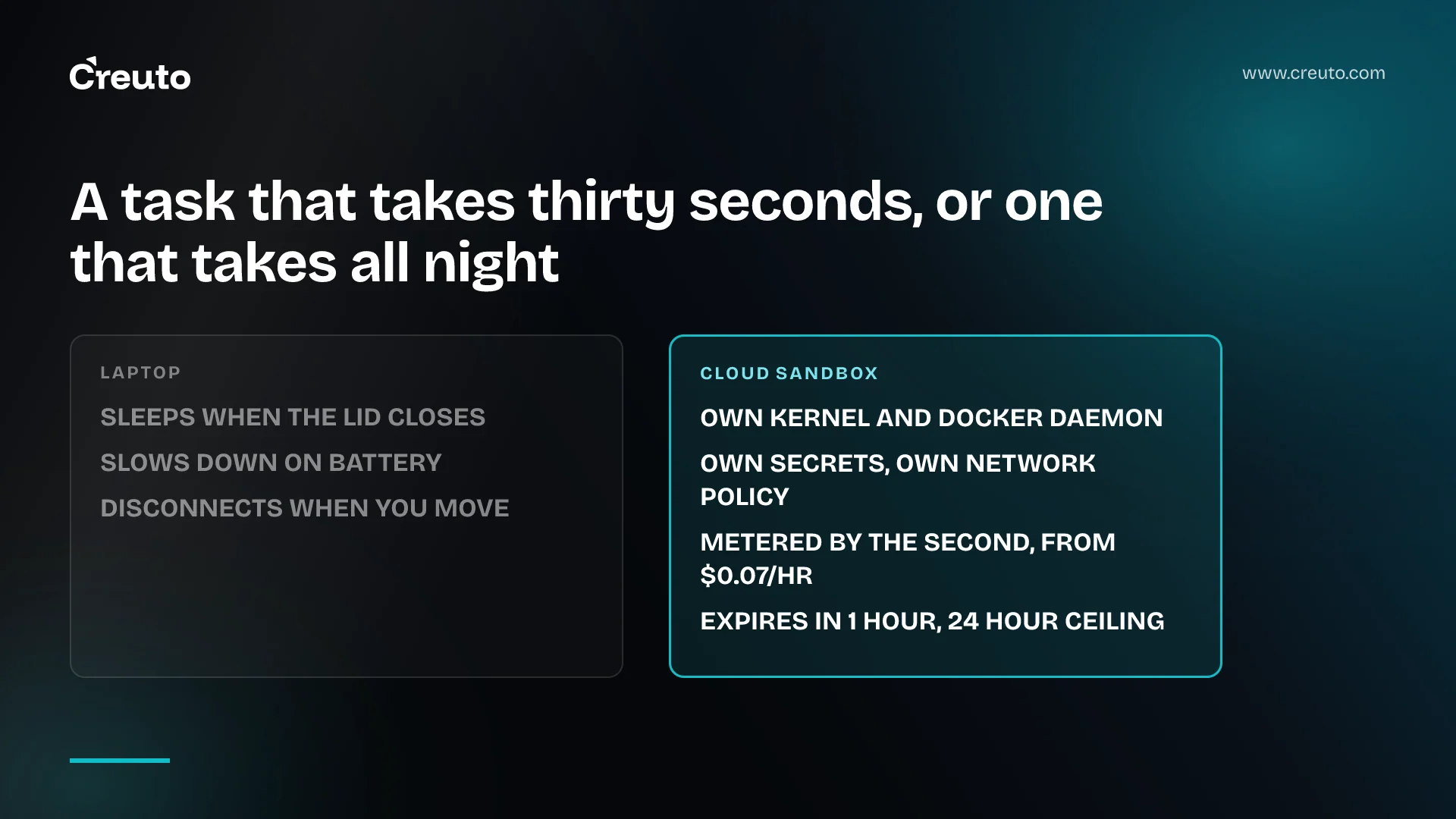
Docker Cloud Sandboxes run coding agents on Docker-managed microVMs, using the same sbx CLI as the local ones and a single command to move a running workload between them. The argument Docker makes is blunt, and it is about hardware, not AI: "A laptop is built around a person. It sleeps when the lid closes, slows down on battery, and disconnects when you move."
That sentence is the whole product thesis. It is also the moment the question stops being about model quality and becomes an infrastructure decision with a cost line, an isolation boundary and a network policy attached. This post covers when moving agents off developer machines is justified, what microVM isolation actually buys you, what it does not, and the egress decision that follows — plus the pricing, which the launch coverage left out and Docker's own post publishes in full.
What Docker Cloud Sandboxes actually are
A sandbox is an isolated environment for an agent to work in. Docker's docs describe local and cloud sandboxes as the same abstraction, where agents run in a microVM with its own kernel and Docker daemon, isolated from your machine, and state that the isolation model is identical in both places. Each sandbox gets its own microVM, its own secrets and its own network policy.
The move is one command:
$ sbx move my-project --to cloudDocker says a move captures the sandbox's filesystem and recreates it on the other side, and that it works in both directions. That is the part worth noticing. CLI parity means the cloud is not a separate product your team has to learn — it is a flag. The migration cost that usually kills this kind of change is the thing Docker removed.
The prerequisites are specific. Docker's docs list sbx 0.45.0 or later and an active Docker Agentic Platform subscription with cloud access enabled, and note that cloud sandboxes use separate credentials from local ones — you set an agent's API key into the cloud sandbox explicitly, for example with sbx --cloud secret set anthropic. Cloud sandboxes also cannot access host hardware or mount your local workspace, which is the first practical difference you will hit.
The laptop argument, and when it is actually true
Docker's framing is that duration changed the question. InfoQ's write-up quotes the company: "When agents worked in short bursts, the question was whether the model could hold a task together. Now that they work in hours, the question is where those hours happen." The illustration Docker gives is running a dozen agents at once, for five, ten or 21 hours each, without watching any of them.
Take the counter-case seriously first, because it is strong. Most agent work is not a 21-hour run. A refactor that finishes in four minutes runs perfectly well on a laptop, costs nothing, needs no credential plumbing, and has your repository already checked out. If your agents are measured in minutes, none of Docker's argument applies to you, and paying per compute hour for something your MacBook does for free is a straightforwardly worse deal.
The argument bites at a specific threshold: when a run outlives the attention of the person who started it. At that point the laptop's power management, not the agent, decides whether the work completes — and a failed 11-hour run is expensive in a way a failed 11-minute run is not. This is the same reasoning that makes long timeouts on managed compute worth reading the conditions on: the interesting constraint is rarely the headline number.
There is a second, quieter reason. A sandbox that lives on one engineer's machine is not reviewable by anyone else. Once agent work becomes something a team depends on, where it runs determines who can see it, and what state carries over between turns stops being a personal problem.
What microVM isolation buys, and what it does not
A microVM boundary is meaningfully stronger than a container one. The agent gets its own kernel, so a container escape is no longer a host compromise — it is a guest compromise. Published research has made that distinction concrete rather than theoretical, which is why it is worth paying for: the difference between a VM boundary holding and failing is the difference between an incident and a footnote.
Docker's default posture reinforces it from the other side. The docs state that all outbound TCP traffic, including HTTP, HTTPS and SSH, is blocked unless an explicit rule allows the destination, with UDP and ICMP blocked too, host filesystem access outside mounted workspaces blocked, the host Docker daemon unreachable, and no direct network communication between sandboxes.
Now the limits, because this is where teams overestimate what they have bought. Inside the VM, Docker's docs are equally clear that the agent runs with full control — sudo, its own Docker engine, package manager access. Isolation protects your host and your other sandboxes. It does not protect the things you deliberately handed the agent: the repository you mounted, the API key you set as a secret, and every endpoint you allowed. Prompt injection that convinces an agent to exfiltrate a mounted secret to an allowed domain is not an isolation failure. The microVM will do exactly what it was told.
Isolation also says nothing about correctness. An agent running unsupervised for eleven hours in a perfectly isolated microVM can still produce eleven hours of wrong code. The boundary bounds the blast radius, not the quality.
Egress is the decision that actually matters
Because the default is deny, every sandbox that does real work needs an allowlist, and that allowlist is where your security posture actually lives. Docker's network access policies let rules allow or block domains, IP ranges and ports, and the docs note that rules apply globally to all sandboxes by default unless scoped to one with --sandbox. Per-run allows look like --allow-network github.com:443.
Three decisions are worth making deliberately before the first agent runs, rather than reactively when something fails:
- Package registries. An agent that can install dependencies can install anything published to that registry. Allowing npm or PyPI is a real decision, not plumbing.
- Your own APIs. Staging endpoints are usually the right answer, and production ones almost never are — but the allowlist is the only place that distinction gets enforced.
- The model provider. Unavoidable, and it is also an outbound channel that can carry anything the agent has read.
Note the community reaction InfoQ recorded alongside the launch: concerns about limited external service access and the attack surface implications. Both are real, and they pull in opposite directions. A tight allowlist breaks agent workflows; a loose one turns a strong isolation boundary into a well-isolated data exfiltration path. We take the view that the allowlist, not the VM, is the control you will actually spend time tuning — the same conclusion we reached writing about how agent sandbox security starts with the allowlist.
What Docker Cloud Sandboxes cost
The launch coverage is silent on price. InfoQ's article covers the isolation model, the CLI and the move command without a pricing figure, which is worth flagging because it is the first question a finance-aware engineering lead asks. Docker's own announcement publishes a rate card, and as of September 2026 it reads:
| Size | vCPU / memory | Per compute hour |
|---|---|---|
| Micro | 1 vCPU / 2 GiB | $0.07 |
| Small (default) | 2 vCPU / 4 GiB | $0.14 |
| Medium | 4 vCPU / 8 GiB | $0.28 |
| Large | 8 vCPU / 16 GiB | $0.56 |
| XL | 16 vCPU / 32 GiB | $1.12 |
Docker states it meters compute by the second and nothing else, and that a paused sandbox costs nothing; volumes, egress and hosting public images are listed as free. New accounts get $250 in Cloud Sandboxes credit for a limited time. The pay-as-you-go plan is available on Docker Personal and Docker Pro. Model-provider charges are separate — the sandbox bill is not the agent bill, and on a long run the tokens will usually dominate the compute.
Run the arithmetic before you decide. A default Small sandbox at $0.14 an hour is about $1.54 for an eleven-hour run. A dozen of them is roughly $18.50. That is not the number that should worry you; the token spend behind those twelve agents is.
The limits to check before you commit
Sessions are bounded. Docker's docs say cloud sandboxes expire after one hour by default, with resumable sandboxes stopped on expiry and others deleted; the announcement puts the ceiling at up to 24 hours per session. If your mental model is "an agent that runs until it finishes", the default will surprise you, and the 24-hour ceiling is a real constraint on the 21-hour runs Docker uses as its own example.
The honest shape of the decision is narrower than the launch framing suggests. Keep agents local when runs are short, when they need host hardware or your local workspace mounted, or when nobody but the author needs to see the result. Move them up when a run outlives a work session, when you want a dozen going at once, or when the isolation boundary needs to be stronger than a container because the agent is touching something you would not hand a container.
The next decision after that one is not about Docker at all. It is who owns the network policy — because the day someone widens an allowlist to unblock a failing agent is the day the isolation stops meaning what you think it means. In the systems we build, that ownership belongs with the same people who own the rest of the cloud and DevOps engineering surface, not with whoever is closest to the agent that failed.
Frequently asked questions
Docker Cloud Sandboxes are isolated environments for running AI coding agents on Docker-managed compute, using hardware-enforced microVM isolation. They share the sbx command-line interface and isolation model with local Docker Sandboxes, and a single move command relocates a running sandbox's filesystem between laptop and cloud in either direction.
Docker's announcement lists compute from $0.07 per hour for a Micro sandbox to $1.12 per hour for an XL, with the default Small size at $0.14. Docker meters compute by the second, charges nothing for a paused sandbox, and bills model-provider usage separately from sandbox compute.
A container shares the host kernel, so an escape reaches the host. A microVM gives the agent its own kernel, which bounds the blast radius to the guest. Neither protects the repository you mounted, the secrets you set, or the endpoints you allowed through the network policy.
Docker's documentation states that cloud sandboxes expire after one hour by default, stopping resumable sandboxes and deleting the rest. Docker's launch announcement puts the ceiling at up to 24 hours per session, so unattended runs longer than a day need to be split or checkpointed.
Agents need a sandbox when they can execute code, install packages or reach the network unsupervised. Short, watched runs on a developer machine rarely justify one. Runs that outlive the person who started them, or that touch anything you would not hand a container, do.
Docker's sbx CLI handles it with a single command, sbx move my-project --to cloud, which captures the sandbox filesystem and recreates it on the other side. The move works in both directions. Cloud sandboxes require separate credentials and cannot mount your local workspace.
