Claude Code Remotion: what each video costs
Claude Code Remotion builds React video templates, not footage. How the workflow runs, the licence rule above 3 people, and what each Lambda render costs.
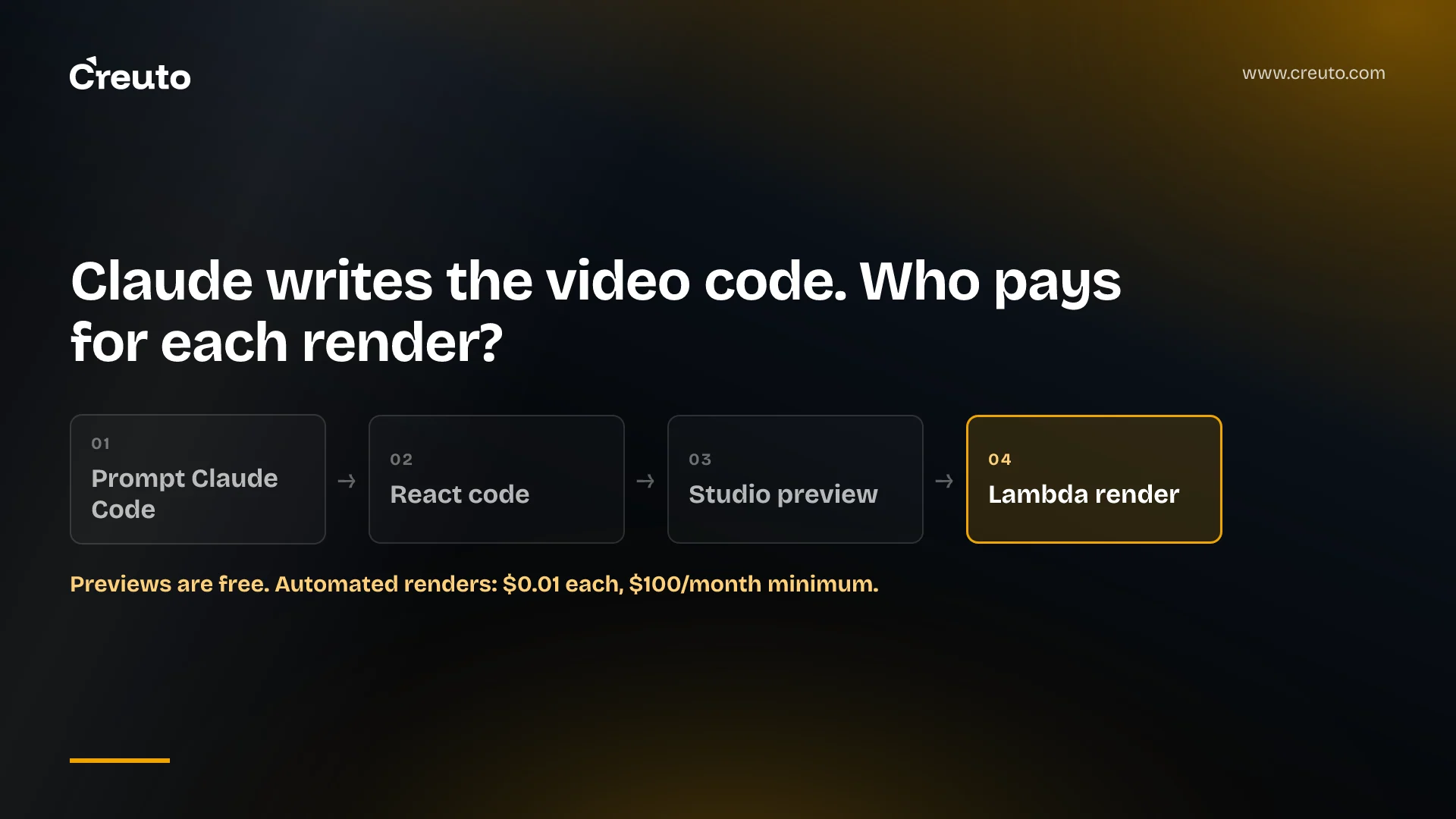
Claude can't hand you an MP4. Every current Claude model takes text and image input and produces text output. In a Claude Code Remotion setup, Claude writes React components and Remotion renders them into video frame by frame. That works well for templated motion graphics such as release notes, onboarding and personalised product videos. It doesn't work for photoreal footage or character animation.
By the end of this post you'll know how the workflow runs from first prompt to rendered file, what one automated render costs at published prices, and the licence rule that catches most companies: Remotion is only free for teams of up to three people. If you're deciding whether to build a video pipeline in-house, those three things set the budget and the scope.
| Item | Published figure | Source |
|---|---|---|
| Free Remotion licence | Individuals, non-profits, and companies of up to 3 people | Remotion licence FAQ |
| Remotion for Creators | $25 per month per seat | remotion.pro |
| Remotion for Automators | $0.01 per render, $100 per month minimum | remotion.pro |
| Enterprise licence | From $500 per month | remotion.pro |
| Lambda compute, one-minute example | $0.017 warm, $0.021 cold | Remotion cost example |
How the Claude Code Remotion workflow actually runs
The Claude Code Remotion workflow is a normal React project with an agent editing it while a live preview runs next to it. Remotion's own guide for coding agents sets it up in five commands:
- Create a blank project:
npx create-video --yes --blank my-video. - Move into it with
cd my-videoand install the Remotion Agent Skills:npx remotion skills add. - Start the Remotion Studio preview with
npm run dev. - In a second terminal, in the same folder, run
claude. - Describe the video. Claude edits the components, and Studio shows the result as you go.
The same page notes that most coding agents need a paid subscription, so budget for Claude Code seats for whoever writes the templates. There is also a plugin route. Remotion maintains a Claude Code plugin that installs with claude plugin marketplace add remotion-dev/claude-code-plugin and claude plugin install remotion@remotion, after which /remotion:remotion-create starts a project from a prompt.
What the Remotion Agent Skills add
Skills are what stop Claude from guessing at Remotion's APIs. In Claude Code, a skill is a SKILL.md file with frontmatter and instructions that Claude loads when a request matches its description, or that you call directly as a slash command. The remotion-dev/skills repository ships thirteen of them, including /remotion-markup for compositions, animation, typography and audio, /remotion-render, /remotion-captions, /remotion-maps and /remotion-license.
The repository is young but busy. GitHub's API shows it was created on 19 January 2026, had 6,755 stars and was last pushed on 9 November 2026 when we checked on 10 November 2026.
Rendering: locally, in CI, or on Remotion Lambda
Previewing is free and instant; rendering is where the cost and the licence start. Remotion can render a video from the Studio's render button, from the CLI with npx remotion render, through its server-side rendering API, in a GitHub Action, or on AWS Lambda.
Remotion Lambda splits the work: many Lambda functions each render a small part of the video in parallel, the initial function stitches the parts together, and the finished file lands in Amazon S3. The limits are worth knowing before you design around it. Full HD output tops out at roughly 80 minutes before the 15-minute AWS timeout, and AV1 encoding isn't available.
Concurrency trips teams up first. The Lambda setup guide says the default is 1,000 concurrent invocations per region, that new AWS accounts can be as low as 10, and that a single render may use as many as 200 functions at once. If you plan to render a batch of personalised videos on a fresh account, request the quota increase before launch. Our serverless architecture work runs into the same account-level ceilings, and the same .env discipline applies here: the setup stores AWS keys in the project's .env, which is exactly the kind of file our post on how passwords reached GitHub warns about.
What it does well: video generated from product data
Remotion is strongest when the video is a template and the data changes. Its parameterised rendering model works like this: default props define the shape of the data and let you design in Studio, input props passed at render time override them, and calculateMetadata() can fetch content and set the duration before the frames are drawn. Input props must be a JSON-serialisable object, and you can validate them with a Zod schema.
That maps directly onto the videos product and marketing teams brief agencies for every quarter:
- Release-note videos. A changelog entry becomes props: feature name, three bullet points, a screenshot URL. The template animates them the same way every time.
- Onboarding videos. One composition per plan or role, with the customer's workspace name and enabled features passed in.
- Personalised customer videos. Remotion's dataset rendering tutorial turns a JSON array into one video per row, which is the shape of a usage recap or renewal video.
- Data-driven explainers. Charts and maps animated from real figures, where the
/remotion-mapsskill covers routes, markers and GeoJSON.
The split of labour matters. Claude Code earns its keep when you author and revise the template. Once the template exists, rendering a thousand variants is a loop over data that calls Remotion, not Claude. Keep the model out of the render path unless each video genuinely needs generated text, because then you're paying per-token on every render too.
Non-engineers can still drive it. Remotion documents how to deploy Studio to a long-running server so team members can edit props and trigger renders from a URL.
Where Claude Code and Remotion stop: photoreal and character animation
Remotion's core idea is a frame number and a blank canvas that you fill with React. Everything on screen has to be something a browser can draw: HTML, CSS, SVG, canvas, or WebGL. That's a large space. @remotion/three brings React Three Fiber in for 3D, and you can drop in designer-made Lottie animations or existing video clips.
The strongest case for going further is that Claude Code can write a Three.js scene with lighting and a rigged model, so why not a character? In our assessment it can produce one, but the result looks like code-driven 3D, not film. Photoreal people, believable acting, lip-sync and camera footage that doesn't exist yet are the job of a generative video model, a 3D animation studio, or a shoot. If your brief says "make it look like a live-action ad", this is the wrong tool.
Three other steps sit outside the code and need an owner:
- Assets. Logos, screenshots, fonts and brand colours have to exist and be addressable by URL or file path.
- Voice-over. Remotion renders audio you give it. A script still needs a text-to-speech service or a recording, and someone to check pronunciation of product names.
- Review. A template that renders cleanly with test data can still overflow a title with a long customer name. A human approves the template, and a check on input length protects every render after it.
Is Remotion free for companies? The licence most teams miss
Remotion is free only for individuals, non-profits, and organisations of up to 3 people, according to its licence and licence FAQ. The FAQ answers the obvious follow-up directly: a 20-person company where only one person uses Remotion still needs a Company License, because eligibility depends on total headcount. Remotion also states it is source-available, not open source.
Which Company License you need depends on whether you automate. The FAQ defines an automation as owning code that programmatically calls functions such as renderMedia() or renderMediaOnLambda(), or commands such as npx remotion render, and says organisations building "automated video pipelines" fall under Remotion for Automators.
| Licence | Who it fits | Price |
|---|---|---|
| Free | Up to 3 people, non-profits, evaluation before commercial use | $0 |
| Remotion for Creators | Teams producing videos without an automation | $25 per month per seat |
| Remotion for Automators | Automated pipelines, prompt-to-video tools, the Remotion Player | $0.01 per render, $100 per month minimum |
| Enterprise | Custom terms, paperwork, signed agreements | From $500 per month |
Four details in the FAQ change the budget conversation. One render is any successful video, audio, GIF, still or image sequence, while previews in Studio or the Player don't count. Developers working on an automation don't need Creators seats. Remotion says it is making telemetry mandatory for Automators customers in Remotion 5.0. And the licence doesn't cover codec patent fees for formats like H.264.
One more clause matters if you hire help. When an agency builds a Remotion codebase that the client will own or run, the FAQ says both companies' headcounts are aggregated, and the entity that owns the project's IP is responsible for the licence. If we build your pipeline, you buy the licence.
Remotion Lambda cost per video: an illustrative budget
Remotion's published cost example renders a one-minute video in us-east-1 with 2,048 MB of memory for $0.017 on a warm Lambda and $0.021 on a cold one. That's about two cents of compute, not one. The same page notes this composition embeds a video file, which it says increases cost significantly, and that 4K raises render time and cost.
Combining that compute figure with the Automators price gives a rough monthly budget. These numbers are illustrative arithmetic from published prices, not a quote, and they assume one-minute renders that behave like Remotion's example:
| Renders per month | Automators licence | Lambda compute ($0.017–$0.021 each) | Total before S3 and logs |
|---|---|---|---|
| 1,000 | $100 (minimum; usage is $10) | $17–$21 | $117–$121 |
| 10,000 | $100 | $170–$210 | $270–$310 |
| 50,000 | $500 | $850–$1,050 | $1,350–$1,550 |
At low volume the licence minimum is most of the bill; by 10,000 renders a month, compute is already the larger line. The table leaves out costs Remotion lists separately on the same page: S3 egress when assets are pulled over HTTP, S3 storage for sites and renders, and CloudWatch Logs. It also leaves out Claude Code subscriptions for the people authoring templates, and any per-video LLM calls if you generate scripts at render time. For how those model costs add up in an agent, see our AI agent development cost breakdown. Measure your own composition before you commit to a figure, which is Remotion's own advice.
Building the automated product-video pipeline
The prompt-and-preview loop is the easy part. What turns it into a pipeline is the engineering around it: a schema for the props, a job that pulls changelog or customer data, a render queue on Lambda with quota headroom, asset storage, voice-over, an approval step, and licence tracking that matches your render count.
That work is ordinary backend and cloud engineering, and it decides whether the videos keep shipping after the first demo. If you're weighing an automated release-note, onboarding or personalised customer video pipeline built on Claude Code and Remotion, our generative AI team can scope the template, data feed and Lambda render setup with you, and tell you honestly which videos should stay with a studio.
Frequently asked questions
Claude cannot output a video file, because current Claude models produce text. Claude Code can write the React code for an animated video, and Remotion renders that code into an MP4. This suits motion graphics such as release notes, onboarding and data-driven videos, not photoreal footage or character animation.
Making a video with Claude Code and Remotion starts with npx create-video, then npx remotion skills add and npm run dev to open the Studio preview. You run Claude Code in a second terminal, describe the video, watch the preview update, and render locally, in CI or on Remotion Lambda.
Remotion is free only for individuals, non-profits and organisations of up to three people. A larger company needs a Company License even if one person uses it: $25 per seat per month for Creators, or $0.01 per render with a $100 monthly minimum for automated pipelines.
Remotion's published cost example puts a one-minute render in us-east-1 at $0.017 on a warm Lambda and $0.021 on a cold one, for compute only. S3 storage, egress, CloudWatch Logs and the Remotion Company License are extra, and Remotion advises measuring your own composition.
Claude Code and Remotion cannot produce photoreal people, live-action footage, believable character acting or lip-sync, because everything on screen is drawn by browser technology from code. Those videos need a generative video model, a 3D animation studio or a shoot. Voice-over also needs a separate text-to-speech service or recording.
Personalised customer videos are a good fit for Remotion: one template takes JSON input props, and a loop renders a video per customer record. Remotion's licence allows users to render personalised videos from your template, but an automated pipeline at a company over three people needs the Automators licence.