ChatGPT workspace agents or a custom build on the OpenAI API?
ChatGPT workspace agents can be triggered by API but can't return the answer. When they beat a custom OpenAI build, and when you need the Agents API.
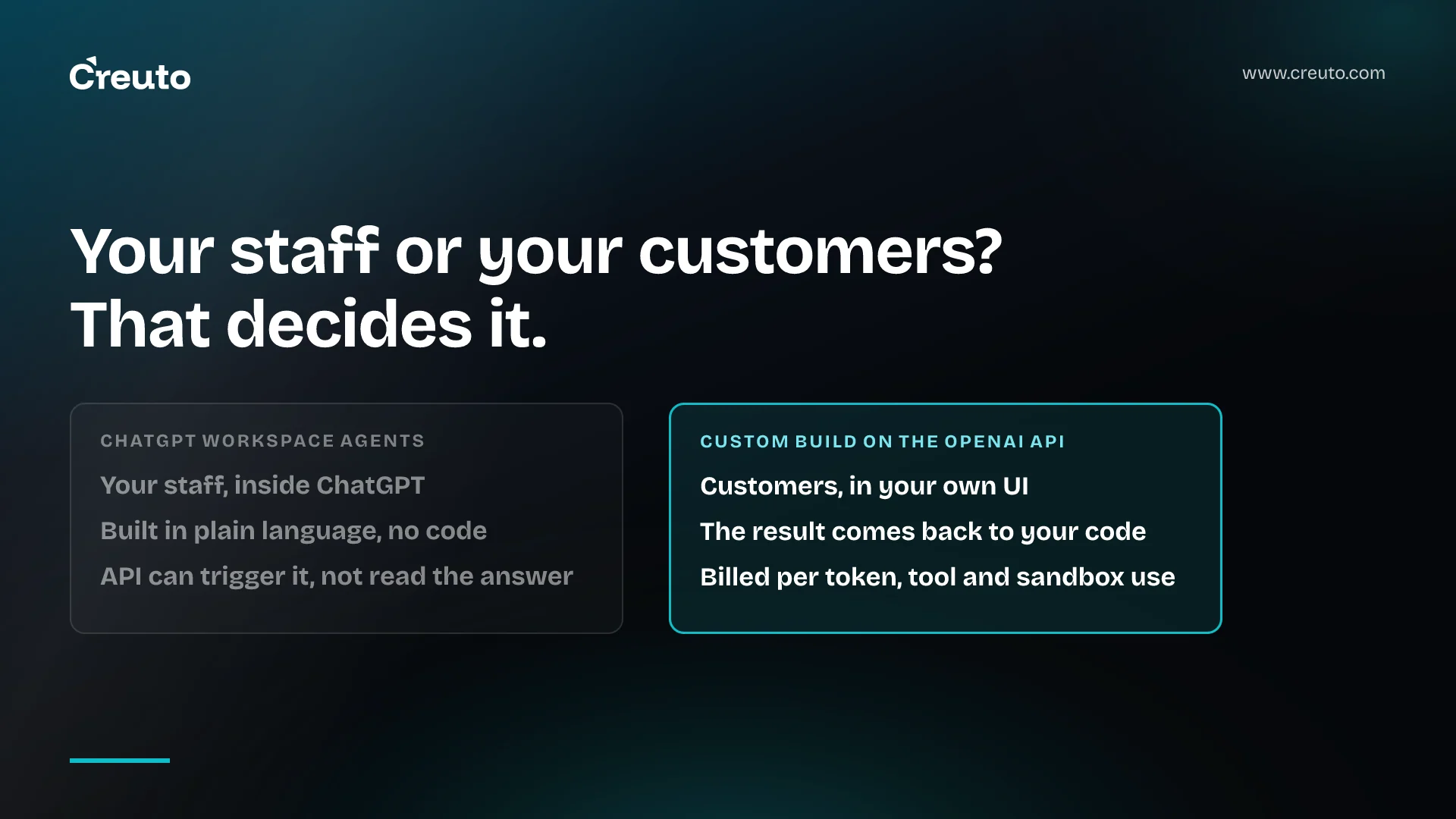
ChatGPT workspace agents can now be started from your own systems through an API, but that API cannot hand the answer back. OpenAI's Workspace Agents API returns a link to a ChatGPT conversation, and states that the agent's response cannot currently be retrieved through the API. That one line settles most build-or-configure decisions.
If the people using the agent are your own staff and they already work in ChatGPT, a workspace agent is usually the right answer and you do not need a custom build. If the agent faces your customers, lives inside your product or has to return a result to another system, you need the OpenAI API. This post shows where that line sits, with the auth, data and cost differences on each side, as documented on 21 September 2026.
What ChatGPT workspace agents are, and who can use them
ChatGPT workspace agents are shared agents that run repeatable workflows inside ChatGPT. OpenAI's workspace agents cookbook describes them as an evolution of GPTs that can use connected apps, follow skills, run on a schedule and be shared with colleagues. It lists them as a research preview for ChatGPT Business, Enterprise and Edu customers.
You build one by describing the workflow in plain language. The cookbook's example is a sales meeting-prep agent that checks tomorrow's calendar, pulls account notes from SharePoint, searches the web for company news, writes a brief, saves it to SharePoint and emails a summary. It runs daily at 4pm on a schedule and can also be invoked on demand in ChatGPT or, with admin approval, from Slack.
Three features do most of the work:
- Connectors, such as Google Calendar, Gmail and SharePoint, with permissions you can narrow to read-only or to individual actions.
- Skills, packaged instructions, resources and scripts built on the open agent skills standard, which keep output consistent from run to run.
- Memory, a persistent folder per user for notes and outputs, which the cookbook says is not shared across different users of the same agent.
None of that needs a developer. For internal work, that is the point.
Can ChatGPT agents be triggered by an API? Yes, one way
A published workspace agent can be triggered from outside ChatGPT with POST https://api.chatgpt.com/v1/workspace_agents/{id}/trigger, where the ID is the agent's API channel identifier in agtch_ format. The body takes an input string and an optional conversation_key, so repeated events from the same email thread or ticket continue one conversation. An optional Idempotency-Key header makes retries safe.
The API queues the event and returns 202 Accepted with a conversation_url. With the beta header OpenAI-Beta: workspace_agent_runs=v1, you also get a run ID you can poll through queued, in_progress, suspended, completed or failed. You learn that the run finished. You do not get what it produced.
Authentication is also separate from the OpenAI platform. The authentication guide says a workspace admin must enable workspace agents and allow users to create personal access tokens, after which a user creates a token with the Workspace Agents scope in ChatGPT's admin settings. That token is scoped to Workspace Agents API operations only.
So the trigger API is built for one pattern: an external event, such as a new escalation email, a form submission or a CRM stage change, starts an agent whose output lands where the agent's connectors put it. A document in SharePoint, a Slack message, an email. If that is the job, you have an integration to wire up, not a product to build.
Should I use ChatGPT or build my own AI app? Usually ChatGPT first
For most internal workflows, you should use ChatGPT workspace agents before you pay anyone to build an AI app, us included. The strongest version of the case for a custom build is control: your own UI, your own logs, your own model choice. Against internal work, those are rarely worth a build. Your staff already have ChatGPT accounts, the admin controls already exist, and a workflow that someone can describe in a paragraph can be configured without a developer.
Good fits share three traits: the user is an employee in your workspace, the output is a document, a message or an update in a tool you already use, and nobody outside the company needs to see the agent. Meeting preparation, escalation summaries, weekly reporting from a shared drive, first drafts of routine replies. We would configure these, not build them.
A workspace agent is the wrong choice if any of the following is true, and each is documented rather than a matter of taste:
- Your users are customers. Workspace agents are used inside a ChatGPT workspace, and only by people in it.
- Another system needs the result. The trigger API returns a conversation link, not the response.
- The workflow must be deterministic. OpenAI's Agent Builder migration guide warns that workflows with strong determinism at their core may not migrate faithfully to a workspace agent.
- Several people must maintain it. The cookbook notes that multiple users cannot currently edit the same agent.
What a custom build on the OpenAI API gives you
A custom build means your application calls OpenAI models directly and owns the interface, the data and the result. OpenAI's agents overview lays out three runtimes with rising integration effort: the Agents API (low), the Agents SDK (medium) and the Responses API (high).
| Runtime | Where the agent runs | State between tasks | Integration effort |
|---|---|---|---|
| Agents API | OpenAI runs a managed Codex harness | Saved session configuration, turns and items | Low |
| Agents SDK | Inside your application | Your storage and SDK sessions | Medium |
| Responses API | Your application | Manual history, response chaining or Conversations | High |
The Agents API, released in public beta on 10 September, is the closest thing to a workspace agent you can put inside your own product. OpenAI manages sessions, orchestration, context compaction and recovery; your application supplies tools and picks the execution environment, which can be an OpenAI-hosted sandbox, your own, or none. It connects to MCP servers and can delegate to subagents. We weighed that managed harness against running your own in OpenAI Agents API: buy the harness, or keep yours?.
What you gain is everything the workspace agent withholds: the output comes back to your code, the interface is yours, customers can use it, and you pick the model per task. What you take on is everything ChatGPT was doing for you: authentication, a UI, logging, evaluation and on-call.
ChatGPT workspace agents vs a custom build: auth, data boundaries and cost
| ChatGPT workspace agents | Custom build on the OpenAI API | |
|---|---|---|
| Who uses it | People in your ChatGPT workspace | Anyone your application lets in |
| Where it runs | ChatGPT, Slack, or triggered by API | Your product, your UI |
| Machine access | Workspace Agent access token, trigger and status only | Project API key, full request and response |
| Result | In ChatGPT or wherever connectors write it | Returned to your code |
| Data access | Connectors on end-user or agent-owned accounts | Whatever your tools and MCP servers expose |
| Cost | Your ChatGPT Business, Enterprise or Edu plan | Model tokens, tools and sandbox time, plus the build |
The data boundary most teams miss
Each connector on a workspace agent uses either an end-user account, where every person signs in with their own credentials, or an agent-owned account, such as a team service account. The cookbook is explicit about the consequence: with an agent-owned SharePoint connection, anyone you share the agent with can access those SharePoint resources. Sharing the agent shares the service account's reach. Admins can enforce limits at workspace level, for example read-only actions on a connector, and those limits are worth setting before the agent is listed in the company directory.
For private systems, OpenAI's 19 May changelog lists ChatGPT web among the products that can reach private or on-premises MCP servers through Secure MCP Tunnel, for enterprise customers. We covered the policy side of this in enterprise AI agent governance.
What each costs
Workspace agents come with a ChatGPT Business, Enterprise or Edu workspace. We could not verify current plan prices from OpenAI's documentation, so we give none here; check your own agreement. A custom build on the Agents API bills model usage at API rates, OpenAI tools at their standard rates and hosted sandboxes at container rates, and the pricing page bills container sessions by the minute with a five-minute minimum. On top of that is the engineering, which for most internal workflows is the largest cost of all.
If you are on Agent Builder, you have until 30 November
OpenAI's deprecations page says Agent Builder is scheduled to shut down on 30 November 2026, and names two exits: the Agents SDK, or ChatGPT workspace agents. The migration guide exports the workflow as Agents SDK code in TypeScript or Python, which you can run in your application or paste into the workspace agent builder for conversion. It does not convert the workflow graph, and connected apps, authentication and permissions need separate review.
Use the same test as above. An Agent Builder workflow that served your own team belongs in a workspace agent. One that sits behind a customer-facing feature, or depends on a fixed sequence of steps, belongs in the Agents SDK.
Three questions that decide it
Ask who the user is, where the result has to go, and whether the steps must run the same way every time. Staff, a document or message, and some flexibility: configure a workspace agent. Customers, another system, or a fixed sequence: that is software, and it is the kind of generative AI work we build. If the answers are mixed, start with the workspace agent anyway; the prompt, skills and connector list you refine there become the specification for the build, if you ever need one.
Frequently asked questions
ChatGPT workspace agents can be triggered by an API call to api.chatgpt.com using a Workspace Agent access token. The call returns 202 Accepted with a ChatGPT conversation link, and a beta header adds a pollable run ID, but OpenAI says the agent's response cannot currently be retrieved through the API.
Use ChatGPT workspace agents when the users are your own staff, the output is a document or message in tools you already use, and the steps can flex. Build your own AI app on the OpenAI API when customers use it, another system needs the result, or the workflow must be deterministic.
A ChatGPT workspace agent is configured in natural language and used inside a ChatGPT workspace by employees. The Agents API is a developer interface to OpenAI's managed Codex harness that runs inside your own application, returns output to your code, and is billed per token, tool call and sandbox minute.
ChatGPT workspace agents are available to ChatGPT Business, Enterprise and Edu workspaces, described by OpenAI as a research preview. A workspace admin must enable agents and grant permission to build and share them, and API triggering also requires admins to allow personal access tokens.
OpenAI Agent Builder is scheduled to shut down on 30 November 2026. OpenAI's migration guide exports each workflow as Agents SDK code, which you can run in your own application or paste into the ChatGPT workspace agent builder, though the workflow graph is not converted automatically.
