AWS Well-Architected Agent: inventory, not judgement
The AWS Well-Architected Agent preview reads your IaC and live accounts across four pillars. What it finds, what it cannot see, and what to suppress.
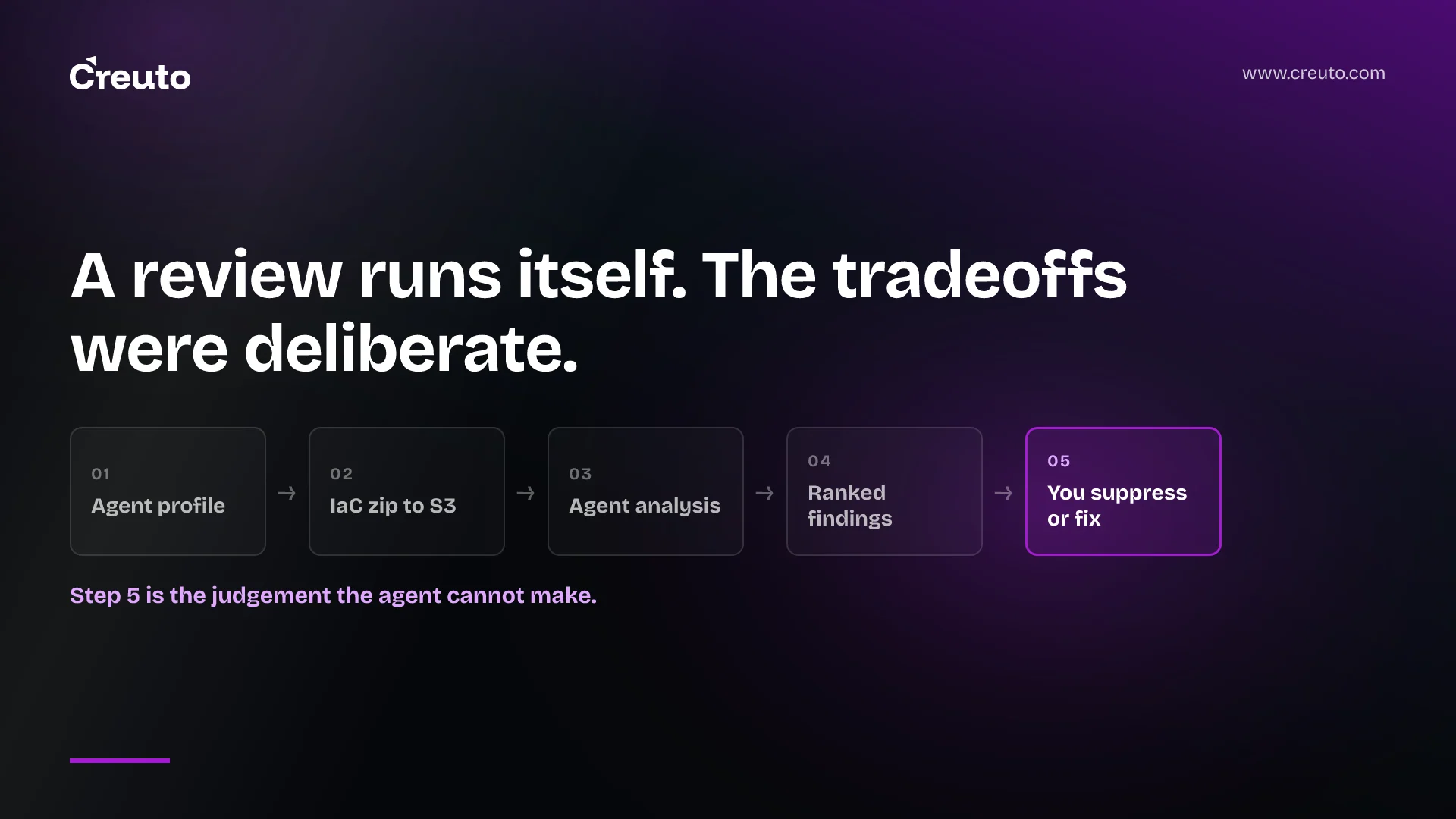
AWS will not let its own agent apply its own fixes. The docs for the AWS Well-Architected Agent, in preview since 1 October 2026, say it "does not execute AI-generated remediation steps on your behalf". That tells you what the preview is: a very good inventory of your accounts, and not a judgement about them.
This post is about the difference. If you are deciding whether to onboard a production estate to the preview, the question is not whether the findings are accurate — mostly they are. It is which findings deserve a change ticket and which ones describe a tradeoff your team made on purpose, and will keep describing every refresh cycle until you tell it otherwise.
What the AWS Well-Architected Agent actually analyses
Three recommendation types, from two different triggers. Resource and application recommendations come from scanning live accounts on a schedule. Architecture recommendations come from infrastructure as code you upload yourself, and only from a review you start manually — they are never generated automatically.
| Type | Input | Trigger |
|---|---|---|
| Resource | A single live resource — an EC2 instance, a Lambda function, an RDS database | Scheduled only |
| Application | Related resources in a discovered application, in beta | Scheduled only |
| Architecture | IaC project in Amazon S3, returned as an updated template | Manual, 5 per day per profile |
The launch post says the agent evaluates "65+ AWS services" across cost optimisation, security, performance and resilience. Note the pillar list: the Well-Architected Framework itself has six pillars — operational excellence, security, reliability, performance efficiency, cost optimisation and sustainability. The agent's four are a subset, which matters if you were planning to retire a manual review on the strength of it.
The resource types it does not read
Buried in the quotas page is a long table of CloudFormation resource types the agent does not analyse. It is not a short list, and the security-relevant entries are the ones to read: AWS::WAFv2::WebACL, AWS::WAFv2::RuleGroup, AWS::WAFv2::IPSet, AWS::Shield::Protection, AWS::IAM::RolePolicy, AWS::SecurityHub::SecurityControl and AWS::OpenSearchService::Domain. AWS states plainly that it does not retrieve configuration data for these and does not include them in resource-level recommendations.
So a clean security pillar in the dashboard is not a statement about your web ACLs, your Shield protections or your inline role policies. It is a statement about everything else. Any report you forward to a risk committee needs that sentence attached to it.
Setup is two IAM roles, one goal statement and an application context
The onboarding unit is an agent profile. It names up to 100 accounts and the regions to analyse, and it carries an execution role in the profile account that chains, by sts:AssumeRole, into an access role you create in every workload account. The console creates the execution role for you. It does not create the access roles — AWS says that is a manual task in the IAM console, repeated per account, with the same role name each time. On a 40-account estate that is the real setup cost, not the profile form.
The access role carries a new managed policy, WellArchitectedAgentResourceScanning, which AWS describes as broad but strictly read-only: "All actions are read-only (Get*, Describe*, List*, BatchGet*). No create, update, delete, or invoke actions are included." If your security review of agentic tooling turns on blast radius, that is the sentence to bring to it.
Two requirements in the setup are easy to skim past and both are about context, not permissions. Each profile needs at least one plain-text goal statement, and at least one application context — without one, AWS flags the profile invalid and scheduled generation simply does not run. This is the only place in the product where you get to say what your architecture is for.
Preview access needs a Business+ support plan
Pricing is not disclosed. AWS has published no price for the agent, and we are not going to estimate one. What AWS has published is an entitlement table: the agent requires an active AWS Support plan at Business+ or higher, and Developer and Business tier customers have no access at all. Business+ gets 2 profiles and 7 applications per profile; Enterprise On-Ramp, Enterprise Support and Unified Operations get 10 and 30. Whatever it eventually costs, it already costs a support tier.
Profiles can be hosted in three regions — US East (N. Virginia), US East (Ohio) and US West (Oregon) — while scannable regions are "all commercial", so a profile in Virginia can analyse workloads anywhere. Early hands-on coverage reported the preview as Virginia-only; AWS's own quotas page lists three. Go with AWS.
AWS's own pages disagree on when the first recommendations appear
This is worth knowing before you promise a timeline to anyone. The launch blog says resource and application recommendations "will be generated within 24 hours after profile creation". The getting-started guide says the agent "begins generating scheduled recommendations within 48 hours", and repeats 48 hours in its next steps. The recommendations page splits the difference by describing the cadence rather than the first run: scheduled generation happens "roughly every 24 hours", and the quota table enforces a 24-hour cooldown between runs for the same profile.
Both figures are AWS's. Our reading is that 24 hours is the steady-state cadence and 48 hours is the honest worst case for a first run, especially if you also enabled Cost Explorer, where AWS warns resource-level daily data can take a further 48 hours to propagate. Plan on 48 and be pleased.
One more number, with its provenance attached: the Classmethod DevelopersIO team, who ran the preview on launch day, reported an on-demand architecture review taking about 30 minutes. AWS publishes no duration for a review, so treat 30 minutes as one team's observation on one codebase, not a service characteristic.
Why an automated review is a strong inventory and a weak judgement
Here is the strongest version of the opposing case, because it is a good one. Most Well-Architected reviews never happen. The ones that do happen are a workshop where a solutions architect asks questions and someone answers from memory, six months after the decision. An agent that reads the actual resource configurations, correlates them with utilisation metrics and topology, and returns ranked findings with working CLI commands and updated Terraform is better evidence than any room full of recollection. On coverage and freshness it wins outright.
It wins on inventory. It loses on judgement, and the reason is structural rather than a preview limitation. A Well-Architected finding is the gap between an observed configuration and a best practice. The gaps that matter most in a real estate are the ones a team opened deliberately: the single-AZ development environment that is single-AZ because resilience there is worth less than the saving; the oversized instance that is oversized because a quarterly batch needs it for six hours; the public bucket that is public because it serves a static site. The agent sees the configuration. It cannot see the decision, and a deliberately single-AZ dev environment will be flagged as a resilience finding on every refresh cycle, forever, unless you intervene.
The intervention exists, and it is the most useful thing in the API. Alongside COMPLETED, a recommendation can be set to SUPPRESSED with an --update-reason, and reopened to ACTIVE later. Note the asymmetry: AWS says a recommendation marked complete generates again if the underlying condition recurs in a future refresh cycle. Suppression with a written reason is therefore not dashboard hygiene — it is where your architectural decision record lives, and it is the only part of the output that a human has to author.
How to separate the findings worth acting on from the noise
We build and run cloud infrastructure for clients as part of our DevOps and cloud engineering work, and the triage that follows any automated review is always the same shape. Three questions, in this order.
- Is the finding deterministic or generated? AWS distinguishes two remediation models. Recommendations derived from Trusted Advisor checks come with pre-built SSM runbooks — "deterministic, tested automation" that the agent can trigger with your consent. Everything produced by the AI engine comes as guided actions that are "advisory and should be reviewed before execution". Act on the first class quickly. Read the second class first.
- Does it contradict a constraint you already wrote down? If the answer is yes, suppress it with the reason, and move on. If you have no written constraint to check it against, that is the finding — not the resource.
- Is the resource type even in scope? Before you treat a clean pillar as assurance, check it against the unsupported-resource table. A silence about WAF is not a pass.
Two further cautions from AWS's own text. Application-level recommendations are explicitly in beta, with AWS asking you to "thoroughly review each recommendation before taking any action based on it". And the quota table caps output at 30 recommendations per generation run — so the dashboard is a ranked sample against your stated goals, not an exhaustive finding list. If your goal statements are vague, your sample is vague.
What you should still do yourself
Three things, and none of them are things the preview is bad at. They are things it does not do.
Write the constraints down before you onboard. The goal statements and application context are the only inputs where intent enters the system, and they are capped — 10 goals per profile, 7 or 30 applications depending on your support tier. Treat them as a product artefact, reviewed like any other, not a form field.
Keep resilience decisions human. Recovery objectives come from what the business can tolerate losing, not from a configuration diff. We have written before about disaster recovery for UAE workloads and about the guardrails that decide where the human stays in automated remediation; the same boundary applies here. An agent that proposes a multi-AZ change has no way to know whether your RPO was ever four hours.
Run the architecture review on a branch, not on production. Architecture reviews take an S3 URI — a .zip up to 25 MB, or an S3 folder up to 100 MB with no single file above 1 MB — and the bucket must sit in the same region as your profile. AWS's docs name CDK and Terraform as the supported project types, while the launch blog also lists CloudFormation; if CloudFormation is your estate, test it before you plan around it. Reviews return updated templates in the source language, which makes them a pull request, which makes them reviewable. That is the right place for this tool.
The honest summary of the preview is that it industrialises the half of a Well-Architected review that was always clerical, and leaves the half that was always the point. If your architecture decisions are undocumented, the agent will rediscover them as findings every day until someone writes them down. That is uncomfortable, and it is also the most valuable thing it does. Teams who ran our AWS-hosted sales training platform for Škoda Auto through a review would recognise the pattern — the findings that mattered were never the ones about settings. They were the ones about assumptions nobody had recorded.
Before you onboard anything, pick one account, write one goal statement you would defend in a design review, and see how many of the findings it already answers. That number is a better measure of your architecture practice than the dashboard score.
Frequently asked questions
The AWS Well-Architected Agent is a preview service announced on 1 October 2026 that analyses live AWS accounts and uploaded infrastructure-as-code against Well-Architected best practices, then returns ranked recommendations with guided remediation steps across cost optimisation, security, performance and resilience.
No. The AWS Well-Architected Agent is in public preview as of October 2026. Agent profiles can be hosted only in US East (N. Virginia), US East (Ohio) and US West (Oregon), although a profile can scan workloads in any commercial AWS region.
AWS has not disclosed pricing for the Well-Architected Agent, and no price appears in its launch announcement or documentation. What AWS does publish is an access requirement: an active AWS Support plan at Business+ or higher. Developer and Business tier customers have no access at all.
AWS publishes no duration for an architecture review. AWS's launch blog says scheduled recommendations appear within 24 hours of profile creation, while its getting-started guide says within 48 hours. The Classmethod DevelopersIO team reported one on-demand review finishing in about 30 minutes.
An execution role in the profile account, plus an access role with the same name in every workload account carrying the WellArchitectedAgentResourceScanning managed policy. AWS describes that policy as strictly read-only, with no create, update, delete or invoke actions included.
Not on its own. The agent covers four pillars, while the Well-Architected Framework has six, and AWS lists CloudFormation resource types it does not analyse at all, including WAF web ACLs. It replaces the inventory half of a review, not the judgement half.
