AWS Lambda Web Functions: what the billing model changes
AWS Lambda Web Functions run Express or Next.js with no adapter, but requests cost 50% more and memory is billed while idle. When that trade pays off.
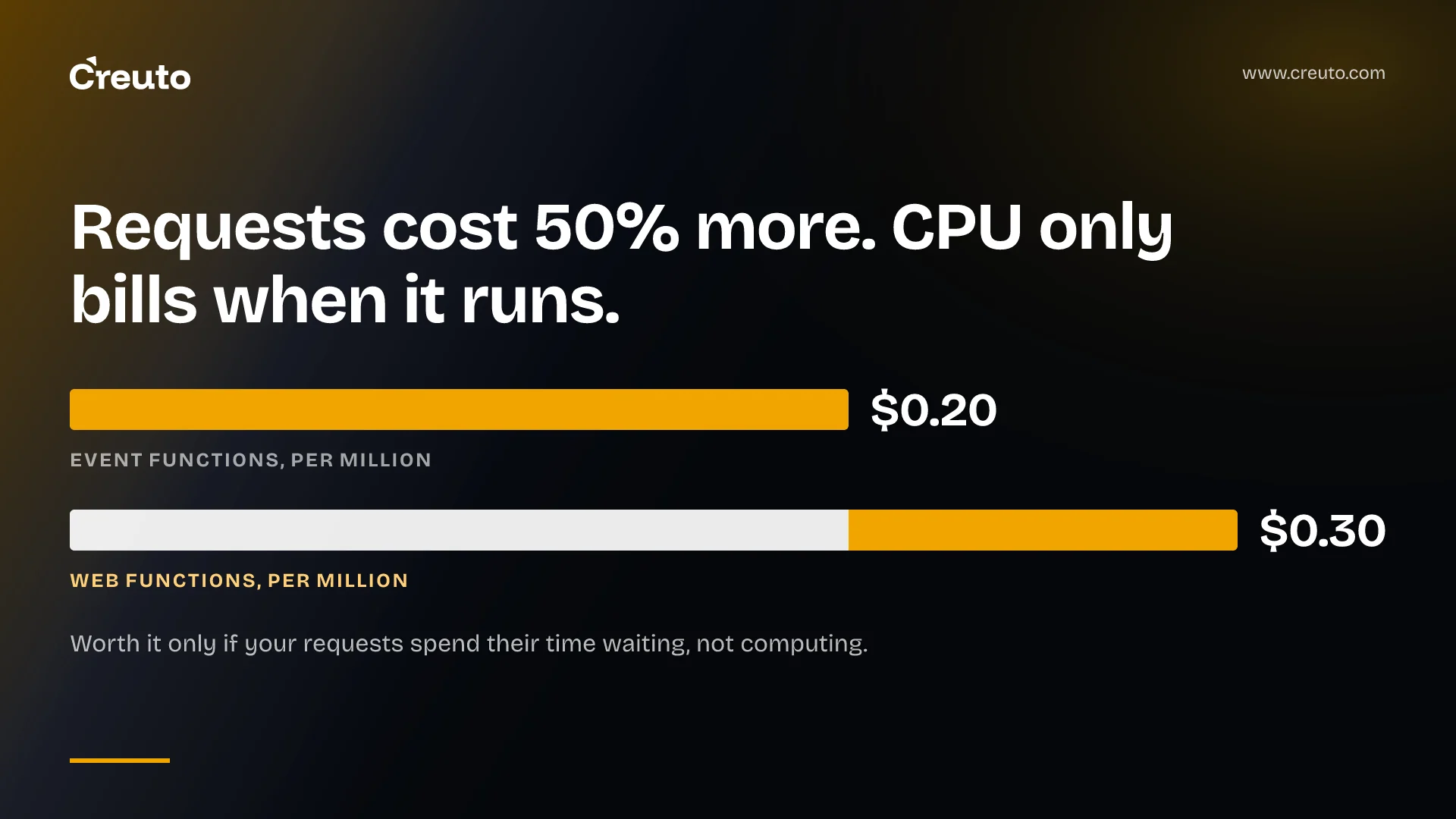
AWS Lambda Web Functions let an Express, Fastify, Koa or Next.js server run on Lambda with no adapter — your code listens on a port and Lambda forwards HTTP to it. The interesting part is not the ergonomics. It is that a request now costs $0.30 per million instead of $0.20, while CPU is billed only when your code is actually running.
That trade decides whether this is cheaper or more expensive than the Lambda you already run, and the answer depends on a property most teams have never measured: what fraction of your request duration is spent waiting rather than computing.
What AWS Lambda Web Functions actually are
A Web Function is a separate form factor from the Lambda you know, which AWS now calls Event Functions. You deploy a .zip, Lambda creates an HTTPS endpoint, terminates TLS on port 443, and forwards plain HTTP to your server inside the execution environment. Your server learns where to listen from the AWS_LAMBDA_HTTP_ENDPOINT environment variable:
const [host, port] = (process.env.AWS_LAMBDA_HTTP_ENDPOINT || 'localhost:3000').split(':');
app.listen(port, host);
The resource model is new too. A Web Function contains revisions — immutable snapshots of code and configuration — and endpoints, which route traffic to one or two revisions at weights you set. That gives you canary and blue-green deploys and instant rollback without a separate deployment tool, which is a genuine improvement on alias-and-version juggling.
Three constraints decide whether you can use it at all:
- Node.js only. The runtimes page lists
nodejs24.xas the single supported runtime. Python, Java and .NET teams are not in scope and should keep reading about Event Functions or MicroVMs. - No runtime pinning. Runtime management controls are not supported. Lambda always runs the latest patched version of the major you named, and you cannot disable that or pin a patch.
- Fixed environment size. Each execution environment gets 2 GB of memory and consumes 2 vCPUs. There is no memory slider, which is the knob most Lambda cost tuning has relied on for a decade.
The billing model, with the numbers
Web Functions bill four things: requests, active CPU time, memory for as long as the environment exists, and data transfer. Published rates on the Lambda pricing page for US East (N. Virginia) on Arm:
| Component | Web Functions | Event Functions |
|---|---|---|
| Requests | $0.30 per million | $0.20 per million |
| CPU | $0.0000276944 per active vCPU-second | Not billed separately — included in duration |
| Memory | $0.0000036667 per GB-second, for the life of the environment | $0.0000166667 per GB-second of execution duration |
Read the memory row carefully, because it cuts both ways. Event Functions bill GB-seconds only while an invocation runs. Web Functions bill memory for as long as the execution environment exists, including idle time between requests. You stop paying for wall-clock CPU and start paying rent on a warm server.
So the arithmetic favours Web Functions when requests spend their time waiting — on a database, a payment provider, an LLM call — because that waiting now costs you memory rent rather than full-rate duration, and one environment serves many such requests at once. It favours Event Functions when traffic is sparse and bursty, because an idle environment still accrues memory charges while an idle Event Function accrues nothing at all.
A worked example makes the crossover concrete. Take a service handling 10 million requests a month, each lasting 200 ms. As an Event Function at 2 GB, that is 2 million GB-seconds, about $33 of duration plus $2 of requests. As a Web Function the request line rises to $3, but if only 20 ms of each request is active CPU, the CPU line is roughly 10 million x 0.02 s x 2 vCPU x $0.0000276944, about $11 — and the memory line depends entirely on how many environments stay warm and for how long, which is the number you cannot read off a pricing page. That last term is why this needs measuring against your own traffic rather than arithmetic on a blog.
Compute is metered at 1 ms granularity. The pricing page's Web Functions examples do not include the free tier that Event Functions enjoy, so a hobby project that currently runs free may not stay free.
Concurrency per environment is the real behavioural change
Classic Lambda gives each execution environment exactly one in-flight invocation. That single fact is why a decade of Lambda code safely stashes per-request state in module scope. Web Functions break it. Each environment serves many concurrent requests on one Node.js event loop, and the documentation is blunt about the consequence: "avoid storing per-request state in global variables".
If you are porting an existing handler, that is the migration risk — not the HTTP plumbing. A global that held the current user or tenant was correct under one-invocation-per-environment and becomes a cross-request data leak under concurrency. No test that exercises one request at a time will catch it.
Three scaling settings govern the behaviour:
| Setting | Set on | Range | Default |
|---|---|---|---|
maxConcurrencyPerEnvironment | Revision | 1–128 | 64 |
maxEnvironments | Endpoint | 2–10,000 | Not set |
rateLimit (RPS) | Endpoint | 0–10,000 | Not set |
Lambda manages a dynamic per-environment concurrency limit and maxConcurrencyPerEnvironment is only its upper bound — setting it higher than the default often does nothing, because the managed limit is what is actually constraining traffic. Lowering it is the useful direction: for CPU-bound work it reduces contention on the shared event loop at the cost of more cold starts, and the docs are explicit that synchronous CPU-heavy work blocks every other request in that environment.
The quotas that will stop you before your settings do
Per Region, per account: 10,000 RPS per endpoint, 100,000 RPS across all endpoints, and 2,000 vCPUs. Since each environment consumes 2 vCPUs, that last quota caps you at roughly 1,000 concurrent environments per Region across the whole account — shared by every endpoint you run. A generous maxEnvironments does not reserve anything.
When a limit binds, Lambda returns HTTP 429 and does not queue the request. The exception is a cold start: if an environment is initializing, requests wait rather than being thrown away. A rateLimit of 0 blocks everything and returns 503 with a Platform.EndpointDisabled header, which is a usable kill switch. This is the same lesson as the 90-minute Lambda timeout: the headline capability is real, and the conditions attached to it decide whether it applies to you.
Where it sits against the alternatives
Against the AWS Lambda Web Adapter, the open-source shim that has done this job for years: you drop a dependency and a packaging step, and gain revisions, endpoints and multi-Region routing. You also give up memory sizing and runtime pinning. For a Node service already running happily on the adapter, this is not urgent.
Against API Gateway plus Event Functions: you lose the request/response transformation, authorizers, usage plans and REST-level features API Gateway provides, and you get an HTTPS endpoint with either IAM auth or application-managed auth. For a custom domain or WAF you put CloudFront in front, which the docs assume.
Against containers on Fargate or Kubernetes: this is the comparison that matters, because Web Functions are essentially a managed Node web server that scales to zero. You give up language choice and the memory dial; you gain not operating anything. If you run a Node API on Fargate with low average utilisation and you have been paying for capacity around the clock, this is worth modelling. If you have tuned a Kubernetes deployment you understand well, the migration buys less than it costs.
Next.js is listed as a supported framework, with a caveat worth knowing before you plan a weekend of it: standalone mode reads its own environment variables for the listen address, so you need an index.js entry file that maps AWS_LAMBDA_HTTP_ENDPOINT onto them before starting the server. Anyone weighing deployment portability for a Next.js app should read that alongside the self-hosting questions we covered for 16.3.8.
Two operational details that will bite
First, your server must begin listening within 10 seconds of startup. A framework that compiles templates or warms a connection pool before binding its port can exceed that on a cold start.
Second, and more surprising: an Active revision and a Successful endpoint update do not mean your application works. The documentation states plainly that Lambda does not check that your server listens when it creates or updates an endpoint. A green deployment with a server that never bound its port is a reachable state. Send a real request after every deploy and assert on it — the platform will not do it for you.
Request timeouts run from 3 to 900 seconds with a default of 30, and every forwarded request carries a lambda-web-request-id header that is echoed on the response, which is the correlation ID to put in your structured logs on day one.
One more thing to wire up before you need it. Lambda publishes EndpointRequestThrottles, AccountRequestThrottles, EndpointActiveEnvironmentThrottles and AccountActiveVCPUArm64Throttles as distinct metrics, which is unusually honest instrumentation: each one tells you precisely which ceiling you hit. Alarm on the account-level pair separately from the endpoint pair, because the account ones mean another team's endpoint consumed the quota and no change to your configuration will help.
What to do this quarter
Nothing, if you are not on Node. If you are, the question worth answering is the one from the top: measure the ratio of active CPU time to total request duration on your busiest service. Above roughly half, you are paying Event Function duration rates for computation and the move is marginal. Well below it — an API that mostly waits on Postgres or a third-party call — and the active-CPU model is a real reduction, with the concurrency-safety audit as the price of admission.
Do that audit before the migration, not after. Grep for module-scope mutable state in your request path, and treat every global as a bug until you have read it. Then deploy one non-critical endpoint, point 10% of traffic at the new revision, and watch EndpointActiveEnvironments and the throttle metrics for a week before you move anything that matters. If you want help modelling the cost against your own traffic shape rather than a launch-post example, that is the serverless work we do.
Frequently asked questions
AWS Lambda Web Functions are a Lambda form factor that runs a standard HTTP server, such as Express, Fastify, Koa or Next.js, without an event-handler adapter. Your server listens on the address in AWS_LAMBDA_HTTP_ENDPOINT, and Lambda provides an HTTPS endpoint, terminates TLS and scales environments with traffic.
Published US East rates on Arm are $0.30 per million requests, $0.0000276944 per active vCPU-second, and $0.0000036667 per GB-second of memory. Memory is billed for as long as the execution environment exists, including idle time between requests, and compute is metered at 1 ms granularity.
Lambda Web Functions currently support Node.js only, with nodejs24.x as the single supported runtime identifier. Teams using Python, Java or .NET must use Lambda Event Functions or Lambda MicroVMs instead. Runtime management controls are unavailable, so you cannot pin a patch version.
Lambda applies a managed dynamic per-environment concurrency limit, bounded by the revision setting maxConcurrencyPerEnvironment. That setting accepts values from 1 to 128 and defaults to 64. Each execution environment has 2 GB of memory and consumes 2 vCPUs regardless of the concurrency you configure.
Not urgently. Moving from the Lambda Web Adapter removes a dependency and adds revisions, endpoints and multi-Region routing, but costs you memory sizing and runtime pinning. A Node service already running well on the adapter gains little, so model the billing change against your own traffic first.
Yes. Lambda removes all execution environments when an endpoint has no traffic, and the next request starts a new environment with a cold start delay. There is no minimum or reserved environment setting, though Lambda scales up ahead of demand to keep headroom for traffic increases.
Lambda returns HTTP 429 and does not queue the request, whether the limit is your endpoint rateLimit, maxEnvironments, or the account vCPU quota. Requests do wait during a cold start while an environment initializes. A rateLimit of zero returns HTTP 503 with a Platform.EndpointDisabled header.
