Assistants API migration after the 26 August shutdown
Assistants API migration after the 26 August shutdown: map threads, runs and file search to Responses and Conversations, and skip dying prompt objects.
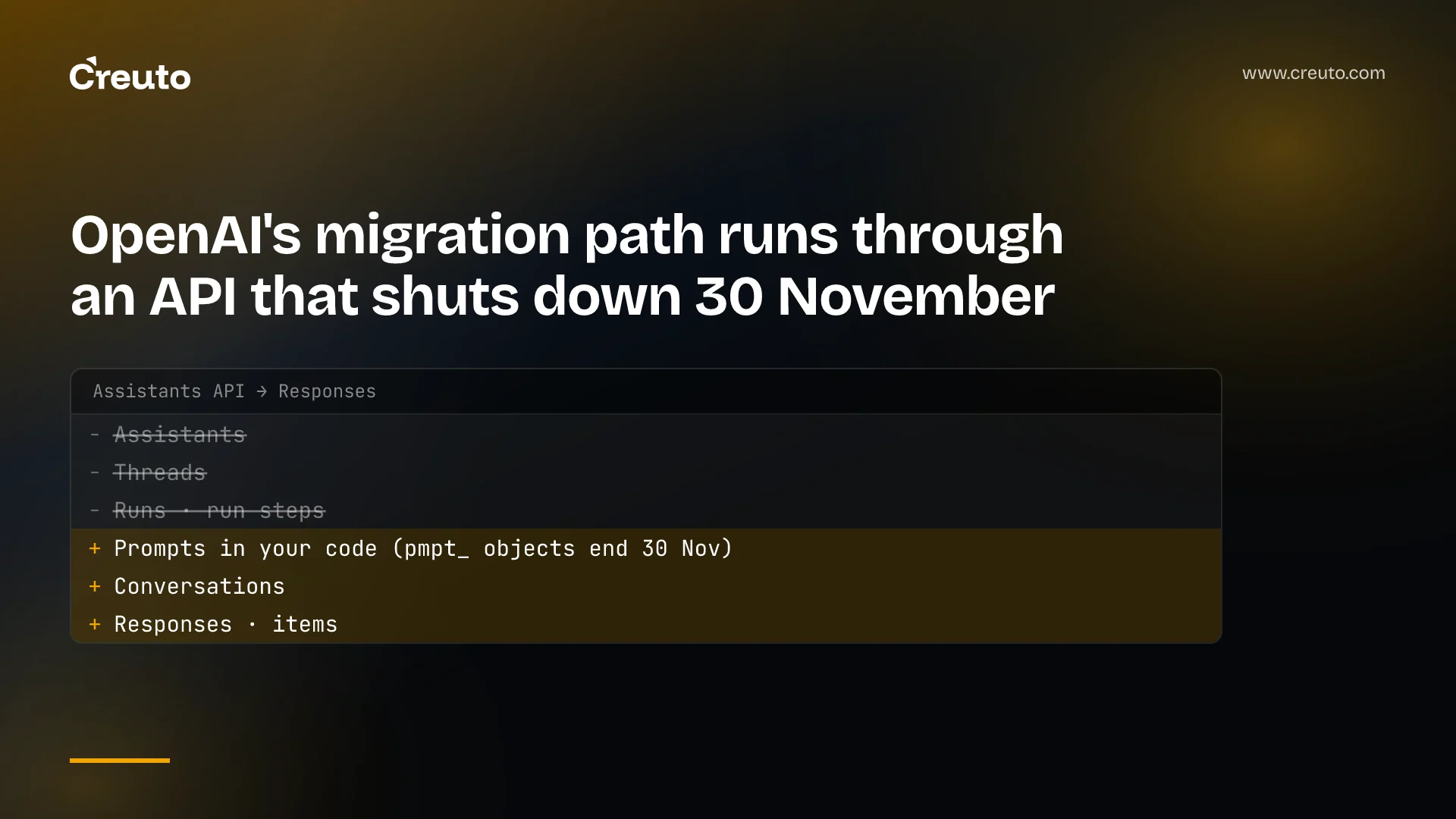
OpenAI's own Assistants API migration guide tells you to turn each assistant into a dashboard prompt object. The same guide warns that prompt objects are being deprecated, and the v1/prompts API is scheduled to shut down on 30 November 2026. By the end of this post you will know how every Assistants concept maps onto the Responses and Conversations APIs, which pieces have no direct replacement, and why the configuration belongs in your code rather than in another hosted object.
The deadline has already passed. OpenAI's changelog records that the Assistants API shut down on 26 August 2026, and the migration guide states it is no longer available. If your integration still calls /v1/assistants, /v1/threads or runs, it has been failing for almost a month.
Is the OpenAI Assistants API shut down?
Yes. The Assistants API shut down on 26 August 2026, exactly one year after OpenAI notified developers of its deprecation on 26 August 2025. The recommended replacement on the deprecations page is the Responses API together with the Conversations API. The key facts, as of September 2026:
| Date | What happened | Source |
|---|---|---|
| 11 March 2025 | Responses API released; Assistants sunset planned for 2026 after feature parity | OpenAI changelog |
| 26 August 2025 | Assistants API deprecation notice sent | Deprecations page |
| 3 June 2026 | Reusable prompt objects deprecated; prompt creation de-emphasised | Deprecations page |
| 26 August 2026 | Assistants API shut down | OpenAI changelog |
| 30 November 2026 | v1/prompts and reusable prompt objects scheduled to shut down | Deprecations page |
That last row is the one most migration write-ups skip, and it changes the plan.
What replaces the Assistants API, concept by concept
The migration guide gives a four-row mapping. Assistants become prompts, threads become conversations, runs become responses, and run steps become items. Here it is with the caveat each row needs.
| Assistants API | Official replacement | What we would actually use |
|---|---|---|
| Assistant (model, instructions, tools) | Prompt object, created in the dashboard | A prompt builder function in your repo, passed as input |
| Thread | Conversation | Conversation |
| Run | Response | Response, with your own tool loop |
| Run step | Item | Item |
| File search on a thread or assistant | file_search tool on the response | Same, with vector_store_ids per request |
Three of the rows are direct swaps. The first is not, and the reason is a date.
Why the prompt-object route is a dead end
The guide's first migration step is to find each assistant in the dashboard and click Create prompt, and it notes that prompts can only be created in the dashboard. A few lines later it carries its own warning: reusable prompt objects are also being deprecated, so check the timeline before adopting them in a long-lived integration. That timeline ends on 30 November 2026.
The strongest case for the prompt route is speed. One click per assistant, and the example code in the guide keeps working with a prompt: { id: "pmpt_123" } parameter. If you have to restore a broken production feature today, that is a legitimate stopgap. It is the wrong choice for anything you expect to be running in December, because you would be doing this migration twice in three months.
OpenAI's guide to migrating off prompt objects describes the destination directly: move prompt content into source code, replace prompt variables with function arguments, pass messages through input, and move versioning to git, PR review and evals. It also recommends a small prompts/ module with one named builder function per prompt, rather than prompt strings scattered through the codebase. In the builds we run, that is where instructions already live, because prompt changes need the same review as any other behaviour change.
How do I migrate threads to the Conversations API?
You migrate threads from your own records, not from OpenAI's. The migration guide says the Assistants call that retrieved thread messages no longer works, so its thread-conversion example only helped teams who ran it before the shutdown. The route it points to now is to take the messages your application stored, convert each one into an item, and pass the list to conversations.create(items=...).
The conversion is mechanical. User text becomes an input_text content part, assistant text becomes output_text, and image URLs become input_image. If your application never kept its own copy of the conversation, there is nothing left to convert, and you should tell users their history starts fresh rather than pretend otherwise.
Two properties of conversations matter for design. Conversations store items, which can be messages, tool calls and tool outputs, where threads could only hold messages. And retention differs: response objects are kept for 30 days by default, but conversation objects and the items in them are not subject to that 30-day TTL. The same page adds that when you chain responses with previous_response_id, all earlier input tokens in the chain are still billed as input tokens. We covered the wider question of what an agent keeps between turns in our piece on AI agent state between turns.
Runs, run steps and function calling in Responses
The polling loop goes away. An Assistants integration created a run, then called runs.retrieve every second until the status left queued or in_progress, then listed the thread's messages. In Responses, you send input items and receive output items back, and tool call loops are explicitly managed.
That last clause is where most of the work sits. An item is a union type: a message is one kind of item, and so are function_call and function_call_output. Your code reads function calls from output, runs them, and sends the results back as function_call_output items on the next request. Structured outputs move too: Responses uses text.format instead of response_format.
This is the right time to decide whether you want to own the loop at all. If the Assistants API appealed because it ran the orchestration for you, read our analysis of the OpenAI Agents API and its managed harness before rebuilding a loop by hand.
File search in the Responses API
File search is a hosted tool in the Responses API that searches vector stores. You add {"type": "file_search", "vector_store_ids": [...]} to the request's tools. Notice what disappeared: the thread object in the migration guide carried a tool_resources field, and the conversation object does not. Which knowledge base a conversation searches is now a decision your code makes on every request.
That is more flexible, and it is also a place bugs hide. The file search guide documents max_num_results to cap retrieval, include: ["file_search_call.results"] to return the retrieved chunks for logging, and metadata filters on vector store file attributes. We would log the retrieved results during the migration so you can compare answers against the old behaviour.
An assistants API migration checklist
- Export every assistant's instructions, model and tool definitions into a
prompts/module in your repo. Skip the dashboard prompt object unless it is a stopgap you will remove before 30 November. - Rebuild conversation history from your own database into items and create conversations from them.
- Replace create-run-and-poll with a single
responses.createcall that passesconversation. - Write the function-calling loop: read
function_callitems, execute them, returnfunction_call_output. - Move file search to the
file_searchtool with explicitvector_store_ids. - Put static instructions first and per-user content last. OpenAI notes that cache hits depend on exact prefix matches, so ordering affects cost.
Most of this is ordinary API integration work, and it is the kind of change our AI engineering team ships alongside the product code rather than as a separate project. If the integration touches several internal systems, the API development and integrations side of the job is usually the larger half.
The decision in front of you is not whether to move to Responses; the Assistants endpoints are already gone. It is whether you migrate once, onto prompts in your own code, or twice, via an object with a 30 November shutdown date.
Frequently asked questions
Yes. The OpenAI Assistants API shut down on 26 August 2026, one year after the deprecation notice sent on 26 August 2025. OpenAI's migration guide says it is no longer available and recommends the Responses API together with the Conversations API for all integrations that used assistants, threads and runs.
The Responses API replaces runs, and the Conversations API replaces threads. OpenAI's guide maps assistants to prompt objects, but those shut down on 30 November 2026, so the durable replacement for an assistant's instructions and tools is prompt content kept in your own code and sent through the input parameter.
Threads migrate from your own stored messages, because the Assistants call that listed thread messages no longer works. Convert each stored message into an item, using input_text for user text and output_text for assistant text, then pass the list to conversations.create. Without your own copy, earlier history cannot be recovered.
Creating prompt objects from assistants is only sensible as a short stopgap. OpenAI deprecated reusable prompt objects on 3 June 2026 and scheduled the v1/prompts API to shut down on 30 November 2026, so anything built on them needs a second migration. Keeping prompts in your repository avoids that.
File search is available as a hosted tool in the Responses API. You pass a file_search tool with the vector_store_ids to search on each request, rather than attaching tool resources to a thread. You can cap results with max_num_results and return the retrieved chunks with the include parameter.
