Android CLI device streaming: what a screenshot proves
Android CLI device streaming gives an agent a real phone over ADB-over-SSL. What it costs, what 30 free minutes buy, what a screenshot cannot verify.
Android CLI device streaming lets a coding agent reserve a real phone in a Google data centre, connect to it over a secure ADB-over-SSL link, install a build, drive the UI, collect logs and traces, and capture screenshots headlessly from a terminal. Google announced it on 2 October 2026. The no-cost allowance is 30 minutes per project per month.
That last sentence is the one most coverage left out, and it changes how you plan around this. So does the fact that the Google Cloud platform billing those minutes is still in public preview. Here is what the primary documentation actually says, and where the two Google teams writing about it do not quite agree.
What android cli device streaming actually gives an agent
The capability is a set of android device remote subcommands in Android CLI. Per the Android CLI release notes, version 1.0.16457483 added projects and models to find a Google Cloud project and browse the device catalogue, create to reserve a device, list, extend --duration <minutes> and remove to manage the reservation, and connect and disconnect to attach it to adb.
Once attached, the device behaves like local hardware. The release notes are explicit that a connected remote device "works with android run, android install, and other device commands like a local device". Google's announcement puts the agent-facing version plainly: the agent interacts with physical devices "as if they were plugged in over USB", which enables "spinning up devices, deploying builds, collecting logs and traces, and even capturing screenshots headlessly—all through the terminal".
The device catalogue is Google-hosted Pixels plus Android Partner Device Labs. The Android Device Streaming documentation names the Pixel 9a, Pixel 9, Pixel 9 Pro, Pixel 9 Pro XL and Pixel 9 Pro Fold in Google's own data centres, and partner lab devices from Samsung, Xiaomi, OPPO, OnePlus, vivo and Transsion. The announcement screenshot shows a Pixel 10 Pro, which the catalogue page did not list when we checked it on 4 October 2026.
The feature is older than the announcement, and the platform under it is newer
Device streaming itself is not new. It went stable at Google I/O 2025 and has shipped in Android Studio since, with Android Partner Device Labs made stable in August 2025. What is new is agent access to it from a terminal, and even that landed before the blog post: the device remote commands shipped in Android CLI 1.0.16457483 in September 2026, and October's 1.0.16500706 only changed create to connect to adb automatically. The 2 October post is the publicity, not the release.
The newer thing is underneath. Android Device Streaming is now a feature of the Developer Device Platform, a Google Cloud product that entered public preview on 12 August 2026. Google Cloud's pricing table labels every current rate "pay-per-use pricing during public preview". The Android post carries no preview label at all. If your procurement process cares about preview status — and for a billed dependency in a release pipeline it should — the Android blog is not the page to quote to it.
What android cli device streaming costs
Two Google pages describe the money differently, and both are current.
| Source and plan | Included at no cost | Rate beyond that |
|---|---|---|
| Firebase, Spark plan | 30 minutes per project, per month | No billing available |
| Firebase, Blaze plan | 30 minutes per project, per month | 15 cents per additional minute |
| Developer Device Platform, public preview | None stated; billing required | $0.15 per physical device minute; $0.017 per emulator minute |
| Developer Device Platform, from April 2027 | None stated | $0.20 per physical device minute, or $250 per device slot per month |
The Firebase figures come from Firebase's usage, quotas and pricing page, which states "30 no cost minutes per project, per month" on both Spark and Blaze, and "15 cents for each additional minute" on Blaze. The Developer Device Platform rates come from Google Cloud's own product page, which also notes that pay-per-use is billed per second with a one-minute minimum.
Thirty minutes a month is half an hour. At 15 cents a minute, an hour of device time costs $9 — cheap against buying a Pixel 9 Pro Fold, expensive if an agent holds a reservation open while it thinks. The reservation is the billable unit, not the work: extend --duration and remove exist because an agent that forgets to release a device bills you for its own idleness. Whatever wrapper you put around this, make releasing the reservation the finally block, not the happy path.
The two pages also contradict each other on whether you need a credit card. The Android documentation says device streaming "is available to you to try at no cost with Firebase projects on a Spark plan". The Firebase Test Lab deprecation FAQ says that "while Firebase Test Lab supported some usage without billing, the Developer Device Platform requires your project to have billing enabled". Both are true today, because the two front doors have not finished merging. Read it as a shelf life on the free tier rather than a permanent one.
Firebase Test Lab shuts down in 2027; device streaming does not
The pricing page carries a deprecation banner: "Firebase Test Lab is deprecated and will be fully shut down on September 30, 2027." The FAQ is blunt about the consequence — "you won't be able to run any workflows after September 30, 2027", and the console and API go with it.
Device streaming survives that. Asked directly whether Android Device Streaming is also deprecated, Google's FAQ answers: "No, Android Device Streaming is not being deprecated. Android Device Streaming is a feature of Developer Device Platform and is supported." The same FAQ says Developer Device Platform will match Firebase Test Lab rates through 30 April 2027, after which promotional pricing ends and the per-slot subscription model begins.
If you already run instrumentation tests on Test Lab in CI, you have a migration with a date on it that has nothing to do with agents. Worth separating the two conversations before someone merges them into one budget line.
A screenshot confirms something rendered, not that it is right
This is the part that deserves care, because closing the loop from code to running app is genuinely significant and it is easy to over-read. An agent that can see its own output still has no oracle — nothing that knows what correct looks like. A screenshot proves pixels exist. It does not prove the total is right, the discount applied, the correct account loaded, or the string localised rather than falling back to English.
Google's own testing of Android Skills makes the point better than any argument. The acceptance criteria in a published skill eval are project_builds: true plus an llm_diff_judge with named, specific assertions — "Must use HorizontalPagerScaffold" — not a screenshot comparison. When Google needs to know whether a change is correct, it writes down what correct means first.
Screenshots catch a real and expensive class of defect: a crash on launch, a blank frame, a permission dialog that blocks the flow, text clipped at a large font scale, a layout that collapses on a folded inner display. They do not catch a wrong value in the right place, and an agent reporting "the screen looks fine" is reporting exactly that much. The practical answer is unglamorous: screenshot tests with committed golden images, assertions over logcat and trace output rather than over an image, and instrumented tests the agent runs rather than eyeballs. Device streaming changes who gathers the evidence. It does not supply the standard. If anything, it raises the value of the QA and automation work that defines the standard, because now something will produce evidence at a rate humans cannot read.
A remote Pixel is not your user's device
The catalogue is good — partner labs mean Samsung and Xiaomi skins, not just stock Android — but a reserved device in a data centre is missing most of what makes mobile bugs expensive. There is no carrier on it in the sense your users have one: no local SIM behaviour, no roaming, no operator-specific messaging stack. Network conditions are a data-centre link, not a crowded 4G cell in a lift. The device runs whatever locale and accessibility settings you set, which means the font-scale and screen-reader paths stay untested unless you deliberately test them. And a Pixel 9 Pro is not the three-year-old mid-range handset where your jank actually lives.
We build mobile apps for a living, and across our own first-hand products — a dining super app, MakeMyLook, which reached market in 16 weeks with 200+ vendors onboarded, and FlashNow — almost nothing difficult happened at compile time. It happened in the gap between a build that runs and a build that behaves. Device streaming reaches into that gap for the first time, which is why it matters, and it reaches into one specific part of it.
Where this genuinely saves time
Lead with the obvious win: reproducing a bug on a device nobody on the team owns. The old version of that task is a Jira ticket that sits for a week while someone sources a handset, or a "cannot reproduce" close that comes back in the next release. The new version is a reservation, an install, a repro, a logcat pull and a screenshot, and the device goes back. That alone justifies the 30 free minutes for most teams, and it is a job an agent can do unattended because reproduction has a clear success signal: the crash either appears in the log or it does not.
Three other jobs fit the same shape. Checking an adaptive layout on a foldable, where the Pixel 9 Pro Fold in the catalogue is the hardware most teams do not have. Running a pre-submission audit — Google ships an "Audit Play policy compliance" skill for manifests, runtime permissions, target SDK levels and privacy disclosures. And confirming a hardware-specific fix on the OEM device the complaint came from.
It is the wrong choice in three places. Continuous regression on every pull request, where per-minute billing turns a green build into a line item. Anything that needs a real SIM, a carrier network or a payment flow bound to a device. And anything touching production user data, on hardware that is factory reset and handed to the next developer. For those, hardware on a desk or a dedicated farm is still the answer, and our Android development work still assumes both.
Android Skills: grounding that costs tokens
Shipped alongside is the skills library — structured SKILL.md files that ground an agent in current Android guidance instead of its training cutoff. The announcement said "over 20 skills available"; the browse page listed 26 when we counted on 4 October 2026, including Upgrade to AGP 9, Android Intent security, CameraX, Set up Navigation 3, Audit R8 configuration and Use Android profilers.
The honest framing came from Google's own engineering post, Inside Android Skills - Built for deprecation (6 August 2026). Skills are only written "when there's a verifiable knowledge gap in state-of-the-art (SOTA) models", and they are expected to become obsolete: "Skills of today will be in the models of tomorrow." There is a running cost, too — the post warns that "every installed skill injects 100–200 tokens into the baseline context of every task you start", which makes installing all 26 because they exist a bad default. Install the ones covering the APIs you actually touch.
The strongest public evidence for the skills is a vendor-published anecdote, and worth reading as one: Google quotes Roy Solberg, Android Tech Lead at FotMob, saying "One skill, one afternoon, eight lists migrated and a pile of custom rotary code gone!" after using the Wear Compose Material 3 skill. Google also notes the changes were verified on an emulator, not a physical device — which is a fair description of where most of this work still happens.
The decision in front of you
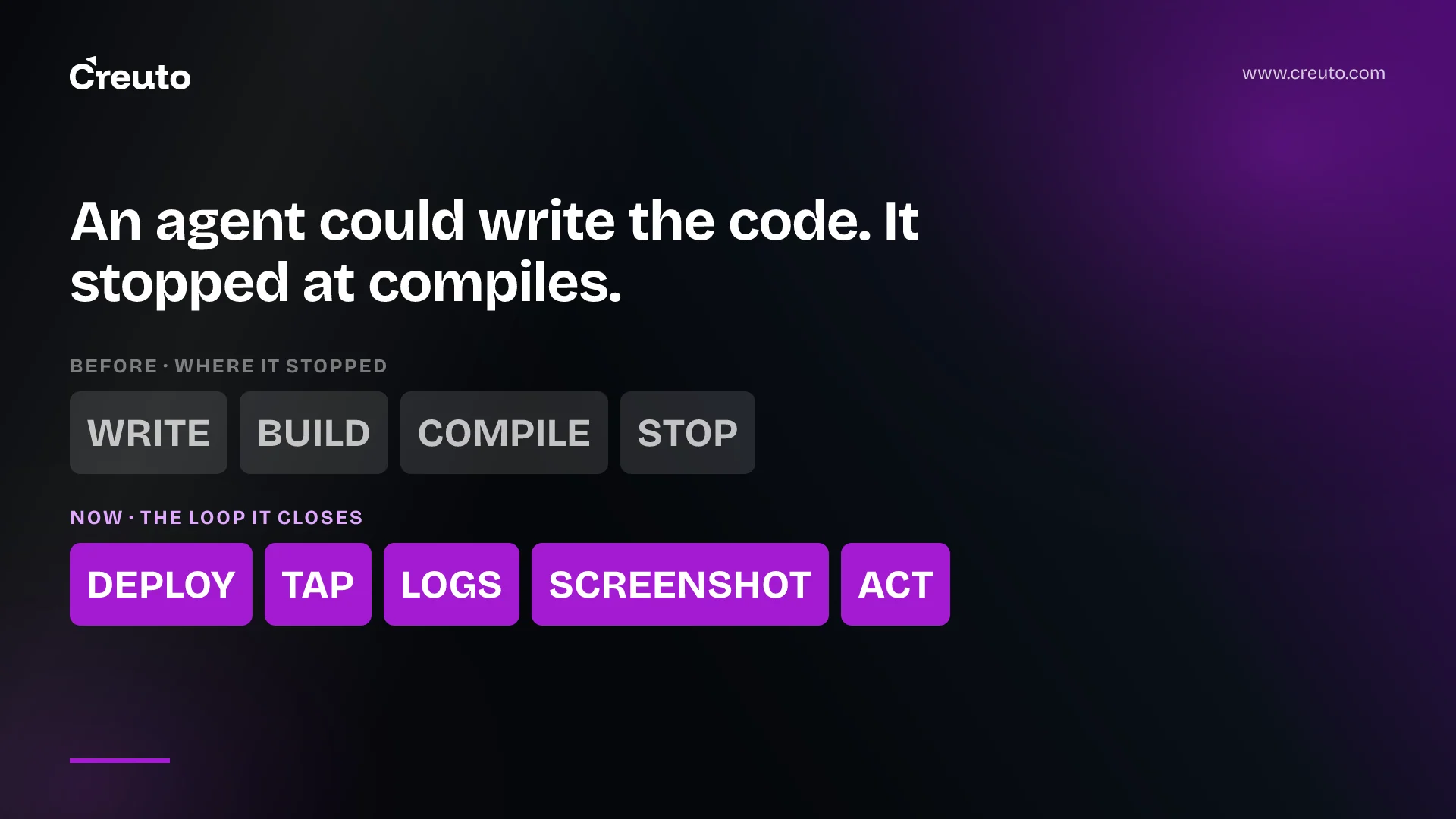
The loop an agent can close now runs deploy, interact, collect, capture, act. That is a real change from stopping at a successful compile, and it is the first time the agentic workflows worth running have had hardware at the end of them rather than a build log. It does not change what verification means.
The practical next step is small: enable device streaming on one Google Cloud project, give your agent the 30 minutes, and point it at the oldest open "cannot reproduce on my device" bug you have. If it comes back with a logcat and a screenshot, you have learned something about the tool and closed a ticket. If it comes back with "looks fine", you have learned that you need the oracle first — which is the same thing teams running Android agentic workflows in the cloud found out about every other part of the pipeline.
Frequently asked questions
Android CLI device streaming is a set of android device remote commands that let a coding agent reserve a real physical phone hosted by Google, attach it to adb over a secure ADB-over-SSL connection, then install builds, drive the UI, collect logs and traces, and capture screenshots headlessly from a terminal.
Android device streaming includes 30 no-cost minutes per project per month on both the Firebase Spark and Blaze plans, according to Firebase's pricing page. Blaze projects pay 15 cents for each additional minute. The Google Cloud platform underneath charges $0.15 per physical device minute during public preview.
No. Android Device Streaming connects you to physical devices hosted in Google data centres and Android Partner Device Labs, so no hardware sits on your desk. You do need a Google Cloud project with device streaming enabled, and you sign in with android auth login before reserving.
An agent can deploy a build to a real device, interact with it, pull logcat and traces, and capture screenshots. It cannot judge correctness on its own. A screenshot proves something rendered, so you still supply the oracle through golden-image screenshot tests, log assertions or instrumented tests.
Android Skills are structured SKILL.md files that ground an AI agent in current Android guidance rather than its training cutoff. Google listed 26 skills on 4 October 2026, covering areas such as AGP 9, CameraX, Navigation 3 and Play policy audits, and expects them to be retired as models improve.
Google's documentation names the Pixel 9a, Pixel 9, Pixel 9 Pro, Pixel 9 Pro XL and Pixel 9 Pro Fold in its own data centres, plus Android Partner Device Lab hardware from Samsung, Xiaomi, OPPO, OnePlus, vivo and Transsion. Run android device remote models for the current catalogue.
